Airport Ready
Airport Ready

Airport Ready

Simulation

| Yelo Hood

Play on PC with BlueStacks or from our cloud

  • Overview
  • Game Features
  • How to Play

Page Modified On: April 13, 2026

Play Airport Ready on PC or Mac

Airport Ready brings the Simulation genre to life, and throws up exciting challenges for gamers. Developed by Yelo Hood, this Android game is best experienced on BlueStacks, the World’s #1 app player for PC and Mac users.

About the Game

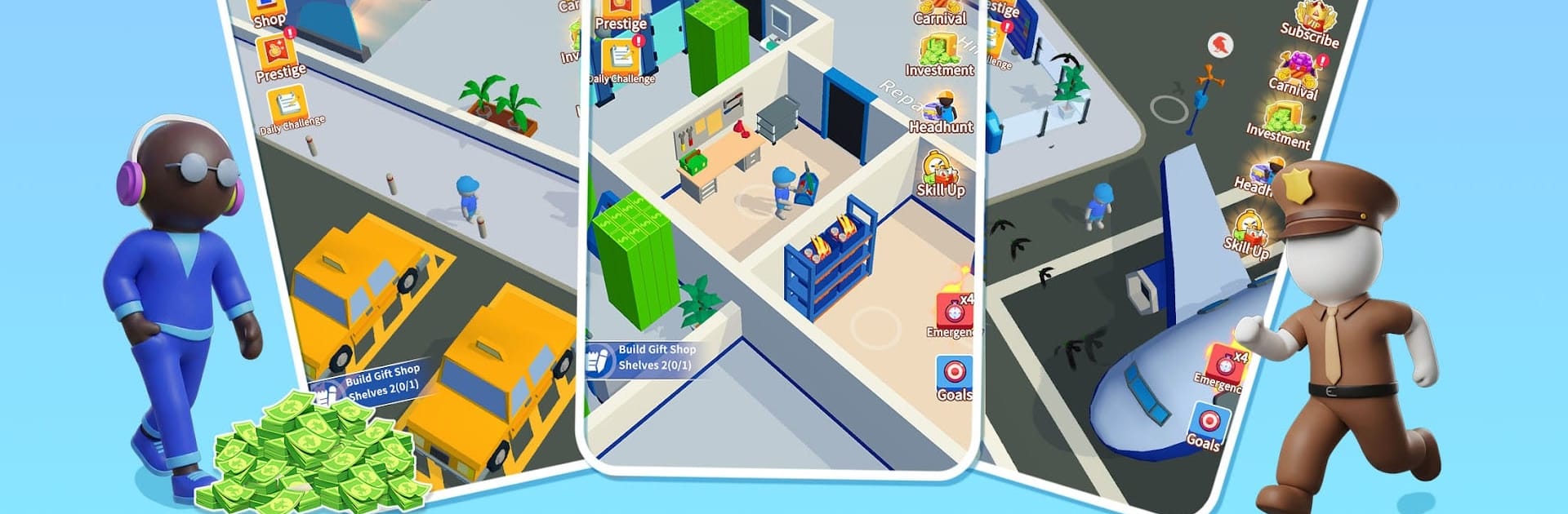
Airport Ready is a hands-on airport manager experience where every minute counts. As the person in charge, you’ll juggle flights, passengers, and the nonstop buzz of a growing hub while shaping a smooth journey from curb to cabin. It’s a Simulation by Yelo Hood that blends strategic planning with easy-to-enjoy, pick-up-and-play moments—and it’s comfortably playable on PC with BlueStacks too.

Game Features

  • Run the whole operation: Oversee check-in counters, boarding gates, baggage belts, and security lines, keeping travelers moving and planes on schedule.
  • Air traffic control made approachable: Guide arrivals and departures with clear priorities, reduce delays, and keep runways humming without the chaos.
  • Hire and train your crew: Bring on check-in agents, baggage handlers, and supervisors, then boost their skills to speed up service and increase earnings.
  • Build better terminals: Upgrade facilities, add new services, and fine-tune layouts so passengers flow faster and planes turn around quicker.
  • Grow from small to jumbo: Start as a modest regional stop and expand into a jumbo airport with more stands, bigger jets, and busier peak hours.
  • Multiple maps to conquer: Unlock fresh locations with unique layouts and challenges, then tailor your strategy to each airport’s quirks.
  • Idle progress that sticks: Your operation keeps earning while you’re away, so returning to bigger budgets and smarter upgrades feels satisfying, not grindy.
  • Tycoon-style decisions that matter: Balance budgets, invest in efficiency, and choose what to improve next to build a thriving airport tycoon success.

Get ready for a buttery smooth, high-performance gaming action only on BlueStacks.

Game Features

Enhancements

  • Macros
  • Multi Instance
  • Multi Instance Sync
  • Script
  • Enhancements
Macros

Macros

Automate the predictable in Airport Ready and transform your gameplay with Macros. Get access to inventive Macros in the BlueStacks Macro Community
Multi Instance

Multi Instance

Play Airport Ready on one window. And chat with your friend on the other. Press CTRL + Shift + 8 to open the Multi-Instance Manager. And start creating fresh instances or clone an existing one.
Multi Instance Sync

Multi Instance Sync

Play Airport Ready with the power of Multi-Instance Sync. Replicate what you are doing on the main instance on all other instances. Level up faster, play more.
Script

Script

Script your way to gaming glory in Airport Ready with BlueStacks Script. Write and run a set of commands to automate repeated tasks. Trigger the command by assigning it to any key.
Read More

How to Download and Play Airport Ready on PC or Mac

  • Download and install BlueStacks on your PC or Mac

  • Complete Google sign-in to access the Play Store, or do it later

  • Look for Airport Ready in the search bar at the top right corner

  • Click to install Airport Ready from the search results

  • Complete Google sign-in (if you skipped step 2) to install Airport Ready

  • Click the Airport Ready icon on the home screen to start playing

video
Watch Video

Minimum System Requirements

With BlueStacks 5, you can get started on a PC that fulfills the following requirements.

  • Operating System

    Microsoft Windows 7 or above, macOS 11 (Big Sur) or above

  • Processor

    Intel, AMD or Apple Silicon Processor

  • RAM

    at least 4GB

  • HDD

    10GB Free Disk Space

Note:

* You must be an Administrator on your PC. Up to date graphics drivers from Microsoft or the chipset vendor.

Airport Ready - FAQs

  • How to play Airport Ready on Windows PC & Mac?

    Play Airport Ready on your PC or Mac by following these simple steps.

    • Click on 'Play Airport Ready on PC’ to download BlueStacks
    • Install it and log-in to Google Play Store
    • Launch and play the game.
  • Why is BlueStacks the fastest and safest platform to play games on PC?

    BlueStacks respects your privacy and is always safe and secure to use. It does not carry any malware, spyware, or any sort of additional software that could harm your PC.

    It is engineered to optimize speed and performance for a seamless gaming experience.

  • What are Airport Ready PC requirements?

    Minimum requirement to run Airport Ready on your PC

    • OS: Microsoft Windows 7 or above MacOS 11 (Big Sur) or above
    • Processor: Intel, AMD or Apple Silicon Processor
    • RAM: Your PC must have at least 4GB of RAM. (Note that having 4GB or more disk space is not a substitute for RAM)
    • HDD: 10GB Free Disk Space.
    • You must be an Administrator on your PC.