American Farming 2
American Farming 2

American Farming 2

Simulation

| SquadBuilt Inc

Play on PC with BlueStacks or from our cloud

  • Overview
  • Game Features
  • How to Play

Page Modified On: September 07, 2026

Play American Farming 2 on PC or Mac

Explore a whole new adventure with American Farming 2, a Simulation game created by SquadBuilt Inc. Experience great gameplay with BlueStacks, the most popular gaming platform to play Android games on your PC or Mac.

About the Game

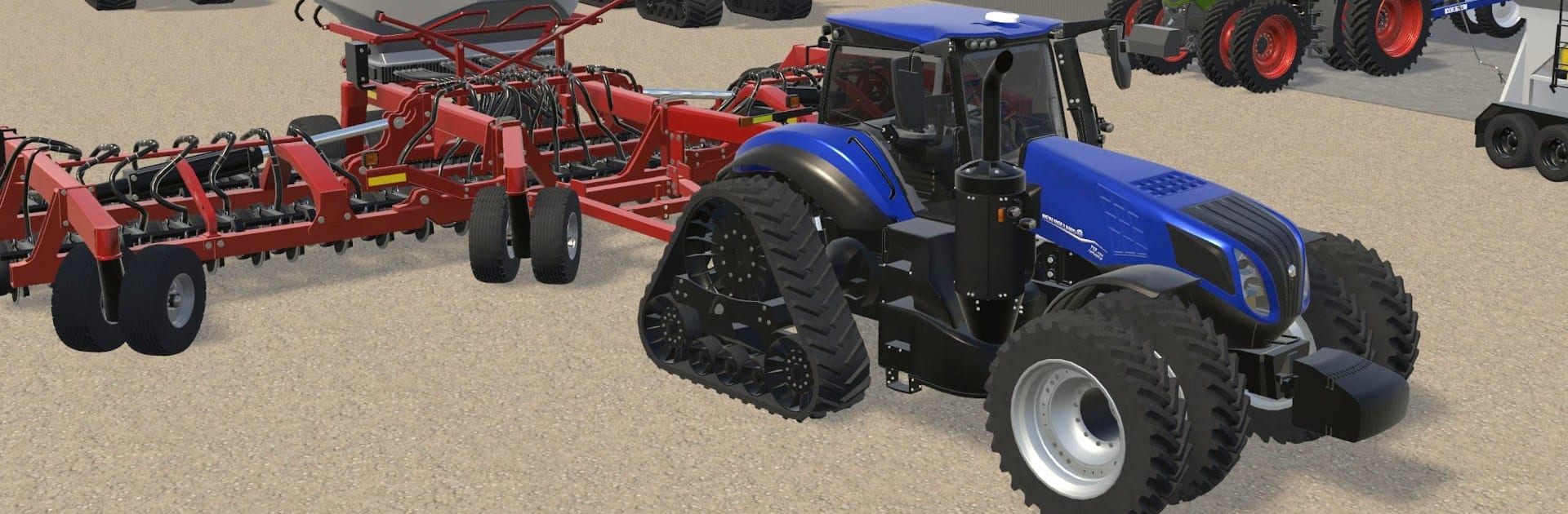
American Farming 2 puts you in charge of a real working farm, from the first patch of ground you plant to a full-on commercial operation. As a Simulation, it sticks to the nuts and bolts—authentic machinery, big Midwestern fields, and a map that feels like a place you could actually live and work. Prefer a bigger screen and precise controls? It also runs smoothly on PC with BlueStacks.

Game Features

  • Expansive Indiana Playground: Work across a huge slice of Indiana with multiple farm sites, open fields, rural roads, and classic American barns and silos.
  • Real Machinery Brands: Operate gear from Case IH, New Holland, Massey Ferguson, Fendt, and other familiar names you’ve seen in real fields.
  • Big Iron and Classics: Climb into modern high-horsepower tractors or take a spin in old-school favorites when you’re in the mood for something nostalgic.
  • Aerial and Utility Rigs: Spray crops from a helicopter and zip around the property in side-by-sides to check fields and crews fast.
  • Deep Equipment Customization: Personalize your machines with the setups and attachments that fit your workflow and style.
  • Heavy-Duty Implements: Hook up planters, big grain carts, trailers, and other essentials to keep planting, hauling, and harvesting moving smoothly.
  • AI Help on Call: Assign AI workers and drivers to tackle fieldwork, hauling, and routine tasks so you can focus on planning and upgrades.
  • Character Creator: Customize your farmer’s look—from outfit to details—so the person in the cab actually feels like you.
  • Crisp, Detailed Visuals: Enjoy sharp graphics that show off wide-open fields, rugged terrain, and weathered American buildings with plenty of detail.
  • Controller Support: Run the farm your way with full controller compatibility for comfortable, couch-friendly sessions.
  • Built-In Guidance: A clear tutorial and searchable help menus make complex systems easy to learn and master.
  • Full Livestock Lineup: Manage dairy cows, raise beef cattle from calves to finish, handle farrow-to-finish hog barns, and add turkeys to the operation.
  • Authentic Crop Cycles: Plant, grow, and harvest with systems that reflect real practices—from field prep to the last load off the combine.
  • Bin-Site Grain Drying: Dry grain at your bins to hit target moisture before storing or selling.
  • Smart Fertility Management: Balance nitrogen, phosphorus, and potassium, pick from different nitrogen sources, and rotate crops to keep fields efficient and productive.

BlueStacks gives you more room to focus on the game and less time adjusting around mobile limitations.


Game Features

Enhancements

  • Macros
  • Multi Instance
  • Multi Instance Sync
  • Script
  • Enhancements
Macros

Macros

Automate the predictable in American Farming 2 and transform your gameplay with Macros. Get access to inventive Macros in the BlueStacks Macro Community
Multi Instance

Multi Instance

Play American Farming 2 on one window. And chat with your friend on the other. Press CTRL + Shift + 8 to open the Multi-Instance Manager. And start creating fresh instances or clone an existing one.
Multi Instance Sync

Multi Instance Sync

Play American Farming 2 with the power of Multi-Instance Sync. Replicate what you are doing on the main instance on all other instances. Level up faster, play more.
Script

Script

Script your way to gaming glory in American Farming 2 with BlueStacks Script. Write and run a set of commands to automate repeated tasks. Trigger the command by assigning it to any key.
Read More

How to Download and Play American Farming 2 on PC or Mac

  • Download and install BlueStacks on your PC or Mac

  • Complete Google sign-in to access the Play Store, or do it later

  • Look for American Farming 2 in the search bar at the top right corner

  • Click to install American Farming 2 from the search results

  • Complete Google sign-in (if you skipped step 2) to install American Farming 2

  • Click the American Farming 2 icon on the home screen to start playing

video
Watch Video

Minimum System Requirements

With BlueStacks 5, you can get started on a PC that fulfills the following requirements.

  • Operating System

    Microsoft Windows 7 or above, macOS 11 (Big Sur) or above

  • Processor

    Intel, AMD or Apple Silicon Processor

  • RAM

    at least 4GB

  • HDD

    10GB Free Disk Space

Note:

* You must be an Administrator on your PC. Up to date graphics drivers from Microsoft or the chipset vendor.

American Farming 2 - FAQs

  • How to play American Farming 2 on Windows PC & Mac?

    Play American Farming 2 on your PC or Mac by following these simple steps.

    • Click on 'Play American Farming 2 on PC’ to download BlueStacks
    • Install it and log-in to Google Play Store
    • Launch and play the game.
  • Why is BlueStacks the fastest and safest platform to play games on PC?

    BlueStacks respects your privacy and is always safe and secure to use. It does not carry any malware, spyware, or any sort of additional software that could harm your PC.

    It is engineered to optimize speed and performance for a seamless gaming experience.

  • What are American Farming 2 PC requirements?

    Minimum requirement to run American Farming 2 on your PC

    • OS: Microsoft Windows 7 or above MacOS 11 (Big Sur) or above
    • Processor: Intel, AMD or Apple Silicon Processor
    • RAM: Your PC must have at least 4GB of RAM. (Note that having 4GB or more disk space is not a substitute for RAM)
    • HDD: 10GB Free Disk Space.
    • You must be an Administrator on your PC.