American Fast Police Car Driving: Offline Games

American Fast Police Car Driving: Offline Games

Simulation

| 1st Games

Play on PC with BlueStacks or from our cloud

  • Overview
  • Game Features
  • How to Play

Page Modified On: January 09, 2026

Play American Fast Police Car Driving: Offline Games on PC or Mac

Bring your A-game to American Fast Police Car Driving: Offline Games, the Simulation game sensation from 1st Games. Give your gameplay the much-needed boost with precise game controls, high FPS graphics, and top-tier features on your PC or Mac with BlueStacks.

About the Game

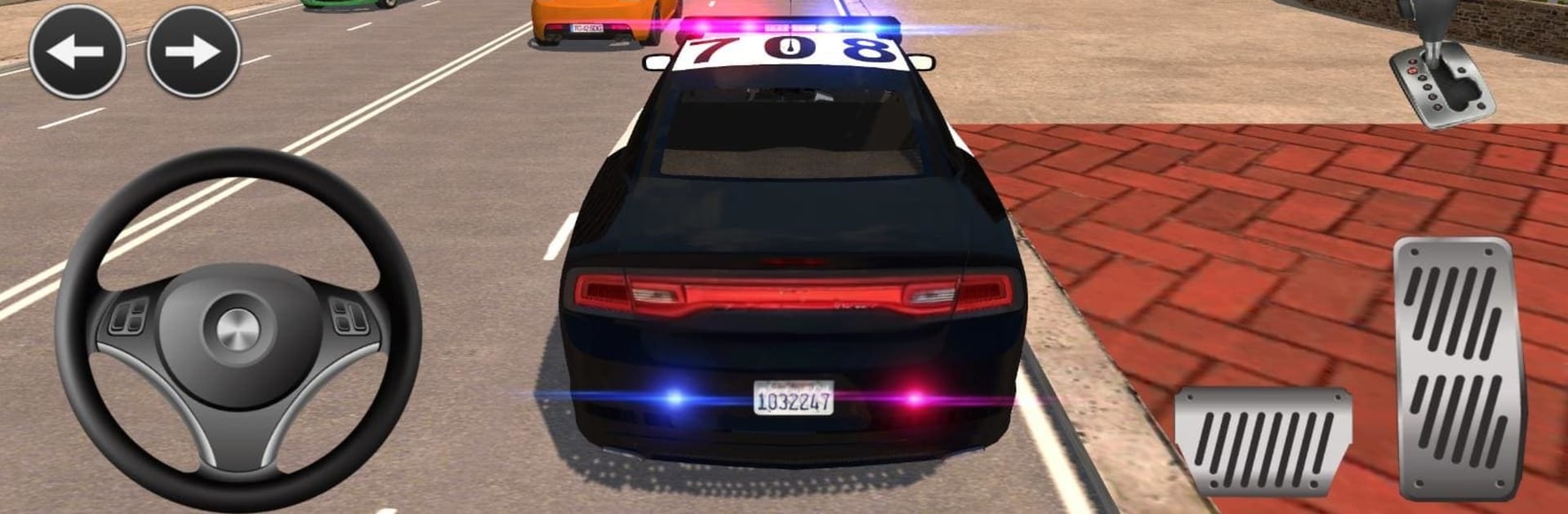
Ever wanted the lights, the siren, and the rush of the chase without the paperwork? American Fast Police Car Driving: Offline Games throws you behind the wheel in a big-city setting where you patrol streets, stop reckless drivers, and answer urgent calls. It’s a Simulation title from 1st Games that you can play offline on your phone or on your PC with BlueStacks if you prefer a bigger screen.

Game Features

  • Big-city sandbox: Cruise a wide urban map at your pace—roll slow on patrol or punch it when a pursuit kicks off.
  • Unlockable cruisers: Build your garage with a lineup of modern patrol cars, including faster models you earn as you play.
  • Cockpit driving: Swap to the interior view for that authentic dashboard feel, complete with gauges and mirrors.
  • Sirens and radio: Cycle through multiple siren tones and catch radio chatter as calls and updates come through.
  • Dynamic conditions: Tackle night shifts, rainy roads, and even winter weather that changes how you drive.
  • 100+ missions: Handle traffic stops, chases, escorts, and more, with difficulty that ramps up as you improve.
  • Real traffic to police: Nail speeders, catch red‑light runners, and keep intersections in check with proper enforcement.
  • Backup and gear: Carry a sidearm for risky encounters and call in support when a situation gets heated.
  • Offline play: No Wi‑Fi needed—perfect for quick sessions or longer patrols wherever you are.
  • Crisp sights and sounds: Clean visuals, punchy engine audio, and lively city ambience that make every pursuit feel intense.

Ready to top the leaderboard? We bet you do. Let precise controls and sharp visuals optimized on BlueStacks lead you to victory.


Game Features

Enhancements

  • Macros
  • Multi Instance
  • Multi Instance Sync
  • Script
  • Enhancements
Macros

Macros

Automate the predictable in American Fast Police Car Driving: Offline Games and transform your gameplay with Macros. Get access to inventive Macros in the BlueStacks Macro Community
Multi Instance

Multi Instance

Play American Fast Police Car Driving: Offline Games on one window. And chat with your friend on the other. Press CTRL + Shift + 8 to open the Multi-Instance Manager. And start creating fresh instances or clone an existing one.
Multi Instance Sync

Multi Instance Sync

Play American Fast Police Car Driving: Offline Games with the power of Multi-Instance Sync. Replicate what you are doing on the main instance on all other instances. Level up faster, play more.
Script

Script

Script your way to gaming glory in American Fast Police Car Driving: Offline Games with BlueStacks Script. Write and run a set of commands to automate repeated tasks. Trigger the command by assigning it to any key.
Read More

How to Download and Play American Fast Police Car Driving: Offline Games on PC or Mac

  • Download and install BlueStacks on your PC or Mac

  • Complete Google sign-in to access the Play Store, or do it later

  • Look for American Fast Police Car Driving: Offline Games in the search bar at the top right corner

  • Click to install American Fast Police Car Driving: Offline Games from the search results

  • Complete Google sign-in (if you skipped step 2) to install American Fast Police Car Driving: Offline Games

  • Click the American Fast Police Car Driving: Offline Games icon on the home screen to start playing

video
Watch Video

Minimum System Requirements

With BlueStacks 5, you can get started on a PC that fulfills the following requirements.

  • Operating System

    Microsoft Windows 7 or above, macOS 11 (Big Sur) or above

  • Processor

    Intel, AMD or Apple Silicon Processor

  • RAM

    at least 4GB

  • HDD

    10GB Free Disk Space

Note:

* You must be an Administrator on your PC. Up to date graphics drivers from Microsoft or the chipset vendor.

American Fast Police Car Driving: Offline Games - FAQs

  • How to play American Fast Police Car Driving: Offline Games on Windows PC & Mac?

    Play American Fast Police Car Driving: Offline Games on your PC or Mac by following these simple steps.

    • Click on 'Play American Fast Police Car Driving: Offline Games on PC’ to download BlueStacks
    • Install it and log-in to Google Play Store
    • Launch and play the game.
  • Why is BlueStacks the fastest and safest platform to play games on PC?

    BlueStacks respects your privacy and is always safe and secure to use. It does not carry any malware, spyware, or any sort of additional software that could harm your PC.

    It is engineered to optimize speed and performance for a seamless gaming experience.

  • What are American Fast Police Car Driving: Offline Games PC requirements?

    Minimum requirement to run American Fast Police Car Driving: Offline Games on your PC

    • OS: Microsoft Windows 7 or above MacOS 11 (Big Sur) or above
    • Processor: Intel, AMD or Apple Silicon Processor
    • RAM: Your PC must have at least 4GB of RAM. (Note that having 4GB or more disk space is not a substitute for RAM)
    • HDD: 10GB Free Disk Space.
    • You must be an Administrator on your PC.