Animatronic Jumpscare Factory

Animatronic Jumpscare Factory

Simulation

| JCSoft Inc.

Play on PC with BlueStacks or from our cloud

  • Overview
  • Game Features
  • How to Play

Page Modified On: October 08, 2026

Play Animatronic Jumpscare Factory on PC or Mac

Animatronic Jumpscare Factory brings the Simulation genre to life, and throws up exciting challenges for gamers. Developed by JCSoft Inc., this Android game is best experienced on BlueStacks, the World’s #1 app player for PC and Mac users.

About the Game

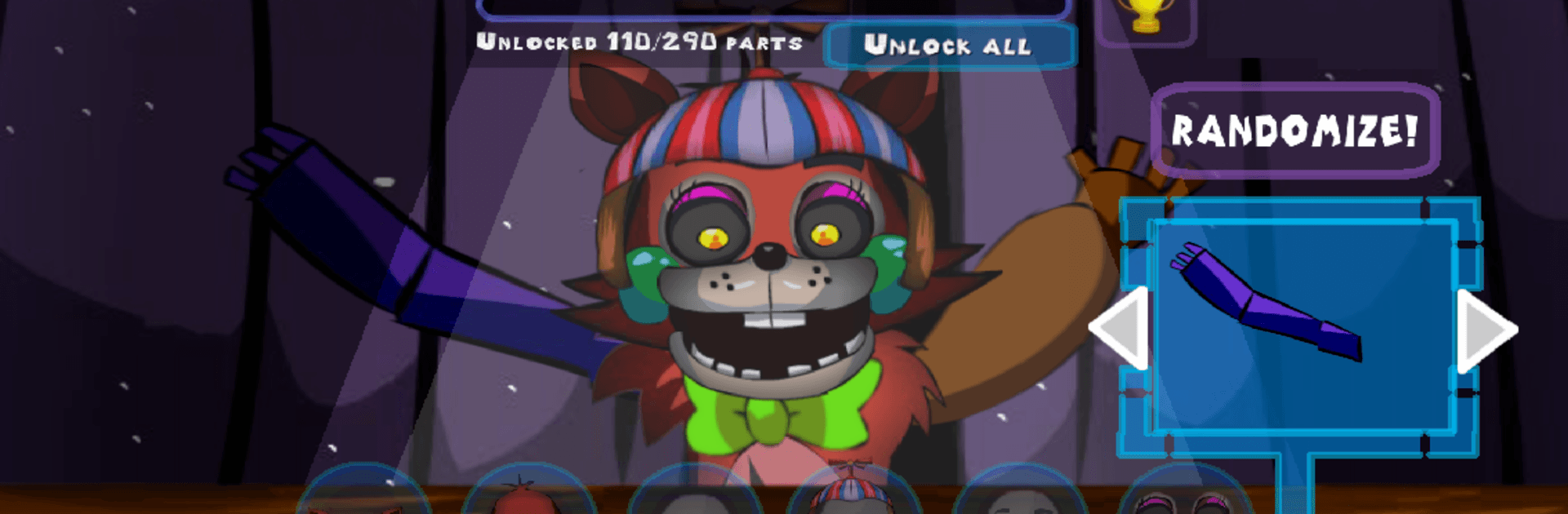
Animatronic Jumpscare Factory is a Simulation playground for people who love building creepy-cool creations. Stitch together your own nightmare machines, watch their jumpscares in motion, and even give them a voice with custom screams. It’s creative, a little unhinged, and seriously fun—especially when you’ve got more space to tinker on BlueStacks.

Game Features

  • Build-Your-Beast: Mix heads, jaws, eyes, torsos, limbs, and more to craft unique animatronics with thousands of possible combos.
  • Live Jumpscare Preview: See your creature’s full scare animation instantly so you can tweak timing, poses, and look before you share it.
  • Custom Screams: Record your own audio and assign it to any build—go terrifying, goofy, or somewhere in between.
  • Surprise Mode Pranks: Set up a sudden scare and let your friends meet your latest creation the loud way.
  • Minigame Lab: Fight through a tense survival Shootout or track down “wanted” bots in Quest Mode to unlock fresh parts.
  • Randomizer Chaos: Out of ideas? Hit the random button and get a bizarre new character on the spot.
  • Save and Share: Snap clean images of your designs to keep in your gallery or send to others.
  • Personal Profiles: Name each animatronic, choose a gender if you like, and pair it with a signature scream for personality.
  • Pro Tools: Use Favorites and Jumps to organize your top builds and jump straight into testing.
  • More To Unlock: Play to expand your workshop with new levels and parts, keeping your collection growing and weird.

Start your journey now. Download the game on BlueStacks, invite your friends, and march on a new adventure.


Game Features

Enhancements

  • Macros
  • Multi Instance
  • Multi Instance Sync
  • Script
  • Enhancements
Macros

Macros

Automate the predictable in Animatronic Jumpscare Factory and transform your gameplay with Macros. Get access to inventive Macros in the BlueStacks Macro Community
Multi Instance

Multi Instance

Play Animatronic Jumpscare Factory on one window. And chat with your friend on the other. Press CTRL + Shift + 8 to open the Multi-Instance Manager. And start creating fresh instances or clone an existing one.
Multi Instance Sync

Multi Instance Sync

Play Animatronic Jumpscare Factory with the power of Multi-Instance Sync. Replicate what you are doing on the main instance on all other instances. Level up faster, play more.
Script

Script

Script your way to gaming glory in Animatronic Jumpscare Factory with BlueStacks Script. Write and run a set of commands to automate repeated tasks. Trigger the command by assigning it to any key.
Read More

How to Download and Play Animatronic Jumpscare Factory on PC or Mac

  • Download and install BlueStacks on your PC or Mac

  • Complete Google sign-in to access the Play Store, or do it later

  • Look for Animatronic Jumpscare Factory in the search bar at the top right corner

  • Click to install Animatronic Jumpscare Factory from the search results

  • Complete Google sign-in (if you skipped step 2) to install Animatronic Jumpscare Factory

  • Click the Animatronic Jumpscare Factory icon on the home screen to start playing

video
Watch Video

Minimum System Requirements

With BlueStacks 5, you can get started on a PC that fulfills the following requirements.

  • Operating System

    Microsoft Windows 7 or above, macOS 11 (Big Sur) or above

  • Processor

    Intel, AMD or Apple Silicon Processor

  • RAM

    at least 4GB

  • HDD

    10GB Free Disk Space

Note:

* You must be an Administrator on your PC. Up to date graphics drivers from Microsoft or the chipset vendor.

Animatronic Jumpscare Factory - FAQs

  • How to play Animatronic Jumpscare Factory on Windows PC & Mac?

    Play Animatronic Jumpscare Factory on your PC or Mac by following these simple steps.

    • Click on 'Play Animatronic Jumpscare Factory on PC’ to download BlueStacks
    • Install it and log-in to Google Play Store
    • Launch and play the game.
  • Why is BlueStacks the fastest and safest platform to play games on PC?

    BlueStacks respects your privacy and is always safe and secure to use. It does not carry any malware, spyware, or any sort of additional software that could harm your PC.

    It is engineered to optimize speed and performance for a seamless gaming experience.

  • What are Animatronic Jumpscare Factory PC requirements?

    Minimum requirement to run Animatronic Jumpscare Factory on your PC

    • OS: Microsoft Windows 7 or above MacOS 11 (Big Sur) or above
    • Processor: Intel, AMD or Apple Silicon Processor
    • RAM: Your PC must have at least 4GB of RAM. (Note that having 4GB or more disk space is not a substitute for RAM)
    • HDD: 10GB Free Disk Space.
    • You must be an Administrator on your PC.