Army Bus Driving 2019 - Military Coach Transporter

Army Bus Driving 2019 - Military Coach Transporter

Simulation

| 3BeesStudio

Play on PC with BlueStacks or from our cloud

  • Overview
  • Game Features
  • How to Play

Page Modified On: June 02, 2026

Play Army Bus Driving 2019 - Military Coach Transporter on PC or Mac

Play Army Bus Driving 2019 – Military Coach Transporter by 3BeesStudio on PC or Mac with BlueStacks. Use a bigger screen, mouse and keyboard controls, and smoother performance while you play.

About the Game

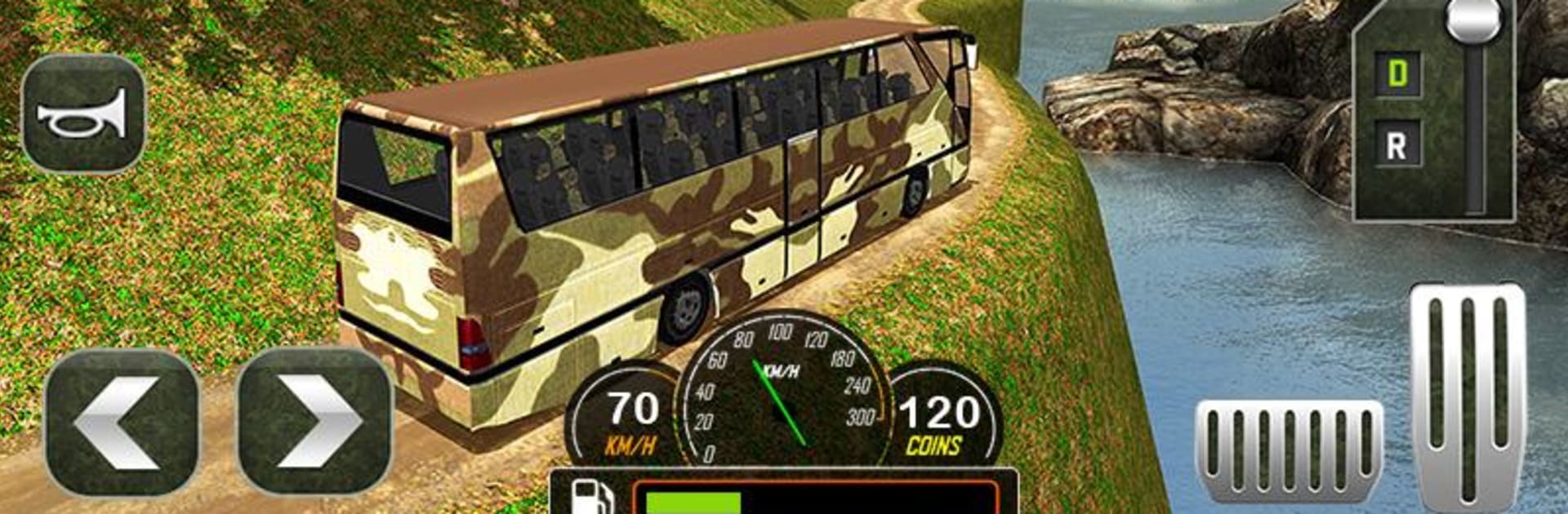
Army Bus Driving 2019 – Military Coach Transporter drops you into a gritty, boots-on-the-ground Simulation where timing, precision, and nerves of steel matter. You’re the person behind the wheel, hauling soldiers and commandos across steep mountain roads, shaky bridges, and tight switchbacks—often with the clock breathing down your neck. It’s all about smooth control, smart route choices, and keeping the bus steady when the trail gets sketchy. Prefer a keyboard feel? It plays nicely on BlueStacks.

Game Features

  • Mountain Routes: Navigate rugged hills, cliffside paths, and narrow dirt tracks that punish sloppy steering.
  • Transport Duty: Shuttle troops between base camps and checkpoints with strict deadlines that push you to drive clean and fast.
  • Heavy Vehicles: Handle a lineup of military buses and support trucks, each with its own weight, grip, and turning radius.
  • Realistic Handling: Feel traction changes on gravel and mud, manage momentum on descents, and keep control on sharp climbs.
  • Multiple Control Options: Pick your style—tilt, on-screen buttons, or a virtual steering wheel—with adjustable sensitivity.
  • Smart Camera Views: Switch between cockpit, chase, and free cameras to thread through tight corners and blind crests.
  • Progressive Missions: Start with training runs, then take on tougher routes and longer hauls as your skills improve.
  • Lively Details: Troop animations and radio-style chatter add a bit of field-life vibe to every ride.
  • Clean Visuals: Crisp 3D environments highlight sunlit valleys, rocky ridges, and sprawling camps in Day Mode.
  • Offline Play: No connection? No problem—run routes and clear objectives anywhere.
  • PC-Friendly: Play on BlueStacks for steady performance and precise inputs.

Start your journey now. Download the game on BlueStacks, invite your friends, and march on a new adventure.


Game Features

Enhancements

  • Macros
  • Multi Instance
  • Multi Instance Sync
  • Script
  • Enhancements
Macros

Macros

Automate the predictable in Army Bus Driving 2019 - Military Coach Transporter and transform your gameplay with Macros. Get access to inventive Macros in the BlueStacks Macro Community
Multi Instance

Multi Instance

Play Army Bus Driving 2019 - Military Coach Transporter on one window. And chat with your friend on the other. Press CTRL + Shift + 8 to open the Multi-Instance Manager. And start creating fresh instances or clone an existing one.
Multi Instance Sync

Multi Instance Sync

Play Army Bus Driving 2019 - Military Coach Transporter with the power of Multi-Instance Sync. Replicate what you are doing on the main instance on all other instances. Level up faster, play more.
Script

Script

Script your way to gaming glory in Army Bus Driving 2019 - Military Coach Transporter with BlueStacks Script. Write and run a set of commands to automate repeated tasks. Trigger the command by assigning it to any key.
Read More

How to Download and Play Army Bus Driving 2019 - Military Coach Transporter on PC or Mac

  • Download and install BlueStacks on your PC or Mac

  • Complete Google sign-in to access the Play Store, or do it later

  • Look for Army Bus Driving 2019 - Military Coach Transporter in the search bar at the top right corner

  • Click to install Army Bus Driving 2019 - Military Coach Transporter from the search results

  • Complete Google sign-in (if you skipped step 2) to install Army Bus Driving 2019 - Military Coach Transporter

  • Click the Army Bus Driving 2019 - Military Coach Transporter icon on the home screen to start playing

video
Watch Video

Minimum System Requirements

With BlueStacks 5, you can get started on a PC that fulfills the following requirements.

  • Operating System

    Microsoft Windows 7 or above, macOS 11 (Big Sur) or above

  • Processor

    Intel, AMD or Apple Silicon Processor

  • RAM

    at least 4GB

  • HDD

    10GB Free Disk Space

Note:

* You must be an Administrator on your PC. Up to date graphics drivers from Microsoft or the chipset vendor.

Army Bus Driving 2019 - Military Coach Transporter - FAQs

  • How to play Army Bus Driving 2019 - Military Coach Transporter on Windows PC & Mac?

    Play Army Bus Driving 2019 - Military Coach Transporter on your PC or Mac by following these simple steps.

    • Click on 'Play Army Bus Driving 2019 - Military Coach Transporter on PC’ to download BlueStacks
    • Install it and log-in to Google Play Store
    • Launch and play the game.
  • Why is BlueStacks the fastest and safest platform to play games on PC?

    BlueStacks respects your privacy and is always safe and secure to use. It does not carry any malware, spyware, or any sort of additional software that could harm your PC.

    It is engineered to optimize speed and performance for a seamless gaming experience.

  • What are Army Bus Driving 2019 - Military Coach Transporter PC requirements?

    Minimum requirement to run Army Bus Driving 2019 - Military Coach Transporter on your PC

    • OS: Microsoft Windows 7 or above MacOS 11 (Big Sur) or above
    • Processor: Intel, AMD or Apple Silicon Processor
    • RAM: Your PC must have at least 4GB of RAM. (Note that having 4GB or more disk space is not a substitute for RAM)
    • HDD: 10GB Free Disk Space.
    • You must be an Administrator on your PC.