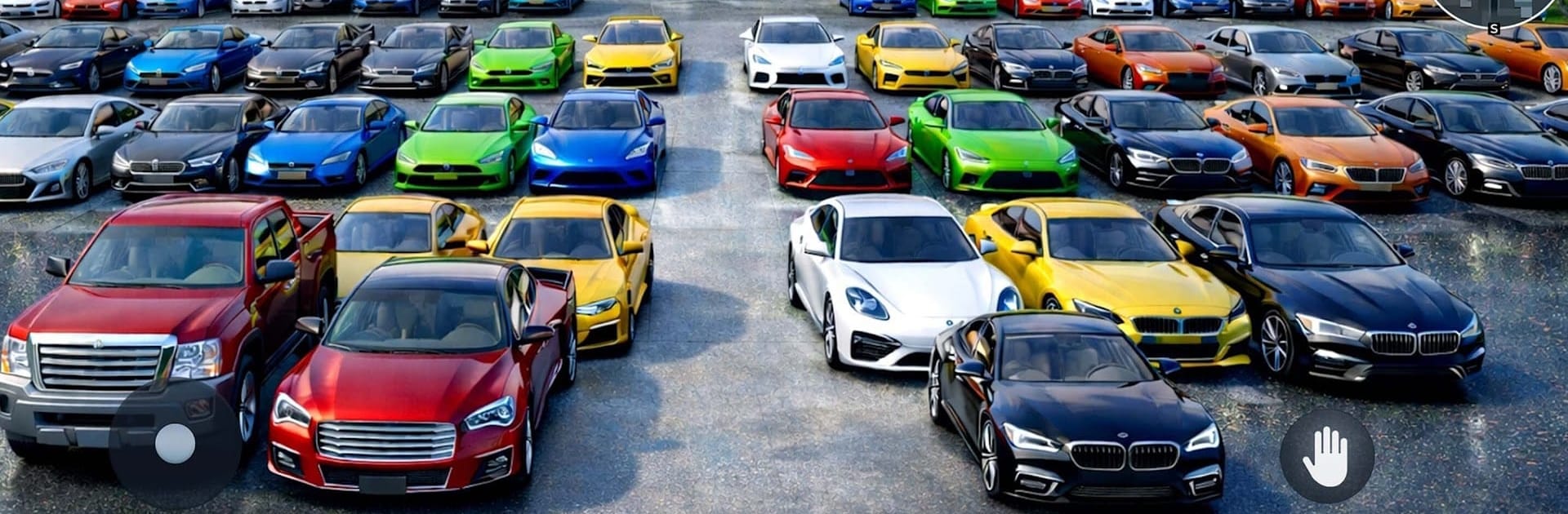
Auto Dealer Used Car Simulator

Auto Dealer Used Car Simulator

Simulation

| InfinityGames Studio

Play on PC with BlueStacks or from our cloud

  • Overview
  • Game Features
  • How to Play

Page Modified On: June 29, 2026

Play Auto Dealer Used Car Simulator on PC or Mac

Explore a whole new adventure with Auto Dealer Used Car Simulator, a Simulation game created by InfinityGames Studio. Experience great gameplay with BlueStacks, the most popular gaming platform to play Android games on your PC or Mac.

About the Game

Auto Dealer Used Car Simulator hands you the keys to a scrappy garage and a stack of possibilities. Snag rough-around-the-edges cars, figure out what’s really going on under the hood, fix them up, and send them off with a price you’re proud of. It’s a hands-on Simulation with a satisfying loop of wrenching, upgrading, and smart selling—easy to pick up on your phone and just as comfy on BlueStacks if you prefer a bigger workspace.

Game Features

  • Buy, Inspect, Decide: Hunt for used vehicles, check their condition, and spot issues before they eat your budget. A careful eye saves serious cash.
  • Real Wrench Time: Trace problems, repair engines, and replace worn parts step by step. Each job feels like a proper fix, not a quick tap-and-go.
  • Restore and Customize: Upgrade performance bits, refresh the look, and tweak designs to increase curb appeal and raise that final sticker price.
  • Sell for Profit: Set prices that make sense, move inventory, and keep the money flowing so you can take on bigger, better projects.
  • Manage Your Garage: Balance tools, time, and space while you grow. Keep the shop running smoothly as projects pile up.
  • Skills and Tools Progression: Improve your know-how and unlock better equipment that speeds up repairs and opens the door to more complex work.
  • Every Car’s a Puzzle: Different faults, budgets, and goals push both your mechanic skills and your business sense—no two builds feel the same.
  • Play at Your Pace: Knock out a quick fix or go all-in on a full restoration. Either way, it’s your shop and your call.

Ready to top the leaderboard? We bet you do. Let precise controls and sharp visuals optimized on BlueStacks lead you to victory.


Game Features

Enhancements

  • Macros
  • Multi Instance
  • Multi Instance Sync
  • Script
  • Enhancements
Macros

Macros

Automate the predictable in Auto Dealer Used Car Simulator and transform your gameplay with Macros. Get access to inventive Macros in the BlueStacks Macro Community
Multi Instance

Multi Instance

Play Auto Dealer Used Car Simulator on one window. And chat with your friend on the other. Press CTRL + Shift + 8 to open the Multi-Instance Manager. And start creating fresh instances or clone an existing one.
Multi Instance Sync

Multi Instance Sync

Play Auto Dealer Used Car Simulator with the power of Multi-Instance Sync. Replicate what you are doing on the main instance on all other instances. Level up faster, play more.
Script

Script

Script your way to gaming glory in Auto Dealer Used Car Simulator with BlueStacks Script. Write and run a set of commands to automate repeated tasks. Trigger the command by assigning it to any key.
Read More

How to Download and Play Auto Dealer Used Car Simulator on PC or Mac

  • Download and install BlueStacks on your PC or Mac

  • Complete Google sign-in to access the Play Store, or do it later

  • Look for Auto Dealer Used Car Simulator in the search bar at the top right corner

  • Click to install Auto Dealer Used Car Simulator from the search results

  • Complete Google sign-in (if you skipped step 2) to install Auto Dealer Used Car Simulator

  • Click the Auto Dealer Used Car Simulator icon on the home screen to start playing

video
Watch Video

Minimum System Requirements

With BlueStacks 5, you can get started on a PC that fulfills the following requirements.

  • Operating System

    Microsoft Windows 7 or above, macOS 11 (Big Sur) or above

  • Processor

    Intel, AMD or Apple Silicon Processor

  • RAM

    at least 4GB

  • HDD

    10GB Free Disk Space

Note:

* You must be an Administrator on your PC. Up to date graphics drivers from Microsoft or the chipset vendor.

Auto Dealer Used Car Simulator - FAQs

  • How to play Auto Dealer Used Car Simulator on Windows PC & Mac?

    Play Auto Dealer Used Car Simulator on your PC or Mac by following these simple steps.

    • Click on 'Play Auto Dealer Used Car Simulator on PC’ to download BlueStacks
    • Install it and log-in to Google Play Store
    • Launch and play the game.
  • Why is BlueStacks the fastest and safest platform to play games on PC?

    BlueStacks respects your privacy and is always safe and secure to use. It does not carry any malware, spyware, or any sort of additional software that could harm your PC.

    It is engineered to optimize speed and performance for a seamless gaming experience.

  • What are Auto Dealer Used Car Simulator PC requirements?

    Minimum requirement to run Auto Dealer Used Car Simulator on your PC

    • OS: Microsoft Windows 7 or above MacOS 11 (Big Sur) or above
    • Processor: Intel, AMD or Apple Silicon Processor
    • RAM: Your PC must have at least 4GB of RAM. (Note that having 4GB or more disk space is not a substitute for RAM)
    • HDD: 10GB Free Disk Space.
    • You must be an Administrator on your PC.