Autoland
Autoland

Autoland

Simulation

| Skyloft Yazılım Bilişim ve Anonim Şirketi

Play on PC with BlueStacks or from our cloud

  • Overview
  • Game Features
  • How to Play

Page Modified On: August 14, 2026

Play Autoland on PC or Mac

Autoland by Skyloft Yazılım Bilişim ve Anonim Şirketi has plenty to keep you busy. BlueStacks lets you play it on PC or Mac with more screen space, better control, and fewer mobile limits.

About the Game

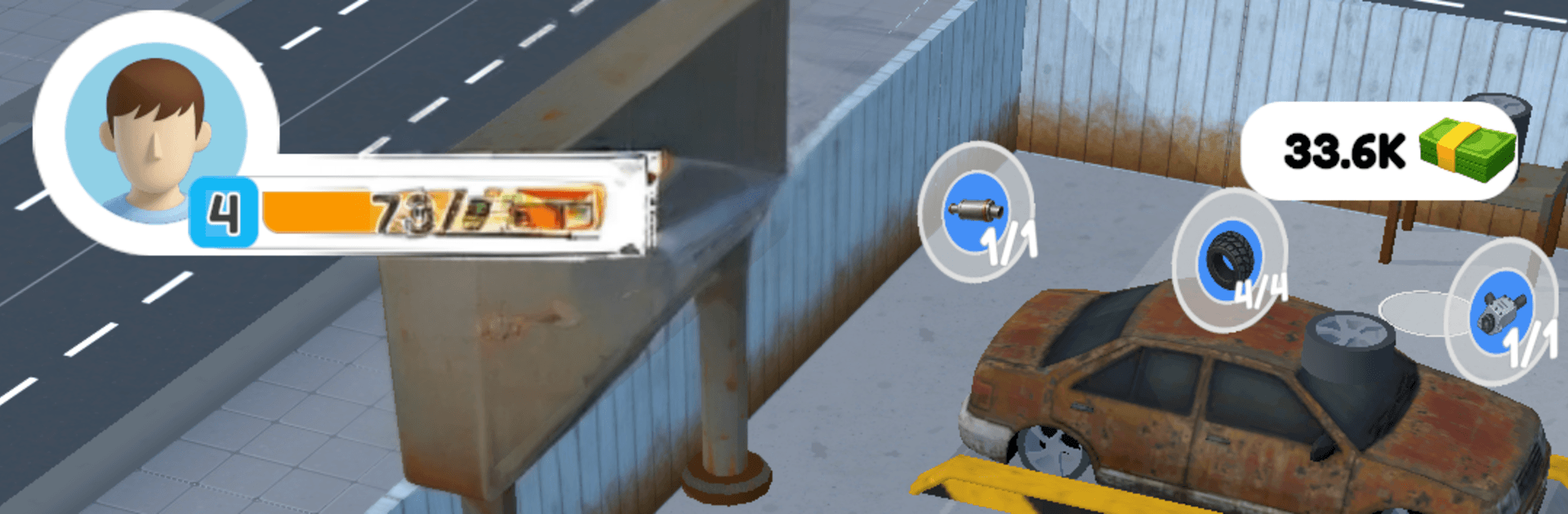
Autoland turns a dusty garage into your personal car-flipping playground. This laid-back yet strategic Simulation is all about buying beat-up rides, sprucing them up, and selling smart while you expand into a legit dealership. Want a bigger view? It also runs smoothly on PC with BlueStacks.

Game Features

  • From garage to full lot: Start small and grow into a bustling operation with more service bays, parking spots, and display areas.
  • Buy, fix, sell: Hunt for promising vehicles, repair what matters, give them a clean shine, and roll them onto the floor when they’re ready to earn.
  • Upgrades that matter: Pour profits into better tools, faster stations, and expanded space so every step—from intake to sale—moves quicker.
  • Idle-friendly progress: The business keeps making money while you’re away, and smart investments ramp that up over time.
  • Smooth, pick-up-and-play loop: Jump in to queue tasks for a quick session, or settle in to fine-tune the workflow and squeeze out extra profit.
  • Balance and strategy: Control the pace of buying, repairs, and sales to prevent bottlenecks and keep the lot moving.
  • Satisfying growth curve: Every decision nudges your dealership forward, and watching those numbers climb never gets old.

Get ready for a buttery smooth, high-performance gaming action only on BlueStacks.

Game Features

Enhancements

  • Macros
  • Multi Instance
  • Multi Instance Sync
  • Script
  • Enhancements
Macros

Macros

Automate the predictable in Autoland and transform your gameplay with Macros. Get access to inventive Macros in the BlueStacks Macro Community
Multi Instance

Multi Instance

Play Autoland on one window. And chat with your friend on the other. Press CTRL + Shift + 8 to open the Multi-Instance Manager. And start creating fresh instances or clone an existing one.
Multi Instance Sync

Multi Instance Sync

Play Autoland with the power of Multi-Instance Sync. Replicate what you are doing on the main instance on all other instances. Level up faster, play more.
Script

Script

Script your way to gaming glory in Autoland with BlueStacks Script. Write and run a set of commands to automate repeated tasks. Trigger the command by assigning it to any key.
Read More

How to Download and Play Autoland on PC or Mac

  • Download and install BlueStacks on your PC or Mac

  • Complete Google sign-in to access the Play Store, or do it later

  • Look for Autoland in the search bar at the top right corner

  • Click to install Autoland from the search results

  • Complete Google sign-in (if you skipped step 2) to install Autoland

  • Click the Autoland icon on the home screen to start playing

video
Watch Video

Minimum System Requirements

With BlueStacks 5, you can get started on a PC that fulfills the following requirements.

  • Operating System

    Microsoft Windows 7 or above, macOS 11 (Big Sur) or above

  • Processor

    Intel, AMD or Apple Silicon Processor

  • RAM

    at least 4GB

  • HDD

    10GB Free Disk Space

Note:

* You must be an Administrator on your PC. Up to date graphics drivers from Microsoft or the chipset vendor.

Autoland - FAQs

  • How to play Autoland on Windows PC & Mac?

    Play Autoland on your PC or Mac by following these simple steps.

    • Click on 'Play Autoland on PC’ to download BlueStacks
    • Install it and log-in to Google Play Store
    • Launch and play the game.
  • Why is BlueStacks the fastest and safest platform to play games on PC?

    BlueStacks respects your privacy and is always safe and secure to use. It does not carry any malware, spyware, or any sort of additional software that could harm your PC.

    It is engineered to optimize speed and performance for a seamless gaming experience.

  • What are Autoland PC requirements?

    Minimum requirement to run Autoland on your PC

    • OS: Microsoft Windows 7 or above MacOS 11 (Big Sur) or above
    • Processor: Intel, AMD or Apple Silicon Processor
    • RAM: Your PC must have at least 4GB of RAM. (Note that having 4GB or more disk space is not a substitute for RAM)
    • HDD: 10GB Free Disk Space.
    • You must be an Administrator on your PC.