My Tropical Resort
My Tropical Resort

My Tropical Resort

Simulation

| Skyloft Yazılım Bilişim ve Anonim Şirketi

Play on PC with BlueStacks or from our cloud

  • Overview
  • Game Features
  • How to Play

Page Modified On: May 11, 2026

Play My Tropical Resort on PC or Mac

Step into the World of My Tropical Resort, a thrilling Simulation game from the house of Skyloft Yazılım Bilişim ve Anonim Şirketi. Play this Android game on BlueStacks App Player and experience immersive gaming on PC or Mac.

About the Game

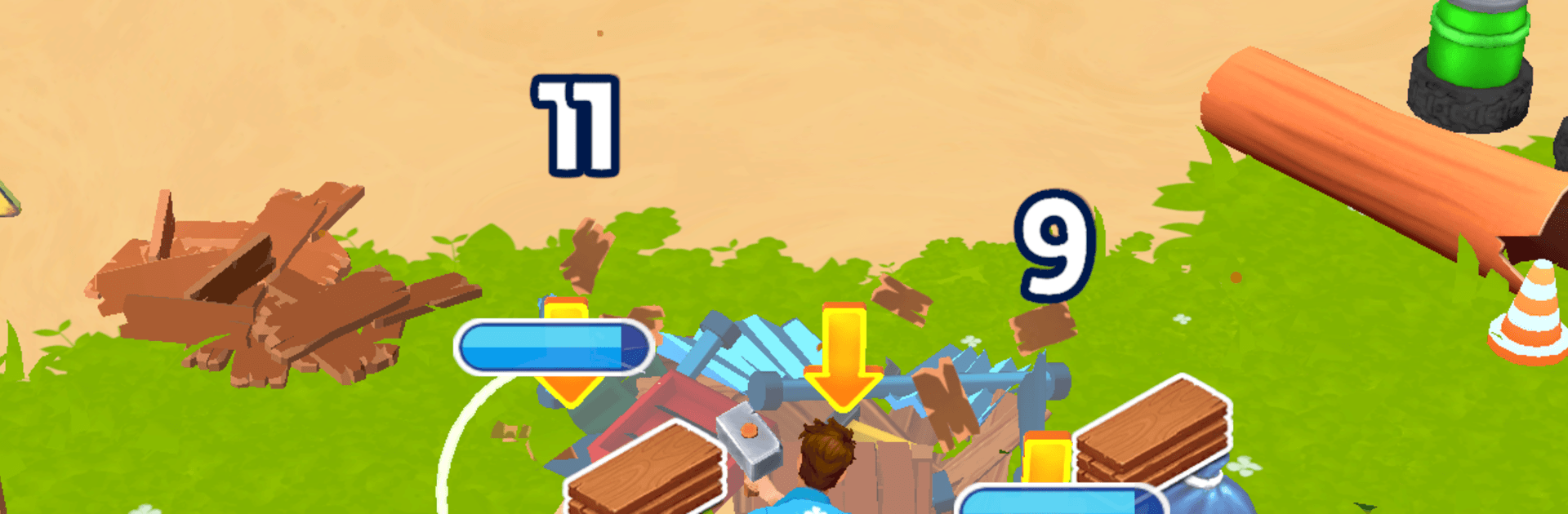
My Tropical Resort hands you a run-down island and asks, “Think you can turn this into a vacation hotspot?” This Simulation title from Skyloft Yazılım Bilişim ve Anonim Şirketi is all about rolling up your sleeves—smashing junk, salvaging supplies, and building a sunny escape one project at a time. Prefer a bigger screen and mouse control? You can play it comfortably on BlueStacks as well.

Game Features

  • Start from scraps: Clear debris, break old structures, and reuse what you find to lay the foundation for your first beachside spots.
  • Clean and repair: Sweep beaches, fix piers and rooftops, and bring neglected buildings back to life.
  • Guest care: Check travelers in, prep cozy rooms, and respond to requests so ratings climb and word spreads.
  • Drinks and snacks: Mix refreshing cocktails, deliver treats, and keep the good vibes going around the pool and bar.
  • Tool upgrades: Improve your gear to work faster, reach blocked paths, and tackle bigger renovation jobs.
  • Unlock new zones: Open hidden coves, forest trails, and cliff overlooks as your resort expands across the island.
  • Smooth, satisfying flow: Relax with quick, tactile tasks that feel great to complete—perfect for short sessions or longer rebuild marathons.
  • Grow the business: Add bungalows, lounges, and activities to attract more guests and watch your tropical project turn profitable.

Make your gaming sessions memorable with precise controls that give you an edge in close combats and visuals that pop up, bringing every character to life.


Game Features

Enhancements

  • Macros
  • Multi Instance
  • Multi Instance Sync
  • Script
  • Enhancements
Macros

Macros

Automate the predictable in My Tropical Resort and transform your gameplay with Macros. Get access to inventive Macros in the BlueStacks Macro Community
Multi Instance

Multi Instance

Play My Tropical Resort on one window. And chat with your friend on the other. Press CTRL + Shift + 8 to open the Multi-Instance Manager. And start creating fresh instances or clone an existing one.
Multi Instance Sync

Multi Instance Sync

Play My Tropical Resort with the power of Multi-Instance Sync. Replicate what you are doing on the main instance on all other instances. Level up faster, play more.
Script

Script

Script your way to gaming glory in My Tropical Resort with BlueStacks Script. Write and run a set of commands to automate repeated tasks. Trigger the command by assigning it to any key.
Read More

How to Download and Play My Tropical Resort on PC or Mac

  • Download and install BlueStacks on your PC or Mac

  • Complete Google sign-in to access the Play Store, or do it later

  • Look for My Tropical Resort in the search bar at the top right corner

  • Click to install My Tropical Resort from the search results

  • Complete Google sign-in (if you skipped step 2) to install My Tropical Resort

  • Click the My Tropical Resort icon on the home screen to start playing

video
Watch Video

Minimum System Requirements

With BlueStacks 5, you can get started on a PC that fulfills the following requirements.

  • Operating System

    Microsoft Windows 7 or above, macOS 11 (Big Sur) or above

  • Processor

    Intel, AMD or Apple Silicon Processor

  • RAM

    at least 4GB

  • HDD

    10GB Free Disk Space

Note:

* You must be an Administrator on your PC. Up to date graphics drivers from Microsoft or the chipset vendor.

My Tropical Resort - FAQs

  • How to play My Tropical Resort on Windows PC & Mac?

    Play My Tropical Resort on your PC or Mac by following these simple steps.

    • Click on 'Play My Tropical Resort on PC’ to download BlueStacks
    • Install it and log-in to Google Play Store
    • Launch and play the game.
  • Why is BlueStacks the fastest and safest platform to play games on PC?

    BlueStacks respects your privacy and is always safe and secure to use. It does not carry any malware, spyware, or any sort of additional software that could harm your PC.

    It is engineered to optimize speed and performance for a seamless gaming experience.

  • What are My Tropical Resort PC requirements?

    Minimum requirement to run My Tropical Resort on your PC

    • OS: Microsoft Windows 7 or above MacOS 11 (Big Sur) or above
    • Processor: Intel, AMD or Apple Silicon Processor
    • RAM: Your PC must have at least 4GB of RAM. (Note that having 4GB or more disk space is not a substitute for RAM)
    • HDD: 10GB Free Disk Space.
    • You must be an Administrator on your PC.