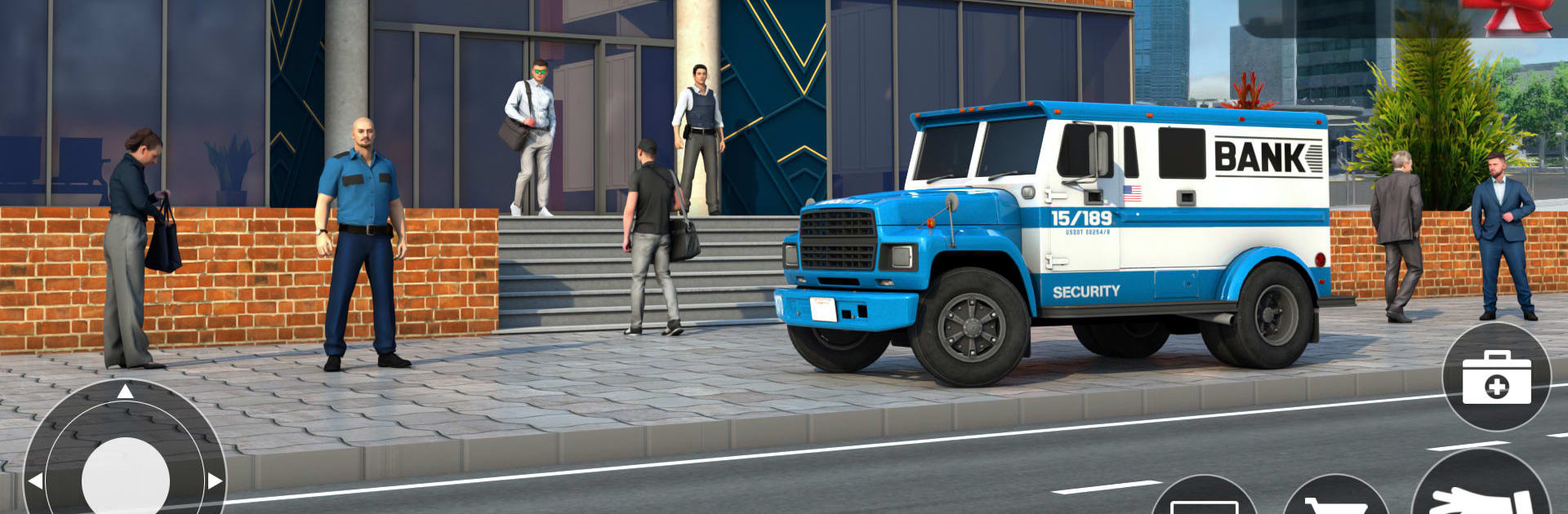
Bank Simulator & Cashier Game

Bank Simulator & Cashier Game

Simulation

| The Game Burg

Play on PC with BlueStacks or from our cloud

  • Overview
  • Game Features
  • How to Play

Page Modified On: August 24, 2026

Play Bank Simulator & Cashier Game on PC or Mac

Bank Simulator & Cashier Game by The Game Burg has plenty to keep you busy. BlueStacks lets you play it on PC or Mac with more screen space, better control, and fewer mobile limits.

About the Game

Bank Simulator & Cashier Game hands you the keys to a bustling city branch and asks you to make it thrive. This Simulation experience blends hands-on cashier work with smart planning—open accounts, approve loans, move cash to the vault, and keep customers happy while your branch steadily expands. Want a bigger-screen setup while you manage it all? It plays nicely on BlueStacks.

Game Features

  • Run the whole branch: Assign staff to deposit, withdrawal, loan, and gold exchange counters, then keep queues flowing and errors low.
  • Cash flow, under control: Sweep money from each desk, secure it in the vault, and balance speed with safety throughout the workday.
  • Accounts and loans: Open new accounts, verify documents, and greenlight the right loans to grow profits without reckless risk.
  • ATMs that don’t babysit themselves: Refill machines, fix hiccups, track withdrawals, and keep the network up during busy hours.
  • Gold and security: Convert surplus cash into gold, lock it down, and upgrade cameras, doors, and guards to protect your stash.
  • Smarter staff, faster service: Train employees, streamline desks, and lift capacity so customers get served quickly with fewer mistakes.
  • Automation and offline earnings: Set up systems that keep the income rolling even when you’re away, then invest it back into growth.
  • Expand your footprint: Unlock the ATM room, customer service area, loan office, and a heavy-duty vault, then decorate to look the part.
  • Tweak, test, repeat: Decide whether to boost speed, add counters, or tighten security—every upgrade shapes your path to the top.
  • Clean 3D bank floor: Navigate a clear, polished layout with labeled stations, smooth movement, and a satisfying sense of scale.

Ready to top the leaderboard? We bet you do. Let precise controls and sharp visuals optimized on BlueStacks lead you to victory.


Game Features

Enhancements

  • Macros
  • Multi Instance
  • Multi Instance Sync
  • Script
  • Enhancements
Macros

Macros

Automate the predictable in Bank Simulator & Cashier Game and transform your gameplay with Macros. Get access to inventive Macros in the BlueStacks Macro Community
Multi Instance

Multi Instance

Play Bank Simulator & Cashier Game on one window. And chat with your friend on the other. Press CTRL + Shift + 8 to open the Multi-Instance Manager. And start creating fresh instances or clone an existing one.
Multi Instance Sync

Multi Instance Sync

Play Bank Simulator & Cashier Game with the power of Multi-Instance Sync. Replicate what you are doing on the main instance on all other instances. Level up faster, play more.
Script

Script

Script your way to gaming glory in Bank Simulator & Cashier Game with BlueStacks Script. Write and run a set of commands to automate repeated tasks. Trigger the command by assigning it to any key.
Read More

How to Download and Play Bank Simulator & Cashier Game on PC or Mac

  • Download and install BlueStacks on your PC or Mac

  • Complete Google sign-in to access the Play Store, or do it later

  • Look for Bank Simulator & Cashier Game in the search bar at the top right corner

  • Click to install Bank Simulator & Cashier Game from the search results

  • Complete Google sign-in (if you skipped step 2) to install Bank Simulator & Cashier Game

  • Click the Bank Simulator & Cashier Game icon on the home screen to start playing

video
Watch Video

Minimum System Requirements

With BlueStacks 5, you can get started on a PC that fulfills the following requirements.

  • Operating System

    Microsoft Windows 7 or above, macOS 11 (Big Sur) or above

  • Processor

    Intel, AMD or Apple Silicon Processor

  • RAM

    at least 4GB

  • HDD

    10GB Free Disk Space

Note:

* You must be an Administrator on your PC. Up to date graphics drivers from Microsoft or the chipset vendor.

Bank Simulator & Cashier Game - FAQs

  • How to play Bank Simulator & Cashier Game on Windows PC & Mac?

    Play Bank Simulator & Cashier Game on your PC or Mac by following these simple steps.

    • Click on 'Play Bank Simulator & Cashier Game on PC’ to download BlueStacks
    • Install it and log-in to Google Play Store
    • Launch and play the game.
  • Why is BlueStacks the fastest and safest platform to play games on PC?

    BlueStacks respects your privacy and is always safe and secure to use. It does not carry any malware, spyware, or any sort of additional software that could harm your PC.

    It is engineered to optimize speed and performance for a seamless gaming experience.

  • What are Bank Simulator & Cashier Game PC requirements?

    Minimum requirement to run Bank Simulator & Cashier Game on your PC

    • OS: Microsoft Windows 7 or above MacOS 11 (Big Sur) or above
    • Processor: Intel, AMD or Apple Silicon Processor
    • RAM: Your PC must have at least 4GB of RAM. (Note that having 4GB or more disk space is not a substitute for RAM)
    • HDD: 10GB Free Disk Space.
    • You must be an Administrator on your PC.