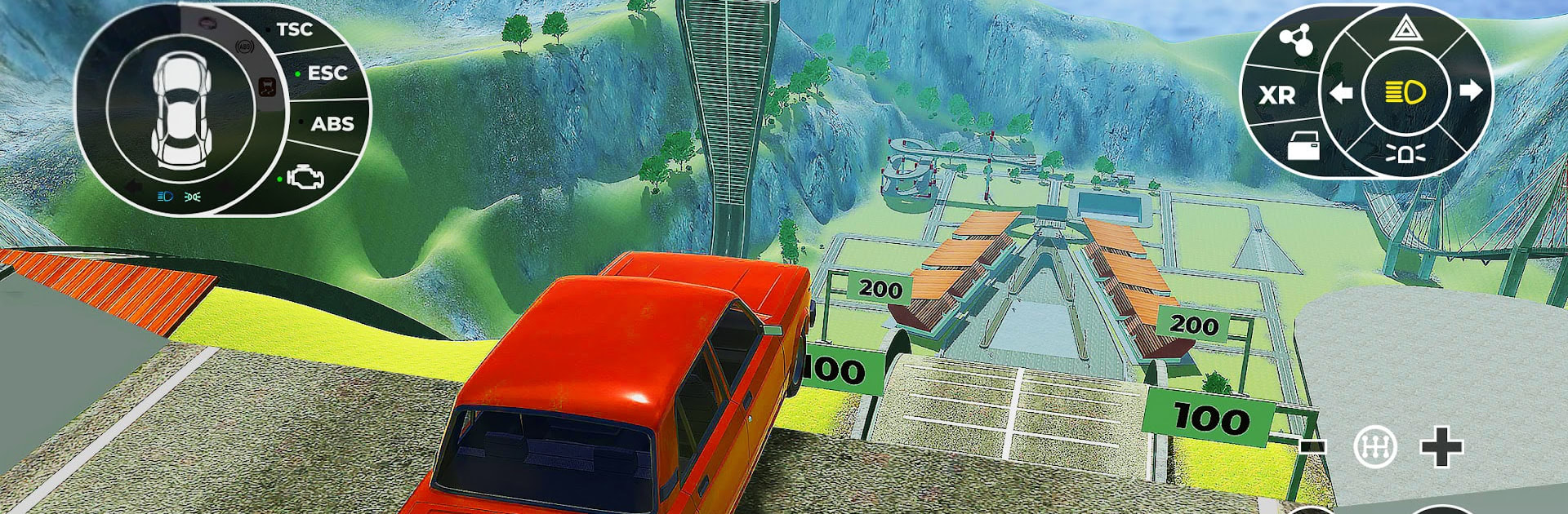
Beam Ramp: Crash Car Simulator

Beam Ramp: Crash Car Simulator

Simulation

| Take Top Entertainment

Play on PC with BlueStacks or from our cloud

  • Overview
  • Game Features
  • How to Play

Page Modified On: August 10, 2026

Play Beam Ramp: Crash Car Simulator on PC or Mac

Explore a whole new adventure with Beam Ramp: Crash Car Simulator, a Simulation game created by Take Top Entertainment. Experience great gameplay with BlueStacks, the most popular gaming platform to play Android games on your PC or Mac.

About the Game

Beam Ramp: Crash Car Simulator is a chaos-friendly Simulation sandbox where cars bend, shatter, and fly in all the best ways. Build speed, hit the ramp, and let the soft-body damage system do its thing—every crunch, crumple, and rollover looks and feels surprisingly real. Prefer a bigger screen and tighter controls? It also runs smoothly on PC with BlueStacks.

Game Features

  • Realistic Damage Physics: Watch frames twist, panels fold, and parts scatter thanks to a detailed soft-body system. Kick in an X-Ray-style view to see the internal carnage unfold in real time.

  • Wild Ramps and Brutal Courses: Tackle giant loops, rooftop launches, endless pits, spiral stairs, spikes, spinning blades, glass roads, exploding traps, and more. Some tracks feel like a science experiment gone wrong—in a good way.

  • A Garage That Goes All Out: Drive everything from clunky beaters to race cars, heavy trucks, SUVs, school buses, drift machines, F1 rockets, tanks, and ambulances. Each ride breaks and handles differently, which is half the fun.

  • Deep Driving Controls: Use blinkers, headlights, and hazard lights, start or kill the engine, even pop doors. Dial in suspension, steering sensitivity, and graphics to suit your style.

  • Multiple Views + On-Foot Exploration: Switch between cockpit and third-person cameras. Hop out of the car to poke around courses and uncover hidden paths or secrets.

  • Stunts That Escalate Fast: Hit vertical loops, barrel rolls, corkscrews, and sky-high jumps. Nail the landing—or don’t, and enjoy the slow-motion wreck.

  • Modes and Challenges: Work through 100+ scenarios across free ride, stunt challenges, and survival runs. There’s always another course that dares you to push harder.

  • Optimized and Offline: A performance mode keeps things smooth on modest devices, and you can play offline whenever you want. Lifelike engine notes, squealing tires, and thunderous impacts seal the deal.

Start playing Beam Ramp: Crash Car Simulator on BlueStacks and get a smoother, more comfortable PC or Mac setup.


Game Features

Enhancements

  • Macros
  • Multi Instance
  • Multi Instance Sync
  • Script
  • Enhancements
Macros

Macros

Automate the predictable in Beam Ramp: Crash Car Simulator and transform your gameplay with Macros. Get access to inventive Macros in the BlueStacks Macro Community
Multi Instance

Multi Instance

Play Beam Ramp: Crash Car Simulator on one window. And chat with your friend on the other. Press CTRL + Shift + 8 to open the Multi-Instance Manager. And start creating fresh instances or clone an existing one.
Multi Instance Sync

Multi Instance Sync

Play Beam Ramp: Crash Car Simulator with the power of Multi-Instance Sync. Replicate what you are doing on the main instance on all other instances. Level up faster, play more.
Script

Script

Script your way to gaming glory in Beam Ramp: Crash Car Simulator with BlueStacks Script. Write and run a set of commands to automate repeated tasks. Trigger the command by assigning it to any key.
Read More

How to Download and Play Beam Ramp: Crash Car Simulator on PC or Mac

  • Download and install BlueStacks on your PC or Mac

  • Complete Google sign-in to access the Play Store, or do it later

  • Look for Beam Ramp: Crash Car Simulator in the search bar at the top right corner

  • Click to install Beam Ramp: Crash Car Simulator from the search results

  • Complete Google sign-in (if you skipped step 2) to install Beam Ramp: Crash Car Simulator

  • Click the Beam Ramp: Crash Car Simulator icon on the home screen to start playing

video
Watch Video

Minimum System Requirements

With BlueStacks 5, you can get started on a PC that fulfills the following requirements.

  • Operating System

    Microsoft Windows 7 or above, macOS 11 (Big Sur) or above

  • Processor

    Intel, AMD or Apple Silicon Processor

  • RAM

    at least 4GB

  • HDD

    10GB Free Disk Space

Note:

* You must be an Administrator on your PC. Up to date graphics drivers from Microsoft or the chipset vendor.

Beam Ramp: Crash Car Simulator - FAQs

  • How to play Beam Ramp: Crash Car Simulator on Windows PC & Mac?

    Play Beam Ramp: Crash Car Simulator on your PC or Mac by following these simple steps.

    • Click on 'Play Beam Ramp: Crash Car Simulator on PC’ to download BlueStacks
    • Install it and log-in to Google Play Store
    • Launch and play the game.
  • Why is BlueStacks the fastest and safest platform to play games on PC?

    BlueStacks respects your privacy and is always safe and secure to use. It does not carry any malware, spyware, or any sort of additional software that could harm your PC.

    It is engineered to optimize speed and performance for a seamless gaming experience.

  • What are Beam Ramp: Crash Car Simulator PC requirements?

    Minimum requirement to run Beam Ramp: Crash Car Simulator on your PC

    • OS: Microsoft Windows 7 or above MacOS 11 (Big Sur) or above
    • Processor: Intel, AMD or Apple Silicon Processor
    • RAM: Your PC must have at least 4GB of RAM. (Note that having 4GB or more disk space is not a substitute for RAM)
    • HDD: 10GB Free Disk Space.
    • You must be an Administrator on your PC.