
Bigfoot - Yeti Monster Hunter

Bigfoot - Yeti Monster Hunter

Simulation

| Humpty Dumpty Studio

Play on PC with BlueStacks or from our cloud

  • Overview
  • Game Features
  • How to Play

Page Modified On: December 15, 2025

Play Bigfoot - Yeti Monster Hunter on PC or Mac

Bring your A-game to Bigfoot – Yeti Monster Hunter, the Simulation game sensation from Humpty Dumpty Studio. Give your gameplay the much-needed boost with precise game controls, high FPS graphics, and top-tier features on your PC or Mac with BlueStacks.

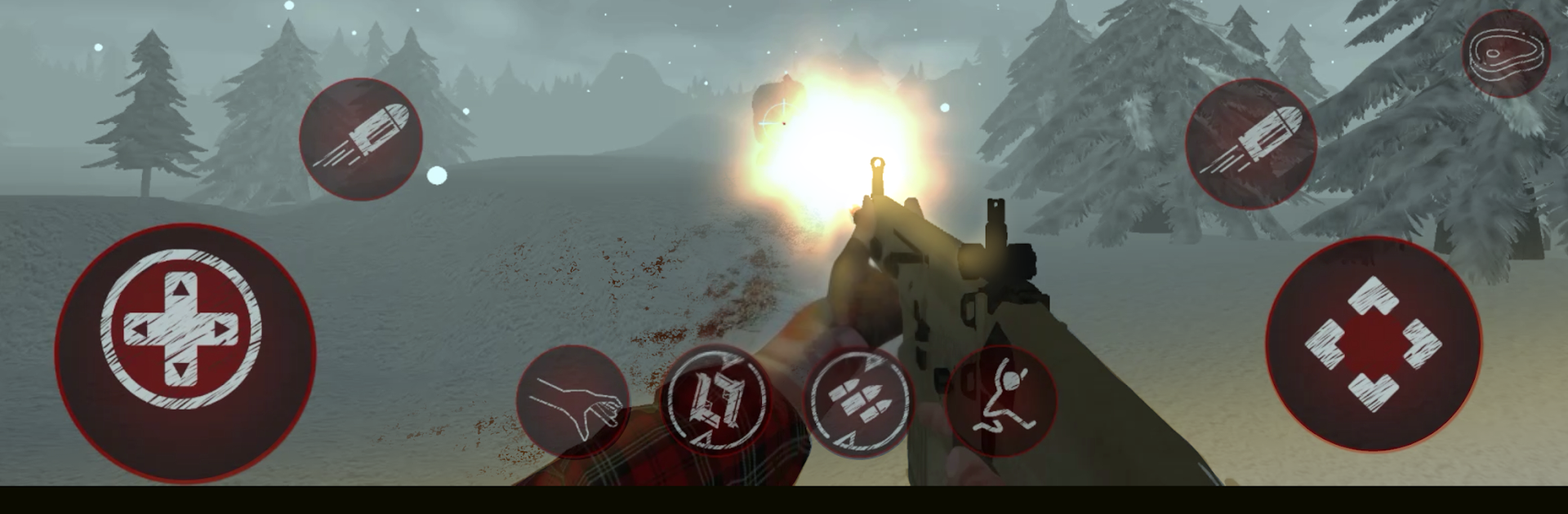
Bigfoot – Yeti Monster Hunter is a first person horror survival hunt set in a cold, lonely forest where a nasty yeti roams. It drops the player in with a simple goal that feels harder than it sounds. Find the creature, track it, and take it down before it takes the hunter apart. The tools make the loop feel tense instead of loud. Spy cameras get tucked along trails and on trees, bear traps sit at choke points, and a flashlight never feels bright enough when branches start snapping. Guns hit hard but ammo is limited, so panic spraying turns into a bad idea fast.

The monster is not a dummy. It circles, flanks, and sometimes comes from above, which makes camera feeds and footprints matter alot. The map is big with cabins, caves, rivers, and dark pockets that hide movement. Sound does heavy lifting, from twig crunches to long roars that mess with nerves. Controls are straightforward, and on PC through BlueStacks the mouse aiming and quick camera switching feel natural. There are difficulty modes from easy to hard, so early runs teach the basics while later ones punish sloppy noise and lazy trap placement. It runs offline and there are optional purchases, but the core hunt is intact. Visuals are serviceable with a nice foggy, scary mood, and while the AI can be a little weird, the cat and mouse tension lands. Multiplayer is mentioned as coming later, for now it is a solo stalk through the snow.

Slay your opponents with your epic moves. Play it your way on BlueStacks and dominate the battlefield.


Game Features

Enhancements

  • Macros
  • Multi Instance
  • Multi Instance Sync
  • Script
  • Enhancements
Macros

Macros

Automate the predictable in Bigfoot - Yeti Monster Hunter and transform your gameplay with Macros. Get access to inventive Macros in the BlueStacks Macro Community
Multi Instance

Multi Instance

Play Bigfoot - Yeti Monster Hunter on one window. And chat with your friend on the other. Press CTRL + Shift + 8 to open the Multi-Instance Manager. And start creating fresh instances or clone an existing one.
Multi Instance Sync

Multi Instance Sync

Play Bigfoot - Yeti Monster Hunter with the power of Multi-Instance Sync. Replicate what you are doing on the main instance on all other instances. Level up faster, play more.
Script

Script

Script your way to gaming glory in Bigfoot - Yeti Monster Hunter with BlueStacks Script. Write and run a set of commands to automate repeated tasks. Trigger the command by assigning it to any key.
Read More

How to Download and Play Bigfoot - Yeti Monster Hunter on PC or Mac

  • Download and install BlueStacks on your PC or Mac

  • Complete Google sign-in to access the Play Store, or do it later

  • Look for Bigfoot - Yeti Monster Hunter in the search bar at the top right corner

  • Click to install Bigfoot - Yeti Monster Hunter from the search results

  • Complete Google sign-in (if you skipped step 2) to install Bigfoot - Yeti Monster Hunter

  • Click the Bigfoot - Yeti Monster Hunter icon on the home screen to start playing

video
Watch Video

Minimum System Requirements

With BlueStacks 5, you can get started on a PC that fulfills the following requirements.

  • Operating System

    Microsoft Windows 7 or above, macOS 11 (Big Sur) or above

  • Processor

    Intel, AMD or Apple Silicon Processor

  • RAM

    at least 4GB

  • HDD

    10GB Free Disk Space

Note:

* You must be an Administrator on your PC. Up to date graphics drivers from Microsoft or the chipset vendor.

Bigfoot - Yeti Monster Hunter - FAQs

  • How to play Bigfoot - Yeti Monster Hunter on Windows PC & Mac?

    Play Bigfoot - Yeti Monster Hunter on your PC or Mac by following these simple steps.

    • Click on 'Play Bigfoot - Yeti Monster Hunter on PC’ to download BlueStacks
    • Install it and log-in to Google Play Store
    • Launch and play the game.
  • Why is BlueStacks the fastest and safest platform to play games on PC?

    BlueStacks respects your privacy and is always safe and secure to use. It does not carry any malware, spyware, or any sort of additional software that could harm your PC.

    It is engineered to optimize speed and performance for a seamless gaming experience.

  • What are Bigfoot - Yeti Monster Hunter PC requirements?

    Minimum requirement to run Bigfoot - Yeti Monster Hunter on your PC

    • OS: Microsoft Windows 7 or above MacOS 11 (Big Sur) or above
    • Processor: Intel, AMD or Apple Silicon Processor
    • RAM: Your PC must have at least 4GB of RAM. (Note that having 4GB or more disk space is not a substitute for RAM)
    • HDD: 10GB Free Disk Space.
    • You must be an Administrator on your PC.







