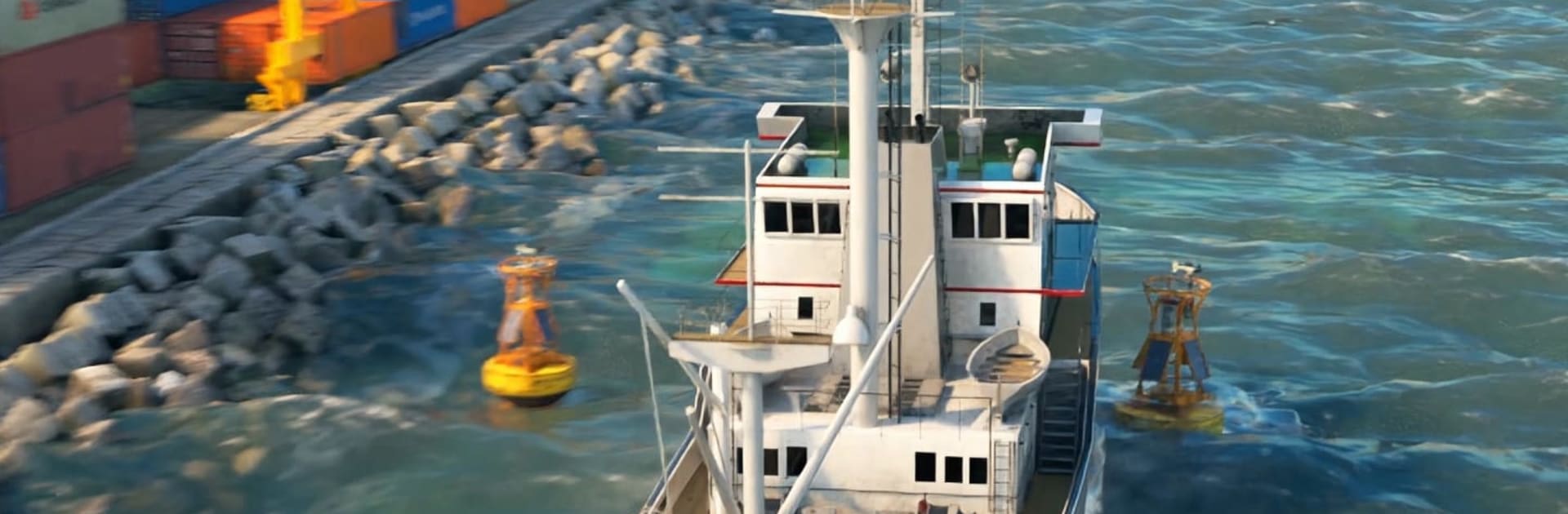
Boat Fishing Simulator

Boat Fishing Simulator

Simulation

| Skyloft Yazılım Bilişim ve Anonim Şirketi

Play on PC with BlueStacks or from our cloud

  • Overview
  • Game Features
  • How to Play

Page Modified On: August 14, 2026

Play Boat Fishing Simulator on PC or Mac

Explore a whole new adventure with Boat Fishing Simulator, a Simulation game created by Skyloft Yazılım Bilişim ve Anonim Şirketi. Experience great gameplay with BlueStacks, the most popular gaming platform to play Android games on your PC or Mac.

About the Game

Boat Fishing Simulator is all about calm waters, crisp ocean air, and the steady rhythm of cast, reel, sell, repeat—until a monster catch yanks you out of your zen. This Simulation gives you a laid‑back start with a humble boat and simple gear, then nudges you toward deeper seas, bigger challenges, and far better payouts. Expect a relaxing loop that turns surprisingly intense when rare fish show up and your upgraded rig gets put to the test.

Game Features

  • Chill-to-Thrill Fishing: Start easy with simple casts and smooth reeling, then tackle tougher fish that fight back when the stakes (and sizes) rise.
  • From Skiff to Powerhouse: Sell your haul and invest in better boats, stronger engines, nets, and rods to travel farther and work faster.
  • Ranks Unlock New Waters: Climb the ranks to open fresh fishing zones packed with rare species, trickier conditions, and richer rewards.
  • Big-Game Showdowns: Giant sea creatures won’t go quietly—gear up, plan your approach, and hold steady during long, tense battles.
  • Varied Catch Catalog: Fill your hold with everything from common keepers to high-value trophies; manage what you keep and what you cash in.
  • Smooth Sailing: Enjoy responsive boat handling, clean UI, and ocean scenes that make cruising between hotspots feel effortless.
  • Play Comfortably on PC: Prefer a larger view and precise controls? Boat Fishing Simulator runs great on BlueStacks without getting in your way.

Start playing Boat Fishing Simulator on BlueStacks and get a smoother, more comfortable PC or Mac setup.


Game Features

Enhancements

  • Macros
  • Multi Instance
  • Multi Instance Sync
  • Script
  • Enhancements
Macros

Macros

Automate the predictable in Boat Fishing Simulator and transform your gameplay with Macros. Get access to inventive Macros in the BlueStacks Macro Community
Multi Instance

Multi Instance

Play Boat Fishing Simulator on one window. And chat with your friend on the other. Press CTRL + Shift + 8 to open the Multi-Instance Manager. And start creating fresh instances or clone an existing one.
Multi Instance Sync

Multi Instance Sync

Play Boat Fishing Simulator with the power of Multi-Instance Sync. Replicate what you are doing on the main instance on all other instances. Level up faster, play more.
Script

Script

Script your way to gaming glory in Boat Fishing Simulator with BlueStacks Script. Write and run a set of commands to automate repeated tasks. Trigger the command by assigning it to any key.
Read More

How to Download and Play Boat Fishing Simulator on PC or Mac

  • Download and install BlueStacks on your PC or Mac

  • Complete Google sign-in to access the Play Store, or do it later

  • Look for Boat Fishing Simulator in the search bar at the top right corner

  • Click to install Boat Fishing Simulator from the search results

  • Complete Google sign-in (if you skipped step 2) to install Boat Fishing Simulator

  • Click the Boat Fishing Simulator icon on the home screen to start playing

video
Watch Video

Minimum System Requirements

With BlueStacks 5, you can get started on a PC that fulfills the following requirements.

  • Operating System

    Microsoft Windows 7 or above, macOS 11 (Big Sur) or above

  • Processor

    Intel, AMD or Apple Silicon Processor

  • RAM

    at least 4GB

  • HDD

    10GB Free Disk Space

Note:

* You must be an Administrator on your PC. Up to date graphics drivers from Microsoft or the chipset vendor.

Boat Fishing Simulator - FAQs

  • How to play Boat Fishing Simulator on Windows PC & Mac?

    Play Boat Fishing Simulator on your PC or Mac by following these simple steps.

    • Click on 'Play Boat Fishing Simulator on PC’ to download BlueStacks
    • Install it and log-in to Google Play Store
    • Launch and play the game.
  • Why is BlueStacks the fastest and safest platform to play games on PC?

    BlueStacks respects your privacy and is always safe and secure to use. It does not carry any malware, spyware, or any sort of additional software that could harm your PC.

    It is engineered to optimize speed and performance for a seamless gaming experience.

  • What are Boat Fishing Simulator PC requirements?

    Minimum requirement to run Boat Fishing Simulator on your PC

    • OS: Microsoft Windows 7 or above MacOS 11 (Big Sur) or above
    • Processor: Intel, AMD or Apple Silicon Processor
    • RAM: Your PC must have at least 4GB of RAM. (Note that having 4GB or more disk space is not a substitute for RAM)
    • HDD: 10GB Free Disk Space.
    • You must be an Administrator on your PC.