Border Patrol Police Story

Border Patrol Police Story

Simulation

| Crazy Fox Studio

Play on PC with BlueStacks or from our cloud

  • Overview
  • Game Features
  • How to Play

Page Modified On: May 05, 2026

Play Border Patrol Police Story on PC or Mac

Join millions to experience Border Patrol Police Story, an exciting Simulation game from Crazy Fox Studio. With BlueStacks App Player, you are always a step ahead of your opponent, ready to outplay them with faster gameplay and better control with the mouse and keyboard on your PC or Mac.

About the Game

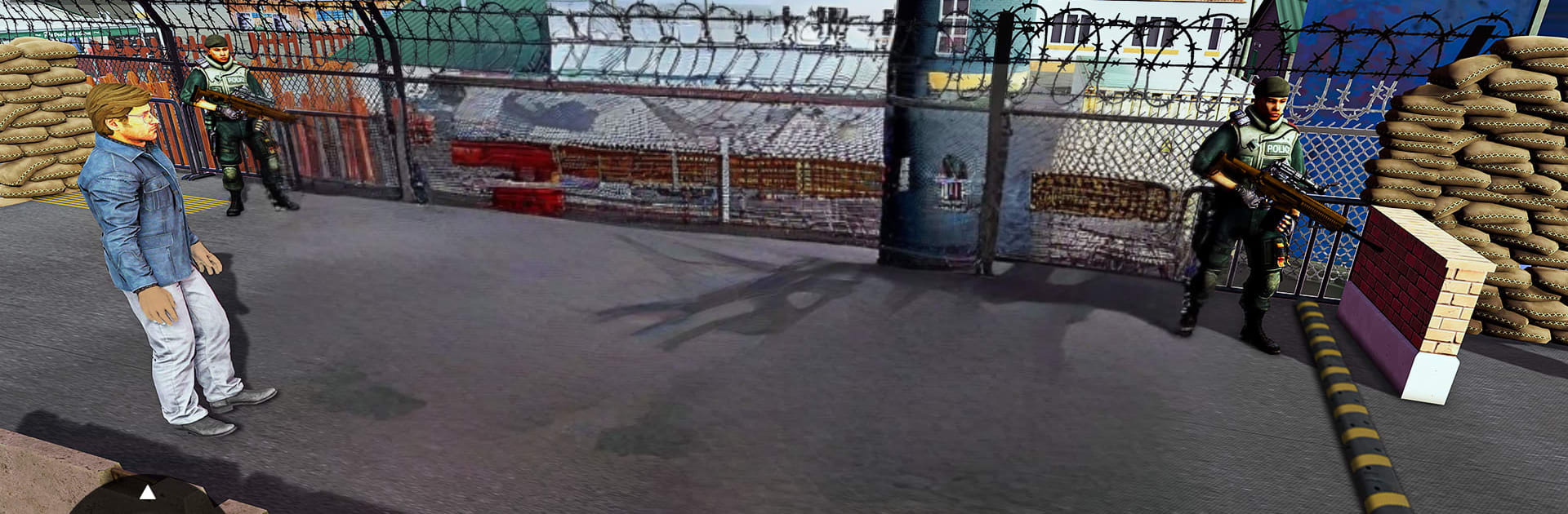
Ever wonder what it’s like to run a real border checkpoint? Border Patrol Police Story drops you in the booth as the officer who inspects vehicles, questions travelers, and decides who gets through. It’s a Simulation from Crazy Fox Studio built around sharp eyes, quick calls, and the occasional high‑pressure moment—great on mobile and surprisingly smooth on BlueStacks if you prefer a bigger screen.

Game Features

  • Real checkpoint decisions: Size up drivers, ask the right questions, and choose to approve, deny, or pull someone aside for a deeper look.
  • Document control: Verify driver’s licenses, travel paperwork, and transport checklists to catch inconsistencies or forged details.
  • Contraband hunts: Search for illegal items—smuggled alcohol, weapons, narcotics, and more—hidden in trunks, panels, or clever compartments.
  • Vehicle inspections: Wave through compact cars or halt cargo trucks for full searches when something feels off.
  • Spot the red flags: Read behavior, watch for nervous tells, and react fast when a routine stop turns sketchy.
  • Patrol and protect: Keep an eye on lanes, roam the area, and respond to suspicious activity to block smugglers and criminals.
  • Smooth, approachable controls: Pick up and play with intuitive interactions that make checks and inspections feel natural.
  • Tools of the trade: Use clear procedures and checklists to keep the line moving while maintaining strict border security.

Make your gaming sessions memorable with precise controls that give you an edge in close combats and visuals that pop up, bringing every character to life.


Game Features

Enhancements

  • Macros
  • Multi Instance
  • Multi Instance Sync
  • Script
  • Enhancements
Macros

Macros

Automate the predictable in Border Patrol Police Story and transform your gameplay with Macros. Get access to inventive Macros in the BlueStacks Macro Community
Multi Instance

Multi Instance

Play Border Patrol Police Story on one window. And chat with your friend on the other. Press CTRL + Shift + 8 to open the Multi-Instance Manager. And start creating fresh instances or clone an existing one.
Multi Instance Sync

Multi Instance Sync

Play Border Patrol Police Story with the power of Multi-Instance Sync. Replicate what you are doing on the main instance on all other instances. Level up faster, play more.
Script

Script

Script your way to gaming glory in Border Patrol Police Story with BlueStacks Script. Write and run a set of commands to automate repeated tasks. Trigger the command by assigning it to any key.
Read More

How to Download and Play Border Patrol Police Story on PC or Mac

  • Download and install BlueStacks on your PC or Mac

  • Complete Google sign-in to access the Play Store, or do it later

  • Look for Border Patrol Police Story in the search bar at the top right corner

  • Click to install Border Patrol Police Story from the search results

  • Complete Google sign-in (if you skipped step 2) to install Border Patrol Police Story

  • Click the Border Patrol Police Story icon on the home screen to start playing

video
Watch Video

Minimum System Requirements

With BlueStacks 5, you can get started on a PC that fulfills the following requirements.

  • Operating System

    Microsoft Windows 7 or above, macOS 11 (Big Sur) or above

  • Processor

    Intel, AMD or Apple Silicon Processor

  • RAM

    at least 4GB

  • HDD

    10GB Free Disk Space

Note:

* You must be an Administrator on your PC. Up to date graphics drivers from Microsoft or the chipset vendor.

Border Patrol Police Story - FAQs

  • How to play Border Patrol Police Story on Windows PC & Mac?

    Play Border Patrol Police Story on your PC or Mac by following these simple steps.

    • Click on 'Play Border Patrol Police Story on PC’ to download BlueStacks
    • Install it and log-in to Google Play Store
    • Launch and play the game.
  • Why is BlueStacks the fastest and safest platform to play games on PC?

    BlueStacks respects your privacy and is always safe and secure to use. It does not carry any malware, spyware, or any sort of additional software that could harm your PC.

    It is engineered to optimize speed and performance for a seamless gaming experience.

  • What are Border Patrol Police Story PC requirements?

    Minimum requirement to run Border Patrol Police Story on your PC

    • OS: Microsoft Windows 7 or above MacOS 11 (Big Sur) or above
    • Processor: Intel, AMD or Apple Silicon Processor
    • RAM: Your PC must have at least 4GB of RAM. (Note that having 4GB or more disk space is not a substitute for RAM)
    • HDD: 10GB Free Disk Space.
    • You must be an Administrator on your PC.