Bow Hunt Simulator
Bow Hunt Simulator

Bow Hunt Simulator

Simulation

| Kristian Stensønes

Play on PC with BlueStacks or from our cloud

  • Overview
  • Game Features
  • How to Play

Page Modified On: July 27, 2026

Play Bow Hunt Simulator on PC or Mac

Bow Hunt Simulator by Kristian Stensønes has plenty to keep you busy. BlueStacks lets you play it on PC or Mac with more screen space, better control, and fewer mobile limits.

About the Game

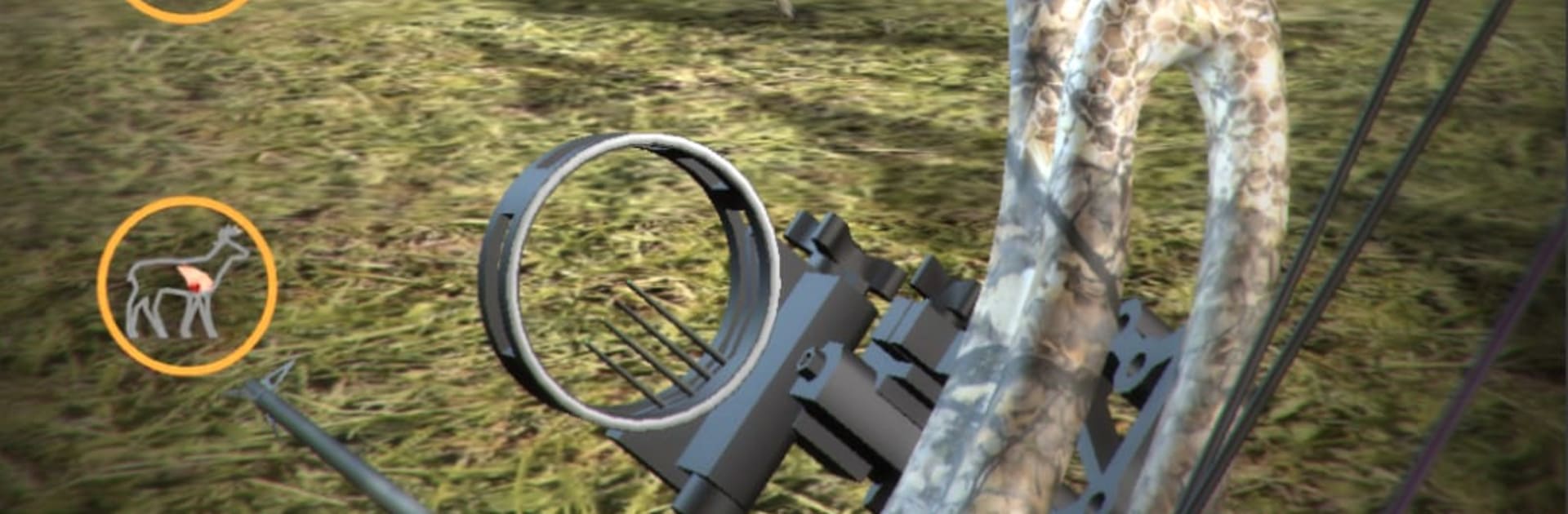
Bow Hunt Simulator is a Simulation that treats every arrow like serious business. It’s built for archers and hunters who want to practice real shot placement, read the wind, and understand how animals actually react. No fluff—just a clean, technical space to fine-tune your skills. Prefer a larger view while you practice? It runs nicely on BlueStacks, too.

Game Features

  • Realistic ballistics: Watch your arrow’s path update in real time with wind drift, drop, flight time, velocity, and energy calculated on the fly.
  • Adjustable bows: Tune an adjustable compound bow with sights or switch to a recurve. There’s even a speed calculator to get your setup dialed.
  • Shot review with x-ray vitals: After each release, inspect the exact impact point, see x-ray vitals, and study the numbers behind the shot.
  • True-to-life animal behavior: Practice on whitetail deer, elk, roe deer, wild boar, and wild turkey, each with a responsive “jump the string” reaction model.
  • Moving targets at real distances: Animals walk in from random ranges, with sessions stretching out to 100 yards for long shots or close, quick practice.
  • Metric or imperial units: Toggle the measurement system you prefer without breaking your flow.
  • Environmental control: Set an animal’s direction and pose to replicate real scenarios you want to train for.
  • Realistic environments: Practice in grounded, natural settings designed to make your adjustments matter when it counts.

Get ready for a buttery smooth, high-performance gaming action only on BlueStacks.

Game Features

Enhancements

  • Macros
  • Multi Instance
  • Multi Instance Sync
  • Script
  • Enhancements
Macros

Macros

Automate the predictable in Bow Hunt Simulator and transform your gameplay with Macros. Get access to inventive Macros in the BlueStacks Macro Community
Multi Instance

Multi Instance

Play Bow Hunt Simulator on one window. And chat with your friend on the other. Press CTRL + Shift + 8 to open the Multi-Instance Manager. And start creating fresh instances or clone an existing one.
Multi Instance Sync

Multi Instance Sync

Play Bow Hunt Simulator with the power of Multi-Instance Sync. Replicate what you are doing on the main instance on all other instances. Level up faster, play more.
Script

Script

Script your way to gaming glory in Bow Hunt Simulator with BlueStacks Script. Write and run a set of commands to automate repeated tasks. Trigger the command by assigning it to any key.
Read More

How to Download and Play Bow Hunt Simulator on PC or Mac

  • Download and install BlueStacks on your PC or Mac

  • Complete Google sign-in to access the Play Store, or do it later

  • Look for Bow Hunt Simulator in the search bar at the top right corner

  • Click to install Bow Hunt Simulator from the search results

  • Complete Google sign-in (if you skipped step 2) to install Bow Hunt Simulator

  • Click the Bow Hunt Simulator icon on the home screen to start playing

video
Watch Video

Minimum System Requirements

With BlueStacks 5, you can get started on a PC that fulfills the following requirements.

  • Operating System

    Microsoft Windows 7 or above, macOS 11 (Big Sur) or above

  • Processor

    Intel, AMD or Apple Silicon Processor

  • RAM

    at least 4GB

  • HDD

    10GB Free Disk Space

Note:

* You must be an Administrator on your PC. Up to date graphics drivers from Microsoft or the chipset vendor.

Bow Hunt Simulator - FAQs

  • How to play Bow Hunt Simulator on Windows PC & Mac?

    Play Bow Hunt Simulator on your PC or Mac by following these simple steps.

    • Click on 'Play Bow Hunt Simulator on PC’ to download BlueStacks
    • Install it and log-in to Google Play Store
    • Launch and play the game.
  • Why is BlueStacks the fastest and safest platform to play games on PC?

    BlueStacks respects your privacy and is always safe and secure to use. It does not carry any malware, spyware, or any sort of additional software that could harm your PC.

    It is engineered to optimize speed and performance for a seamless gaming experience.

  • What are Bow Hunt Simulator PC requirements?

    Minimum requirement to run Bow Hunt Simulator on your PC

    • OS: Microsoft Windows 7 or above MacOS 11 (Big Sur) or above
    • Processor: Intel, AMD or Apple Silicon Processor
    • RAM: Your PC must have at least 4GB of RAM. (Note that having 4GB or more disk space is not a substitute for RAM)
    • HDD: 10GB Free Disk Space.
    • You must be an Administrator on your PC.