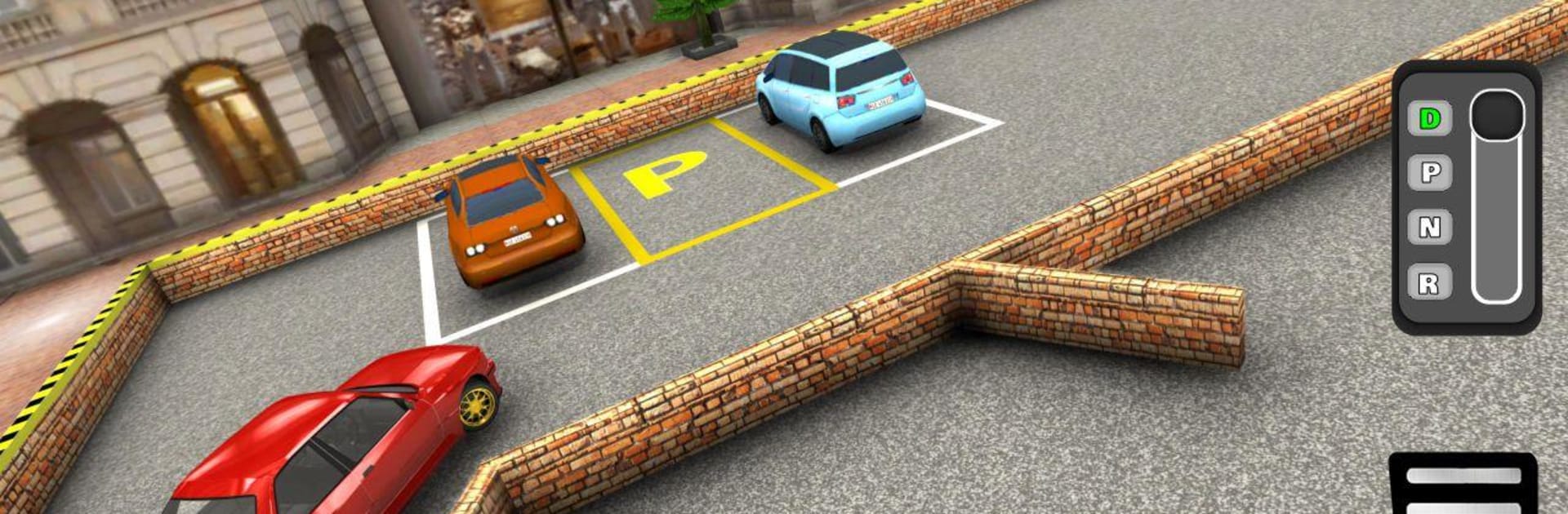
Car Parking Glory - Car Games 2020

Car Parking Glory - Car Games 2020

Simulation

| Zamsolutions

Play on PC with BlueStacks or from our cloud

  • Overview
  • Game Features
  • How to Play

Page Modified On: August 18, 2025

Play Car Parking Glory - Car Games 2020 on PC or Mac

Explore a whole new adventure with Car Parking Glory – Car Games 2020, a Simulation game created by Zamsolutions. Experience great gameplay with BlueStacks, the most popular gaming platform to play Android games on your PC or Mac.

About the Game

If you’ve ever wanted to master those tricky parking maneuvers without risking your real bumper, Car Parking Glory – Car Games 2020 is right up your alley. Brought to you by Zamsolutions, this simulation lets you slip behind the wheel of luxury cars and see how sharp your parking skills really are. Get set for some seriously realistic driving challenges—complete with slick graphics and all under 15MB, so it won’t gobble up your storage. Whether you’re just into casual driving or determined to be king of the parallel park, there’s something here for every car game fan.

Game Features

  • Cool Customization
    Tweak your ride with plenty of options—pick the color, swap out the rims, and create a car that screams ‘you’.

  • Physics-Based Driving
    It’s not just about getting from A to B; the game’s got a genuine feel to how cars drive and turn, whether you’re easing into tight slots or spinning through wild obstacles.

  • Challenging Levels
    With 100 different parking setups, you won’t run out of fresh obstacles and tricky spaces to conquer anytime soon.

  • Super Small Download
    The game clocks in at just 15MB, so it’s easy on your device and perfect if you don’t like deleting stuff just to try something new.

  • Manual & Auto Control Options
    Prefer switching gears yourself? You get both manual and automatic gear controls, letting you experiment or play however’s most comfortable.

  • Switchable Camera Angles
    Peek around from inside the car or zoom out for a bird’s eye view. Having both really helps, especially in those tight, blind corner moments.

  • Works Totally Offline
    No Wi-Fi? No problem. Play wherever you want—on the bus, at a café, or when you’re supposed to be working (but don’t worry, we won’t tell).

  • Genuine Sounds and Music
    The hum of the engine and background tunes keep things lively while you sharpen your driving game.

  • Easy to Jump In
    Parking guides are there if you need a nudge, so beginners won’t feel lost and more experienced players can still go full hardcore.

  • Smooth on BlueStacks
    Fire it up with BlueStacks for an even smoother experience and sharper visuals when you’re at your computer.

Get ready for a buttery smooth, high-performance gaming action only on BlueStacks.

Game Features

Enhancements

  • Macros
  • Multi Instance
  • Multi Instance Sync
  • Script
  • Enhancements
Macros

Macros

Automate the predictable in Car Parking Glory - Car Games 2020 and transform your gameplay with Macros. Get access to inventive Macros in the BlueStacks Macro Community
Multi Instance

Multi Instance

Play Car Parking Glory - Car Games 2020 on one window. And chat with your friend on the other. Press CTRL + Shift + 8 to open the Multi-Instance Manager. And start creating fresh instances or clone an existing one.
Multi Instance Sync

Multi Instance Sync

Play Car Parking Glory - Car Games 2020 with the power of Multi-Instance Sync. Replicate what you are doing on the main instance on all other instances. Level up faster, play more.
Script

Script

Script your way to gaming glory in Car Parking Glory - Car Games 2020 with BlueStacks Script. Write and run a set of commands to automate repeated tasks. Trigger the command by assigning it to any key.
Read More

How to Download and Play Car Parking Glory - Car Games 2020 on PC or Mac

  • Download and install BlueStacks on your PC or Mac

  • Complete Google sign-in to access the Play Store, or do it later

  • Look for Car Parking Glory - Car Games 2020 in the search bar at the top right corner

  • Click to install Car Parking Glory - Car Games 2020 from the search results

  • Complete Google sign-in (if you skipped step 2) to install Car Parking Glory - Car Games 2020

  • Click the Car Parking Glory - Car Games 2020 icon on the home screen to start playing

video
Watch Video

Minimum System Requirements

With BlueStacks 5, you can get started on a PC that fulfills the following requirements.

  • Operating System

    Microsoft Windows 7 or above, macOS 11 (Big Sur) or above

  • Processor

    Intel, AMD or Apple Silicon Processor

  • RAM

    at least 4GB

  • HDD

    10GB Free Disk Space

Note:

* You must be an Administrator on your PC. Up to date graphics drivers from Microsoft or the chipset vendor.

Car Parking Glory - Car Games 2020 - FAQs

  • How to play Car Parking Glory - Car Games 2020 on Windows PC & Mac?

    Play Car Parking Glory - Car Games 2020 on your PC or Mac by following these simple steps.

    • Click on 'Play Car Parking Glory - Car Games 2020 on PC’ to download BlueStacks
    • Install it and log-in to Google Play Store
    • Launch and play the game.
  • Why is BlueStacks the fastest and safest platform to play games on PC?

    BlueStacks respects your privacy and is always safe and secure to use. It does not carry any malware, spyware, or any sort of additional software that could harm your PC.

    It is engineered to optimize speed and performance for a seamless gaming experience.

  • What are Car Parking Glory - Car Games 2020 PC requirements?

    Minimum requirement to run Car Parking Glory - Car Games 2020 on your PC

    • OS: Microsoft Windows 7 or above MacOS 11 (Big Sur) or above
    • Processor: Intel, AMD or Apple Silicon Processor
    • RAM: Your PC must have at least 4GB of RAM. (Note that having 4GB or more disk space is not a substitute for RAM)
    • HDD: 10GB Free Disk Space.
    • You must be an Administrator on your PC.