
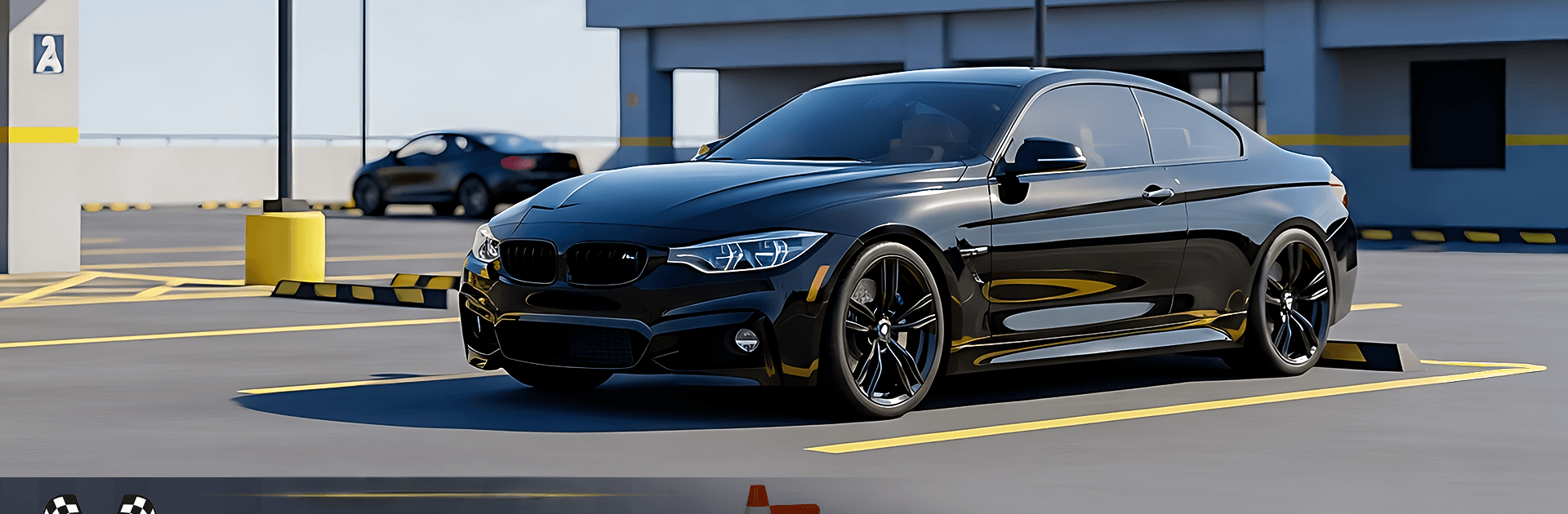
Car Parking Us Car Driver Game

Car Parking Us Car Driver Game

Simulation

| MindTap Creations

Play on PC with BlueStacks or from our cloud

  • Overview
  • Game Features
  • How to Play

Page Modified On: September 11, 2026

Play Car Parking Us Car Driver Game on PC or Mac

Play Car Parking Us Car Driver Game by MindTap Creations on PC or Mac with BlueStacks. Use a bigger screen, mouse and keyboard controls, and smoother performance while you play.

About the Game

Car Parking Us Car Driver Game is all about clean, satisfying parking challenges where every inch and angle matters. This Simulation focuses on precision driving with grounded physics, tight spaces, and that “nailed it” feeling when you slip into the spot without a scrape. Prefer a bigger screen and crisp inputs? It also plays smoothly on BlueStacks.

Game Features

  • Precision Missions: Tackle a wide range of scenarios—from snug curbside slots to crowded lots—designed to test judgment, timing, and control.
  • Authentic Handling: Feel believable steering weight, responsive brakes, and smooth acceleration that make each maneuver feel natural.
  • Flexible Controls: Pick what suits you best—on-screen buttons, tilt steering, or a virtual wheel—to match your driving style.
  • Multiple Camera Angles: Swap views on the fly to line up tight turns, check your corners, and perfect that final reverse.
  • Detailed 3D Scenes: Park across city streets, structured lots, and dedicated practice areas, all built with crisp visuals and convincing lighting.
  • Progressive Challenge: Levels scale up in difficulty, layering in tighter lanes and trickier layouts to steadily sharpen your skills.
  • Offline Friendly: No connection? No problem. Jump into missions anytime and keep practicing wherever you are.
  • Practice Zones: Warm up in training areas built for experimenting with approaches, fine-tuning angles, and learning clean routes.

Start your journey now. Download the game on BlueStacks, invite your friends, and march on a new adventure.


Game Features

Enhancements

  • Macros
  • Multi Instance
  • Multi Instance Sync
  • Script
  • Enhancements
Macros

Macros

Automate the predictable in Car Parking Us Car Driver Game and transform your gameplay with Macros. Get access to inventive Macros in the BlueStacks Macro Community
Multi Instance

Multi Instance

Play Car Parking Us Car Driver Game on one window. And chat with your friend on the other. Press CTRL + Shift + 8 to open the Multi-Instance Manager. And start creating fresh instances or clone an existing one.
Multi Instance Sync

Multi Instance Sync

Play Car Parking Us Car Driver Game with the power of Multi-Instance Sync. Replicate what you are doing on the main instance on all other instances. Level up faster, play more.
Script

Script

Script your way to gaming glory in Car Parking Us Car Driver Game with BlueStacks Script. Write and run a set of commands to automate repeated tasks. Trigger the command by assigning it to any key.
Read More

How to Download and Play Car Parking Us Car Driver Game on PC or Mac

  • Download and install BlueStacks on your PC or Mac

  • Complete Google sign-in to access the Play Store, or do it later

  • Look for Car Parking Us Car Driver Game in the search bar at the top right corner

  • Click to install Car Parking Us Car Driver Game from the search results

  • Complete Google sign-in (if you skipped step 2) to install Car Parking Us Car Driver Game

  • Click the Car Parking Us Car Driver Game icon on the home screen to start playing

video
Watch Video

Minimum System Requirements

With BlueStacks 5, you can get started on a PC that fulfills the following requirements.

  • Operating System

    Microsoft Windows 7 or above, macOS 11 (Big Sur) or above

  • Processor

    Intel, AMD or Apple Silicon Processor

  • RAM

    at least 4GB

  • HDD

    10GB Free Disk Space

Note:

* You must be an Administrator on your PC. Up to date graphics drivers from Microsoft or the chipset vendor.

Car Parking Us Car Driver Game - FAQs

  • How to play Car Parking Us Car Driver Game on Windows PC & Mac?

    Play Car Parking Us Car Driver Game on your PC or Mac by following these simple steps.

    • Click on 'Play Car Parking Us Car Driver Game on PC’ to download BlueStacks
    • Install it and log-in to Google Play Store
    • Launch and play the game.
  • Why is BlueStacks the fastest and safest platform to play games on PC?

    BlueStacks respects your privacy and is always safe and secure to use. It does not carry any malware, spyware, or any sort of additional software that could harm your PC.

    It is engineered to optimize speed and performance for a seamless gaming experience.

  • What are Car Parking Us Car Driver Game PC requirements?

    Minimum requirement to run Car Parking Us Car Driver Game on your PC

    • OS: Microsoft Windows 7 or above MacOS 11 (Big Sur) or above
    • Processor: Intel, AMD or Apple Silicon Processor
    • RAM: Your PC must have at least 4GB of RAM. (Note that having 4GB or more disk space is not a substitute for RAM)
    • HDD: 10GB Free Disk Space.
    • You must be an Administrator on your PC.







