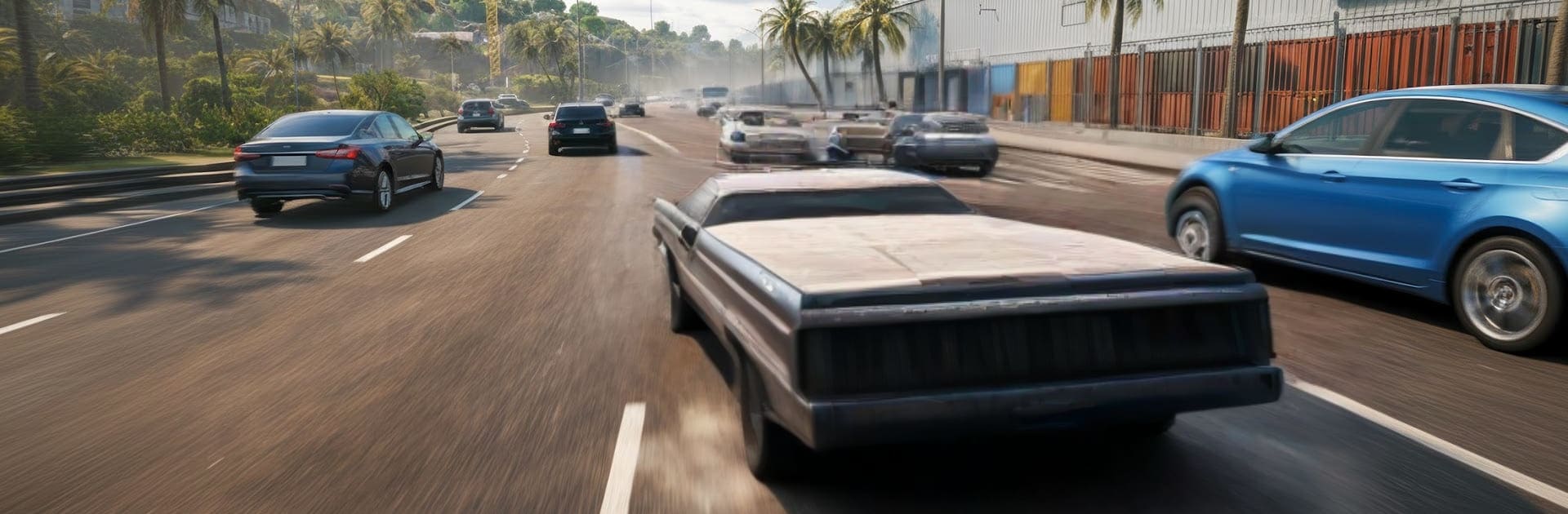
Car Sales Dealership Game 3D

Car Sales Dealership Game 3D

Simulation

| MGI CONSTRUCTION ( PRIVATE ) LIMITED

Play on PC with BlueStacks or from our cloud

  • Overview
  • Game Features
  • How to Play

Page Modified On: June 09, 2026

Play Car Sales Dealership Game 3D on PC or Mac

Bring your A-game to Car Sales Dealership Game 3D, the Simulation game sensation from MGI CONSTRUCTION ( PRIVATE ) LIMITED. Give your gameplay the much-needed boost with precise game controls, high FPS graphics, and top-tier features on your PC or Mac with BlueStacks.

About the Game

Car Sales Dealership Game 3D hands you the keys to a grounded Simulation where every dollar counts and every car tells a story. Start small, sniff out bargains, and work your way from beat-up rides to a polished showroom that turns heads. If you like the thrill of a smart flip, a good negotiation, and seeing your lot grow with each win, this one’s right up your alley.

Game Features

  • Hunt for bargains: Scout neighborhoods, auctions, and private sellers to uncover sleeper deals, fixer-uppers, and quick flips worth your time.
  • Smart negotiations: Inspect mileage, condition, and paperwork, then haggle for a price that leaves room for profit without scaring off the seller.
  • Repair and upgrade: Patch dents, replace parts, tune performance, and add tasteful mods to boost value and attract the right buyers.
  • Build the showroom: Expand floor space, organize inventory, and present your best stock up front so customers find what they want fast.
  • Price with purpose: Evaluate demand, compare options, and set prices that move cars while keeping margins healthy.
  • Authentic 3D feel: Walk the lot, check cars up close, and enjoy smooth controls and detailed scenes that make the dealership come alive.
  • From side hustle to staple: Start with a tiny garage, make smart calls, and unlock more opportunities as your reputation grows.
  • Play your way: Go for quick turnarounds or full restorations—either path can pay off when you plan ahead.
  • Subtle PC comfort: Prefer a bigger view and easy controls? It plays nicely on BlueStacks without changing how the game feels.

Get ready for a buttery smooth, high-performance gaming action only on BlueStacks.

Game Features

Enhancements

  • Macros
  • Multi Instance
  • Multi Instance Sync
  • Script
  • Enhancements
Macros

Macros

Automate the predictable in Car Sales Dealership Game 3D and transform your gameplay with Macros. Get access to inventive Macros in the BlueStacks Macro Community
Multi Instance

Multi Instance

Play Car Sales Dealership Game 3D on one window. And chat with your friend on the other. Press CTRL + Shift + 8 to open the Multi-Instance Manager. And start creating fresh instances or clone an existing one.
Multi Instance Sync

Multi Instance Sync

Play Car Sales Dealership Game 3D with the power of Multi-Instance Sync. Replicate what you are doing on the main instance on all other instances. Level up faster, play more.
Script

Script

Script your way to gaming glory in Car Sales Dealership Game 3D with BlueStacks Script. Write and run a set of commands to automate repeated tasks. Trigger the command by assigning it to any key.
Read More

How to Download and Play Car Sales Dealership Game 3D on PC or Mac

  • Download and install BlueStacks on your PC or Mac

  • Complete Google sign-in to access the Play Store, or do it later

  • Look for Car Sales Dealership Game 3D in the search bar at the top right corner

  • Click to install Car Sales Dealership Game 3D from the search results

  • Complete Google sign-in (if you skipped step 2) to install Car Sales Dealership Game 3D

  • Click the Car Sales Dealership Game 3D icon on the home screen to start playing

video
Watch Video

Minimum System Requirements

With BlueStacks 5, you can get started on a PC that fulfills the following requirements.

  • Operating System

    Microsoft Windows 7 or above, macOS 11 (Big Sur) or above

  • Processor

    Intel, AMD or Apple Silicon Processor

  • RAM

    at least 4GB

  • HDD

    10GB Free Disk Space

Note:

* You must be an Administrator on your PC. Up to date graphics drivers from Microsoft or the chipset vendor.

Car Sales Dealership Game 3D - FAQs

  • How to play Car Sales Dealership Game 3D on Windows PC & Mac?

    Play Car Sales Dealership Game 3D on your PC or Mac by following these simple steps.

    • Click on 'Play Car Sales Dealership Game 3D on PC’ to download BlueStacks
    • Install it and log-in to Google Play Store
    • Launch and play the game.
  • Why is BlueStacks the fastest and safest platform to play games on PC?

    BlueStacks respects your privacy and is always safe and secure to use. It does not carry any malware, spyware, or any sort of additional software that could harm your PC.

    It is engineered to optimize speed and performance for a seamless gaming experience.

  • What are Car Sales Dealership Game 3D PC requirements?

    Minimum requirement to run Car Sales Dealership Game 3D on your PC

    • OS: Microsoft Windows 7 or above MacOS 11 (Big Sur) or above
    • Processor: Intel, AMD or Apple Silicon Processor
    • RAM: Your PC must have at least 4GB of RAM. (Note that having 4GB or more disk space is not a substitute for RAM)
    • HDD: 10GB Free Disk Space.
    • You must be an Administrator on your PC.