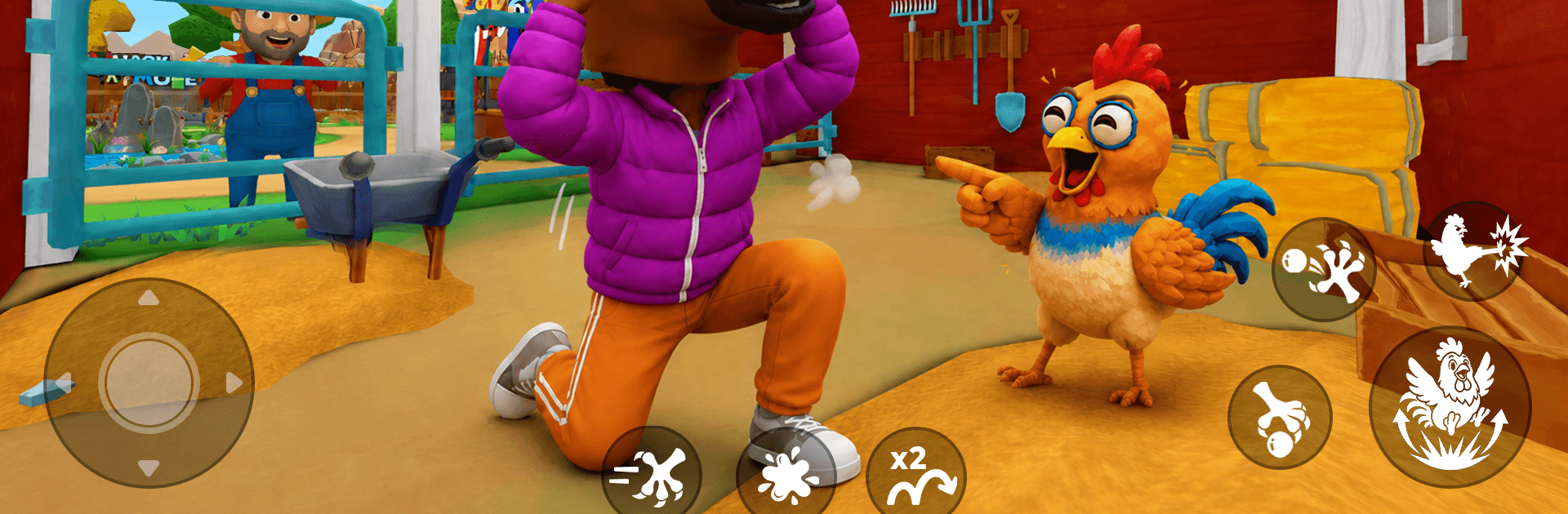
Chicken Prankster: Farm Chaos

Chicken Prankster: Farm Chaos

Simulation

| Reed Been

Play on PC with BlueStacks or from our cloud

  • Overview
  • Game Features
  • How to Play

Page Modified On: September 18, 2026

Play Chicken Prankster: Farm Chaos on PC or Mac

Explore a whole new adventure with Chicken Prankster: Farm Chaos, a Simulation game created by Reed Been. Experience great gameplay with BlueStacks, the most popular gaming platform to play Android games on your PC or Mac.

About the Game

Chicken Prankster: Farm Chaos is a cheeky Simulation where you play as a mischievous chicken set loose on a bustling farm. Your goal? Stir up laughs and lighthearted mayhem—sneak past farmers, spook villagers, swipe snacks, and bolt before anyone grabs you. It’s easy to jump in for quick missions or settle in for a longer spree of silliness, and it runs smoothly on BlueStacks if that’s how you like to play.

Game Features

  • Prank-powered chaos: Sneak, startle, and swipe as you cause slapstick trouble—knock over gear, spark goofy chain reactions, and escape before you’re caught.
  • Open farm playground: Roam cornfields, barns, cozy farmhouses, veggie patches, animal pens, and hidden paths packed with prank potential.
  • Simple, breezy controls: Move with ease using intuitive, one-hand-friendly controls that feel smooth right from the start.
  • Quick, snackable missions: Tackle bite-size objectives that are perfect for a few minutes of mischief or a longer session when you’ve got time.
  • Reactive props everywhere: Buckets tip, tools clatter, and set pieces bounce back in amusing ways when your timing is just right.
  • Stealth with a wink: Plan the perfect scare, distract busy workers, and find sneaky routes to pull off clean getaways.
  • Collect and customize: Unlock funny chicken skins, quirky accessories, sparkly effects, and achievement badges as you complete challenges.
  • Offline-friendly play: Have fun anytime, anywhere, without needing a connection.
  • Colorful 3D style: Bright visuals and smooth animations make every pratfall, sprint, and squawk feel lively and satisfying.

Start your journey now. Download the game on BlueStacks, invite your friends, and march on a new adventure.


Game Features

Enhancements

  • Macros
  • Multi Instance
  • Multi Instance Sync
  • Script
  • Enhancements
Macros

Macros

Automate the predictable in Chicken Prankster: Farm Chaos and transform your gameplay with Macros. Get access to inventive Macros in the BlueStacks Macro Community
Multi Instance

Multi Instance

Play Chicken Prankster: Farm Chaos on one window. And chat with your friend on the other. Press CTRL + Shift + 8 to open the Multi-Instance Manager. And start creating fresh instances or clone an existing one.
Multi Instance Sync

Multi Instance Sync

Play Chicken Prankster: Farm Chaos with the power of Multi-Instance Sync. Replicate what you are doing on the main instance on all other instances. Level up faster, play more.
Script

Script

Script your way to gaming glory in Chicken Prankster: Farm Chaos with BlueStacks Script. Write and run a set of commands to automate repeated tasks. Trigger the command by assigning it to any key.
Read More

How to Download and Play Chicken Prankster: Farm Chaos on PC or Mac

  • Download and install BlueStacks on your PC or Mac

  • Complete Google sign-in to access the Play Store, or do it later

  • Look for Chicken Prankster: Farm Chaos in the search bar at the top right corner

  • Click to install Chicken Prankster: Farm Chaos from the search results

  • Complete Google sign-in (if you skipped step 2) to install Chicken Prankster: Farm Chaos

  • Click the Chicken Prankster: Farm Chaos icon on the home screen to start playing

video
Watch Video

Minimum System Requirements

With BlueStacks 5, you can get started on a PC that fulfills the following requirements.

  • Operating System

    Microsoft Windows 7 or above, macOS 11 (Big Sur) or above

  • Processor

    Intel, AMD or Apple Silicon Processor

  • RAM

    at least 4GB

  • HDD

    10GB Free Disk Space

Note:

* You must be an Administrator on your PC. Up to date graphics drivers from Microsoft or the chipset vendor.

Chicken Prankster: Farm Chaos - FAQs

  • How to play Chicken Prankster: Farm Chaos on Windows PC & Mac?

    Play Chicken Prankster: Farm Chaos on your PC or Mac by following these simple steps.

    • Click on 'Play Chicken Prankster: Farm Chaos on PC’ to download BlueStacks
    • Install it and log-in to Google Play Store
    • Launch and play the game.
  • Why is BlueStacks the fastest and safest platform to play games on PC?

    BlueStacks respects your privacy and is always safe and secure to use. It does not carry any malware, spyware, or any sort of additional software that could harm your PC.

    It is engineered to optimize speed and performance for a seamless gaming experience.

  • What are Chicken Prankster: Farm Chaos PC requirements?

    Minimum requirement to run Chicken Prankster: Farm Chaos on your PC

    • OS: Microsoft Windows 7 or above MacOS 11 (Big Sur) or above
    • Processor: Intel, AMD or Apple Silicon Processor
    • RAM: Your PC must have at least 4GB of RAM. (Note that having 4GB or more disk space is not a substitute for RAM)
    • HDD: 10GB Free Disk Space.
    • You must be an Administrator on your PC.