Court Mania
Court Mania

Court Mania

Simulation

| Toon Games

Play on PC with BlueStacks or from our cloud

  • Overview
  • Game Features
  • How to Play

Page Modified On: January 02, 2026

Play Court Mania on PC or Mac

Bring your A-game to Court Mania, the Simulation game sensation from Toon Games. Give your gameplay the much-needed boost with precise game controls, high FPS graphics, and top-tier features on your PC or Mac with BlueStacks.

About the Game

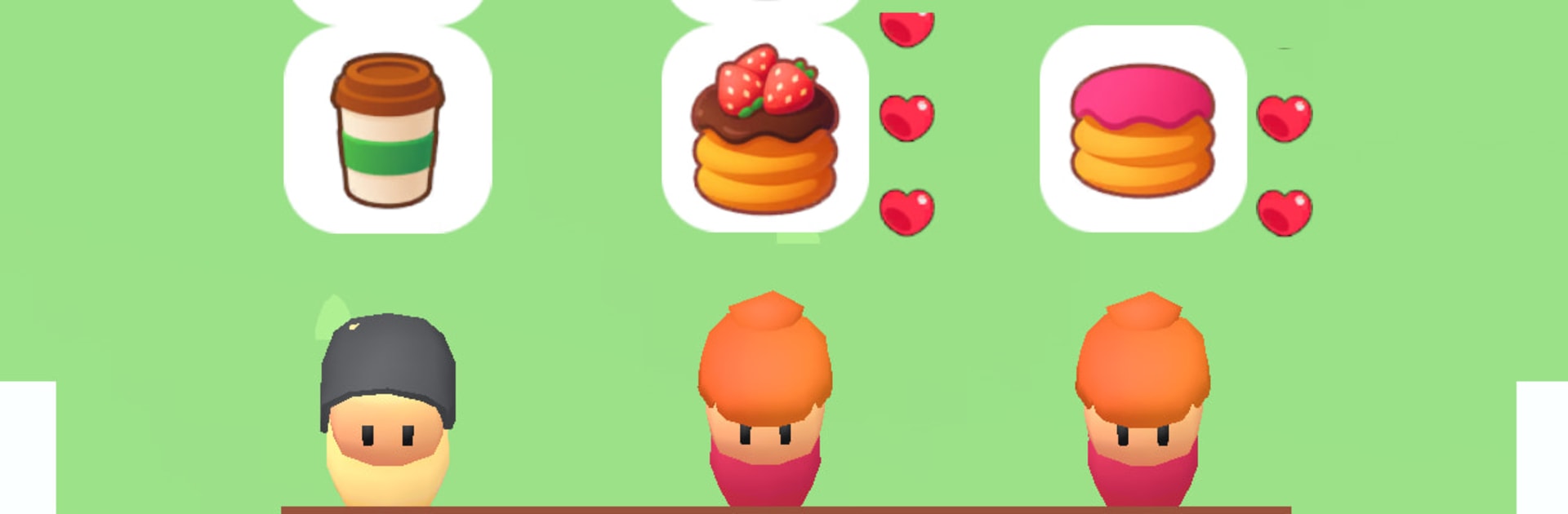
Court Mania is a quick-hitting, no-nonsense Simulation game where a busy food court becomes your personal playground. Customers roll in, timers tick down, and the pressure feels real—but in the fun way. From Toon Games, it’s all about smart decisions, quick taps, and keeping those lines moving.

You’ll prep dishes, serve fast, and chase daily targets while expanding your little corner into a full-on hotspot. One well-timed combo, one smart upgrade, and suddenly the chaos starts to make sense. Prefer a bigger screen? It plays great on PC with BlueStacks for smooth control and easy multitasking.

Game Features

  • Fast-Paced Service: Queue up orders, balance multiple stalls, and keep those trays moving before the timers run out.
  • Daily Targets: Hit specific goals each shift—earn extra for streaks, clean runs, and clutch saves during rush hour.
  • Food Court Growth: Start small, then add new counters, unlock menus, and turn your spot into the place everyone lines up for.
  • Upgrades That Matter: Speed up prep, boost serving capacity, or trim wait times—tune your setup to match your playstyle.
  • Smart Combos: Chain perfect serves to score bonus coins and shave precious seconds off the clock.
  • Intuitive Controls: Simple, tap-friendly play that feels snappy on mobile and comfortably precise with BlueStacks on PC.
  • Pressure, but Fair: Every second counts, but the pacing stays learnable—fail forward, tweak your layout, and come back stronger.

Ready to top the leaderboard? We bet you do. Let precise controls and sharp visuals optimized on BlueStacks lead you to victory.


Game Features

Enhancements

  • Macros
  • Multi Instance
  • Multi Instance Sync
  • Script
  • Enhancements
Macros

Macros

Automate the predictable in Court Mania and transform your gameplay with Macros. Get access to inventive Macros in the BlueStacks Macro Community
Multi Instance

Multi Instance

Play Court Mania on one window. And chat with your friend on the other. Press CTRL + Shift + 8 to open the Multi-Instance Manager. And start creating fresh instances or clone an existing one.
Multi Instance Sync

Multi Instance Sync

Play Court Mania with the power of Multi-Instance Sync. Replicate what you are doing on the main instance on all other instances. Level up faster, play more.
Script

Script

Script your way to gaming glory in Court Mania with BlueStacks Script. Write and run a set of commands to automate repeated tasks. Trigger the command by assigning it to any key.
Read More

How to Download and Play Court Mania on PC or Mac

  • Download and install BlueStacks on your PC or Mac

  • Complete Google sign-in to access the Play Store, or do it later

  • Look for Court Mania in the search bar at the top right corner

  • Click to install Court Mania from the search results

  • Complete Google sign-in (if you skipped step 2) to install Court Mania

  • Click the Court Mania icon on the home screen to start playing

video
Watch Video

Minimum System Requirements

With BlueStacks 5, you can get started on a PC that fulfills the following requirements.

  • Operating System

    Microsoft Windows 7 or above, macOS 11 (Big Sur) or above

  • Processor

    Intel, AMD or Apple Silicon Processor

  • RAM

    at least 4GB

  • HDD

    10GB Free Disk Space

Note:

* You must be an Administrator on your PC. Up to date graphics drivers from Microsoft or the chipset vendor.

Court Mania - FAQs

  • How to play Court Mania on Windows PC & Mac?

    Play Court Mania on your PC or Mac by following these simple steps.

    • Click on 'Play Court Mania on PC’ to download BlueStacks
    • Install it and log-in to Google Play Store
    • Launch and play the game.
  • Why is BlueStacks the fastest and safest platform to play games on PC?

    BlueStacks respects your privacy and is always safe and secure to use. It does not carry any malware, spyware, or any sort of additional software that could harm your PC.

    It is engineered to optimize speed and performance for a seamless gaming experience.

  • What are Court Mania PC requirements?

    Minimum requirement to run Court Mania on your PC

    • OS: Microsoft Windows 7 or above MacOS 11 (Big Sur) or above
    • Processor: Intel, AMD or Apple Silicon Processor
    • RAM: Your PC must have at least 4GB of RAM. (Note that having 4GB or more disk space is not a substitute for RAM)
    • HDD: 10GB Free Disk Space.
    • You must be an Administrator on your PC.