Dealer's Life Legend

Dealer's Life Legend

Simulation

| Abyte Entertainment Ltd

Play on PC with BlueStacks or from our cloud

  • Overview
  • Game Features
  • How to Play

Page Modified On: August 31, 2026

Play Dealer's Life Legend on PC or Mac

Bring your A-game to Dealer’s Life Legend, the Simulation game sensation from Abyte Entertainment Ltd. Give your gameplay the much-needed boost with precise game controls, high FPS graphics, and top-tier features on your PC or Mac with BlueStacks.

About the Game

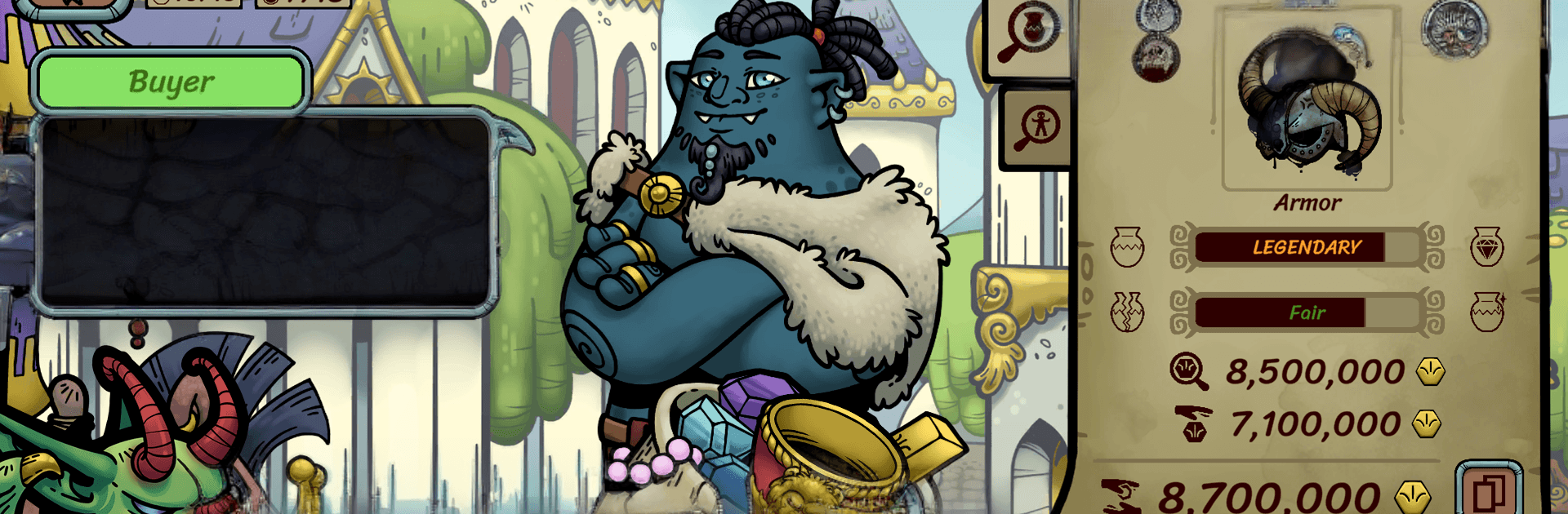
Dealer’s Life Legend is a Simulation where you run a traveling shop, bargain with colorful customers, and turn clever trades into a growing fortune. You’ll crisscross a world of distinct cities, hunt for rare finds, and make choices that actually come back around—sometimes as favors, sometimes as trouble. Want a comfy PC setup? You can play it on BlueStacks without changing how the game feels.

Game Features

  • Smart Haggling System: Read customer behavior, spot tells, and use a flexible trading model that rewards good judgment and a cool head under pressure.
  • Rolling Shop, Big Map: Pack your store, move from city to city, and adapt to each place’s quirks, services, and buyer types to maximize profit.
  • Quests With Perks: Take on missions that hand out special items or unlock skill boosts, letting you fine-tune your negotiating and appraisal edge.
  • The Wandering Merchant Quest: Chase a prestige challenge built for sharp dealers who want to prove they’re the best—high risk, high bragging rights.
  • Choices That Stick: Meet recurring characters who remember what you did; help them and get buffs and favors, wrong them and expect payback.
  • Deep Customization: Design your merchant’s look, pick a background for your avatar, and style your shop so your brand feels uniquely yours.
  • Strategy Through Stock: Curate inventory to match local demand, time your flips, and build a collection that turns every visit into an opportunity.

Ready to top the leaderboard? We bet you do. Let precise controls and sharp visuals optimized on BlueStacks lead you to victory.


Game Features

Enhancements

  • Macros
  • Multi Instance
  • Multi Instance Sync
  • Script
  • Enhancements
Macros

Macros

Automate the predictable in Dealer's Life Legend and transform your gameplay with Macros. Get access to inventive Macros in the BlueStacks Macro Community
Multi Instance

Multi Instance

Play Dealer's Life Legend on one window. And chat with your friend on the other. Press CTRL + Shift + 8 to open the Multi-Instance Manager. And start creating fresh instances or clone an existing one.
Multi Instance Sync

Multi Instance Sync

Play Dealer's Life Legend with the power of Multi-Instance Sync. Replicate what you are doing on the main instance on all other instances. Level up faster, play more.
Script

Script

Script your way to gaming glory in Dealer's Life Legend with BlueStacks Script. Write and run a set of commands to automate repeated tasks. Trigger the command by assigning it to any key.
Read More

How to Download and Play Dealer's Life Legend on PC or Mac

  • Download and install BlueStacks on your PC or Mac

  • Complete Google sign-in to access the Play Store, or do it later

  • Look for Dealer's Life Legend in the search bar at the top right corner

  • Click to install Dealer's Life Legend from the search results

  • Complete Google sign-in (if you skipped step 2) to install Dealer's Life Legend

  • Click the Dealer's Life Legend icon on the home screen to start playing

video
Watch Video

Minimum System Requirements

With BlueStacks 5, you can get started on a PC that fulfills the following requirements.

  • Operating System

    Microsoft Windows 7 or above, macOS 11 (Big Sur) or above

  • Processor

    Intel, AMD or Apple Silicon Processor

  • RAM

    at least 4GB

  • HDD

    10GB Free Disk Space

Note:

* You must be an Administrator on your PC. Up to date graphics drivers from Microsoft or the chipset vendor.

Dealer's Life Legend - FAQs

  • How to play Dealer's Life Legend on Windows PC & Mac?

    Play Dealer's Life Legend on your PC or Mac by following these simple steps.

    • Click on 'Play Dealer's Life Legend on PC’ to download BlueStacks
    • Install it and log-in to Google Play Store
    • Launch and play the game.
  • Why is BlueStacks the fastest and safest platform to play games on PC?

    BlueStacks respects your privacy and is always safe and secure to use. It does not carry any malware, spyware, or any sort of additional software that could harm your PC.

    It is engineered to optimize speed and performance for a seamless gaming experience.

  • What are Dealer's Life Legend PC requirements?

    Minimum requirement to run Dealer's Life Legend on your PC

    • OS: Microsoft Windows 7 or above MacOS 11 (Big Sur) or above
    • Processor: Intel, AMD or Apple Silicon Processor
    • RAM: Your PC must have at least 4GB of RAM. (Note that having 4GB or more disk space is not a substitute for RAM)
    • HDD: 10GB Free Disk Space.
    • You must be an Administrator on your PC.