Drive Car Beyond Desert

Drive Car Beyond Desert

Simulation

| InGameDev Mobile

Play on PC with BlueStacks or from our cloud

  • Overview
  • Game Features
  • How to Play

Page Modified On: June 17, 2026

Play Drive Car Beyond Desert on PC or Mac

Step into the World of Drive Car Beyond Desert, a thrilling Simulation game from the house of InGameDev Mobile. Play this Android game on BlueStacks App Player and experience immersive gaming on PC or Mac.

About the Game

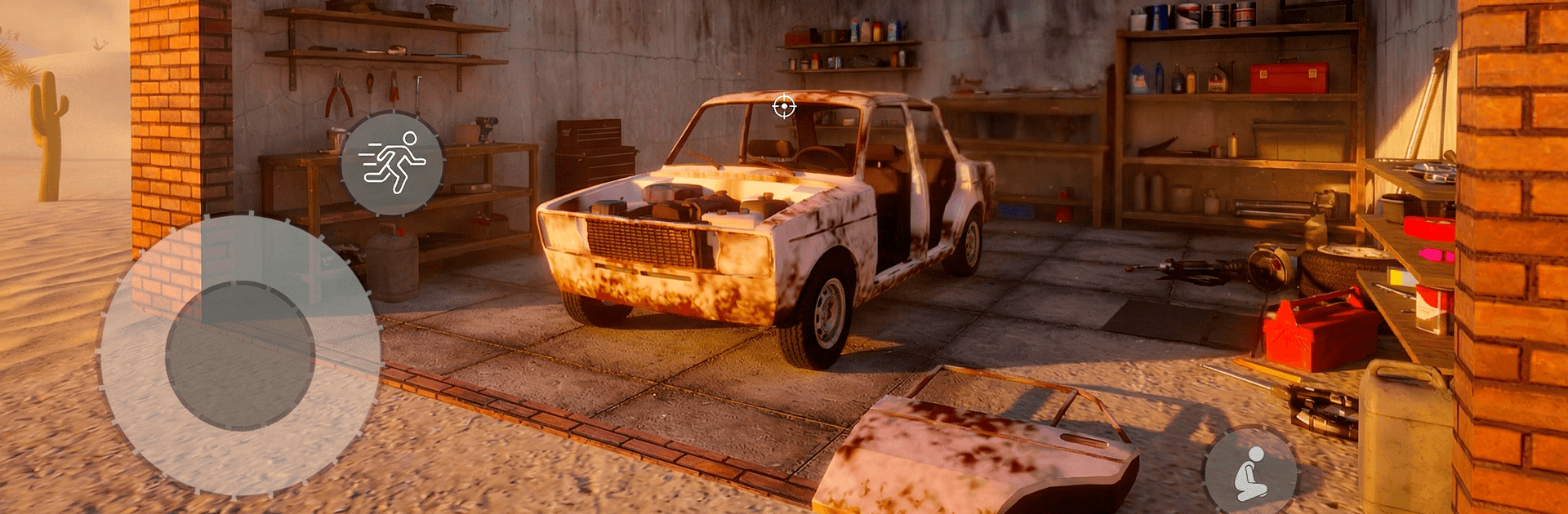
Drive Car Beyond Desert is a gritty road-trip Survival that puts you behind the wheel of a beat-up shell and asks you to make it a lifeline. You’ll scavenge, bolt on parts, and coax a temperamental machine across hostile sands while keeping yourself fed, armed, and moving. It’s tense, hands-on, and strangely calming—until the wind picks up and the road disappears.

Game Features

  • Build it from scrap: Start with a wreck and piece together your ride—engine, wheels, armor, suspension, extra tanks. Every change shifts how the car handles, how far it goes, and how long it lasts.

  • A wasteland worth roaming: Roll through cracked highways, dust-choked towns, and buried bunkers. Scrounge for parts, trade when you can, and craft what you can’t find.

  • Weather that bites back: Scorching heat, thick fog, and brutal sandstorms change visibility and grip. Day runs risk overheating; night trips are cooler but scary-dark. Pick your moment.

  • Survival, not sightseeing: Fuel, food, ammo, and vehicle condition all matter. Ignore any one of them and you’ll be stranded with nothing but the wind and your bad decisions.

  • Zombies on the route: Hordes wander the roads. Floor it and shove through, or weave around to save your bumper—and your gas.

  • Tuning with real stakes: Upgrades aren’t just cosmetic. Weight, wear, and road surface add up, so a heavier front end or worn tires will absolutely change the feel.

  • No rails, no babysitting: There’s no golden path. Plot your own course, test shortcuts, and live with the outcome.

  • Smooth on mobile, comfy on PC: Responsive controls and clean 3D visuals keep the focus on the drive. Prefer a bigger screen and keyboard? It plays nicely on BlueStacks.

Get ready for a buttery smooth, high-performance gaming action only on BlueStacks.

Game Features

Enhancements

  • Macros
  • Multi Instance
  • Multi Instance Sync
  • Script
  • Enhancements
Macros

Macros

Automate the predictable in Drive Car Beyond Desert and transform your gameplay with Macros. Get access to inventive Macros in the BlueStacks Macro Community
Multi Instance

Multi Instance

Play Drive Car Beyond Desert on one window. And chat with your friend on the other. Press CTRL + Shift + 8 to open the Multi-Instance Manager. And start creating fresh instances or clone an existing one.
Multi Instance Sync

Multi Instance Sync

Play Drive Car Beyond Desert with the power of Multi-Instance Sync. Replicate what you are doing on the main instance on all other instances. Level up faster, play more.
Script

Script

Script your way to gaming glory in Drive Car Beyond Desert with BlueStacks Script. Write and run a set of commands to automate repeated tasks. Trigger the command by assigning it to any key.
Read More

How to Download and Play Drive Car Beyond Desert on PC or Mac

  • Download and install BlueStacks on your PC or Mac

  • Complete Google sign-in to access the Play Store, or do it later

  • Look for Drive Car Beyond Desert in the search bar at the top right corner

  • Click to install Drive Car Beyond Desert from the search results

  • Complete Google sign-in (if you skipped step 2) to install Drive Car Beyond Desert

  • Click the Drive Car Beyond Desert icon on the home screen to start playing

video
Watch Video

Minimum System Requirements

With BlueStacks 5, you can get started on a PC that fulfills the following requirements.

  • Operating System

    Microsoft Windows 7 or above, macOS 11 (Big Sur) or above

  • Processor

    Intel, AMD or Apple Silicon Processor

  • RAM

    at least 4GB

  • HDD

    10GB Free Disk Space

Note:

* You must be an Administrator on your PC. Up to date graphics drivers from Microsoft or the chipset vendor.

Drive Car Beyond Desert - FAQs

  • How to play Drive Car Beyond Desert on Windows PC & Mac?

    Play Drive Car Beyond Desert on your PC or Mac by following these simple steps.

    • Click on 'Play Drive Car Beyond Desert on PC’ to download BlueStacks
    • Install it and log-in to Google Play Store
    • Launch and play the game.
  • Why is BlueStacks the fastest and safest platform to play games on PC?

    BlueStacks respects your privacy and is always safe and secure to use. It does not carry any malware, spyware, or any sort of additional software that could harm your PC.

    It is engineered to optimize speed and performance for a seamless gaming experience.

  • What are Drive Car Beyond Desert PC requirements?

    Minimum requirement to run Drive Car Beyond Desert on your PC

    • OS: Microsoft Windows 7 or above MacOS 11 (Big Sur) or above
    • Processor: Intel, AMD or Apple Silicon Processor
    • RAM: Your PC must have at least 4GB of RAM. (Note that having 4GB or more disk space is not a substitute for RAM)
    • HDD: 10GB Free Disk Space.
    • You must be an Administrator on your PC.