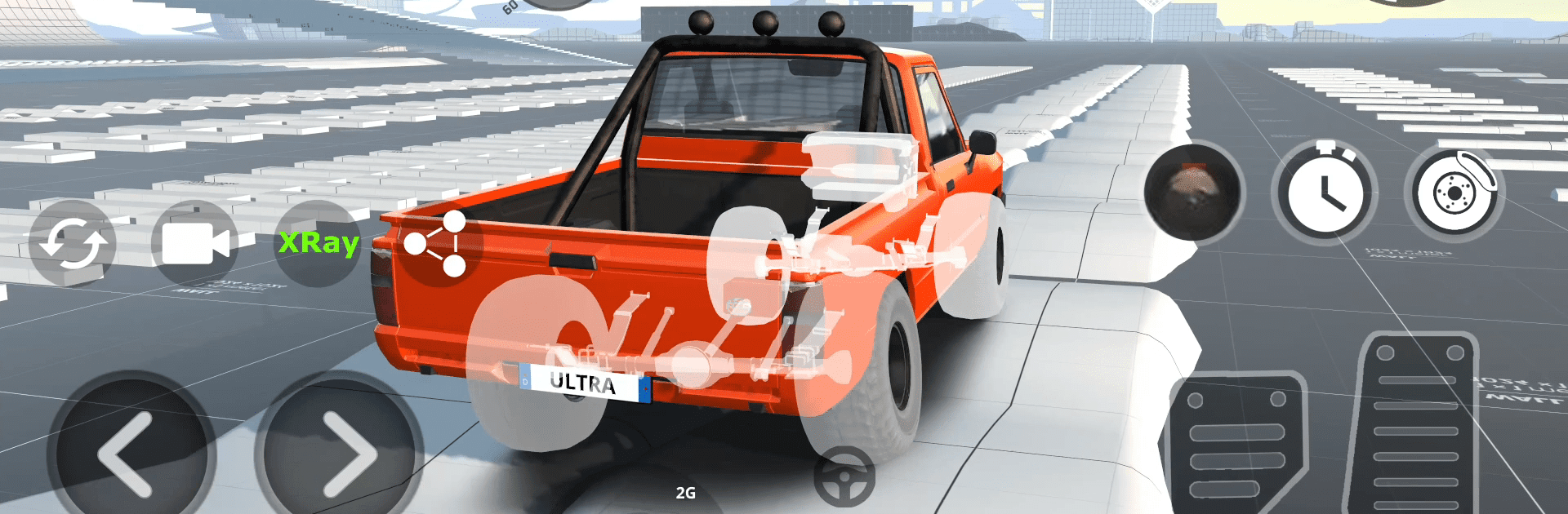
DriveCSX: Car Crash Simulator

DriveCSX: Car Crash Simulator

Simulation

| Studio WW Games

Play on PC with BlueStacks or from our cloud

  • Overview
  • Game Features
  • How to Play

Page Modified On: April 09, 2026

Play DriveCSX: Car Crash Simulator on PC or Mac

Join millions to experience DriveCSX: Car Crash Simulator, an exciting Simulation game from Studio WW Games. With BlueStacks App Player, you are always a step ahead of your opponent, ready to outplay them with faster gameplay and better control with the mouse and keyboard on your PC or Mac.

About the Game

Wreck it, tweak it, then push it until something snaps—in a good way. DriveCSX: Car Crash Simulator from Studio WW Games takes a no-nonsense approach to smashing, testing, and flat-out driving hard. This Simulation game mixes believable physics with a roomy playground, so you can practice clean laps one minute and stage a spectacular pileup the next.

Game Features

  • True-to-life damage
  • A soft-body damage model bends metal, shatters parts, and reacts to impacts in real time, so every crash looks and feels unique.
  • Open-world sandbox
  • Roam a big map with room to experiment. Set up your own crash tests, try risky jumps, or just explore without invisible walls.
  • Big garage of rides
  • Pick from dozens of vehicles—compact cars, beefy trucks, buses, luxury cruisers—each with distinct weight, grip, and personality.
  • Tuning and setup
  • Head to the garage to adjust performance and handling. Build a drift machine, prep a track rocket, or create the perfect crash dummy.
  • Race and drift modes
  • Chase lap times, tackle rally-style challenges, and practice smooth slides. Different surfaces keep you honest.
  • Terrain that fights back
  • Mud, puddles, and wet roads change traction on the fly, forcing you to read the surface and adapt your throttle.
  • Hands-on driving feel
  • Manual controls, a detailed suspension model, and punchy engine and impact audio make every drive tactile.
  • Controller-ready
  • Full support for wireless controllers, plus it plays nicely on PC with BlueStacks if you prefer a keyboard and mouse.
  • Built for what’s next
  • Designed with future online features in mind, so today’s tests pave the way for tomorrow’s challenges.

Start your journey now. Download the game on BlueStacks, invite your friends, and march on a new adventure.


Game Features

Enhancements

  • Macros
  • Multi Instance
  • Multi Instance Sync
  • Script
  • Enhancements
Macros

Macros

Automate the predictable in DriveCSX: Car Crash Simulator and transform your gameplay with Macros. Get access to inventive Macros in the BlueStacks Macro Community
Multi Instance

Multi Instance

Play DriveCSX: Car Crash Simulator on one window. And chat with your friend on the other. Press CTRL + Shift + 8 to open the Multi-Instance Manager. And start creating fresh instances or clone an existing one.
Multi Instance Sync

Multi Instance Sync

Play DriveCSX: Car Crash Simulator with the power of Multi-Instance Sync. Replicate what you are doing on the main instance on all other instances. Level up faster, play more.
Script

Script

Script your way to gaming glory in DriveCSX: Car Crash Simulator with BlueStacks Script. Write and run a set of commands to automate repeated tasks. Trigger the command by assigning it to any key.
Read More

How to Download and Play DriveCSX: Car Crash Simulator on PC or Mac

  • Download and install BlueStacks on your PC or Mac

  • Complete Google sign-in to access the Play Store, or do it later

  • Look for DriveCSX: Car Crash Simulator in the search bar at the top right corner

  • Click to install DriveCSX: Car Crash Simulator from the search results

  • Complete Google sign-in (if you skipped step 2) to install DriveCSX: Car Crash Simulator

  • Click the DriveCSX: Car Crash Simulator icon on the home screen to start playing

video
Watch Video

Minimum System Requirements

With BlueStacks 5, you can get started on a PC that fulfills the following requirements.

  • Operating System

    Microsoft Windows 7 or above, macOS 11 (Big Sur) or above

  • Processor

    Intel, AMD or Apple Silicon Processor

  • RAM

    at least 4GB

  • HDD

    10GB Free Disk Space

Note:

* You must be an Administrator on your PC. Up to date graphics drivers from Microsoft or the chipset vendor.

DriveCSX: Car Crash Simulator - FAQs

  • How to play DriveCSX: Car Crash Simulator on Windows PC & Mac?

    Play DriveCSX: Car Crash Simulator on your PC or Mac by following these simple steps.

    • Click on 'Play DriveCSX: Car Crash Simulator on PC’ to download BlueStacks
    • Install it and log-in to Google Play Store
    • Launch and play the game.
  • Why is BlueStacks the fastest and safest platform to play games on PC?

    BlueStacks respects your privacy and is always safe and secure to use. It does not carry any malware, spyware, or any sort of additional software that could harm your PC.

    It is engineered to optimize speed and performance for a seamless gaming experience.

  • What are DriveCSX: Car Crash Simulator PC requirements?

    Minimum requirement to run DriveCSX: Car Crash Simulator on your PC

    • OS: Microsoft Windows 7 or above MacOS 11 (Big Sur) or above
    • Processor: Intel, AMD or Apple Silicon Processor
    • RAM: Your PC must have at least 4GB of RAM. (Note that having 4GB or more disk space is not a substitute for RAM)
    • HDD: 10GB Free Disk Space.
    • You must be an Administrator on your PC.