Drug Dealer Schedule 1 Game

Drug Dealer Schedule 1 Game

Simulation

| Meowcraft

Play on PC with BlueStacks or from our cloud

  • Overview
  • Game Features
  • How to Play

Page Modified On: September 21, 2026

Play Drug Dealer Schedule 1 Game on PC or Mac

Step into the World of Drug Dealer Schedule 1 Game, a thrilling Simulation game from the house of Meowcraft. Play this Android game on BlueStacks App Player and experience immersive gaming on PC or Mac.

About the Game

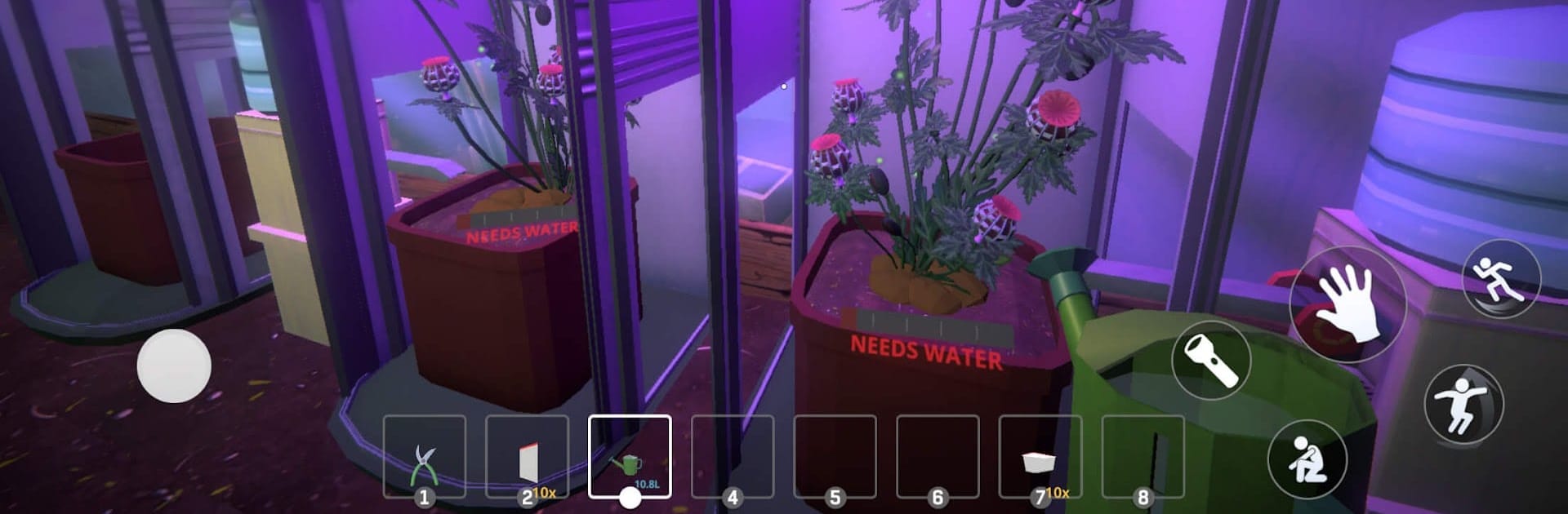
Drug Dealer Schedule 1 Game is a gritty, decision-heavy Simulation where you start at rock bottom and build a risky, meticulously managed operation from the ground up. It’s all about production, logistics, and staying one step ahead of heat from cops and rivals, stitched together with a streak of dark humor. If you prefer playing on PC, it runs nicely on BlueStacks for a comfy, mouse-and-keyboard setup.

Game Features

  • Build-from-nothing management: Handcraft your operation piece by piece—create inventory, set prices, juggle supply lines, and keep the cash flowing without drawing too much attention.
  • Unpredictable city ecosystem: The streets don’t sit still; patrol routes shift, raids pop up when you least expect, and rival crews poke at your territory, forcing quick, smart pivots.
  • Staff, upgrades, and real estate: Hire the right people, assign roles that actually matter, upgrade facilities, and buy properties to expand safely and steadily.
  • Risk-versus-reward economy: Chase big margins in hot zones or play it cooler in quieter areas; every route, schedule, and stash decision tilts the balance between profit and pressure.
  • Strategy that shapes your story: Your calls—who to trust, where to expand, when to push—build a unique path, with wins and wipeouts driven by your planning.
  • Dark humor with bite: Offbeat characters, awkward deals, and absurd close calls keep the tone sharp, turning tense moments into grimly funny stories you’ll want to retell.

BlueStacks gives you more room to focus on the game and less time adjusting around mobile limitations.


Game Features

Enhancements

  • Macros
  • Multi Instance
  • Multi Instance Sync
  • Script
  • Enhancements
Macros

Macros

Automate the predictable in Drug Dealer Schedule 1 Game and transform your gameplay with Macros. Get access to inventive Macros in the BlueStacks Macro Community
Multi Instance

Multi Instance

Play Drug Dealer Schedule 1 Game on one window. And chat with your friend on the other. Press CTRL + Shift + 8 to open the Multi-Instance Manager. And start creating fresh instances or clone an existing one.
Multi Instance Sync

Multi Instance Sync

Play Drug Dealer Schedule 1 Game with the power of Multi-Instance Sync. Replicate what you are doing on the main instance on all other instances. Level up faster, play more.
Script

Script

Script your way to gaming glory in Drug Dealer Schedule 1 Game with BlueStacks Script. Write and run a set of commands to automate repeated tasks. Trigger the command by assigning it to any key.
Read More

How to Download and Play Drug Dealer Schedule 1 Game on PC or Mac

  • Download and install BlueStacks on your PC or Mac

  • Complete Google sign-in to access the Play Store, or do it later

  • Look for Drug Dealer Schedule 1 Game in the search bar at the top right corner

  • Click to install Drug Dealer Schedule 1 Game from the search results

  • Complete Google sign-in (if you skipped step 2) to install Drug Dealer Schedule 1 Game

  • Click the Drug Dealer Schedule 1 Game icon on the home screen to start playing

video
Watch Video

Minimum System Requirements

With BlueStacks 5, you can get started on a PC that fulfills the following requirements.

  • Operating System

    Microsoft Windows 7 or above, macOS 11 (Big Sur) or above

  • Processor

    Intel, AMD or Apple Silicon Processor

  • RAM

    at least 4GB

  • HDD

    10GB Free Disk Space

Note:

* You must be an Administrator on your PC. Up to date graphics drivers from Microsoft or the chipset vendor.

Drug Dealer Schedule 1 Game - FAQs

  • How to play Drug Dealer Schedule 1 Game on Windows PC & Mac?

    Play Drug Dealer Schedule 1 Game on your PC or Mac by following these simple steps.

    • Click on 'Play Drug Dealer Schedule 1 Game on PC’ to download BlueStacks
    • Install it and log-in to Google Play Store
    • Launch and play the game.
  • Why is BlueStacks the fastest and safest platform to play games on PC?

    BlueStacks respects your privacy and is always safe and secure to use. It does not carry any malware, spyware, or any sort of additional software that could harm your PC.

    It is engineered to optimize speed and performance for a seamless gaming experience.

  • What are Drug Dealer Schedule 1 Game PC requirements?

    Minimum requirement to run Drug Dealer Schedule 1 Game on your PC

    • OS: Microsoft Windows 7 or above MacOS 11 (Big Sur) or above
    • Processor: Intel, AMD or Apple Silicon Processor
    • RAM: Your PC must have at least 4GB of RAM. (Note that having 4GB or more disk space is not a substitute for RAM)
    • HDD: 10GB Free Disk Space.
    • You must be an Administrator on your PC.