East Trade Tycoon
East Trade Tycoon

East Trade Tycoon

Simulation

| PandaUpStudio

Play on PC with BlueStacks or from our cloud

  • Overview
  • Game Features
  • How to Play

Page Modified On: October 10, 2025

Play East Trade Tycoon on PC or Mac

Bring your A-game to East Trade Tycoon, the Simulation game sensation from PandaUpStudio. Give your gameplay the much-needed boost with precise game controls, high FPS graphics, and top-tier features on your PC or Mac with BlueStacks.

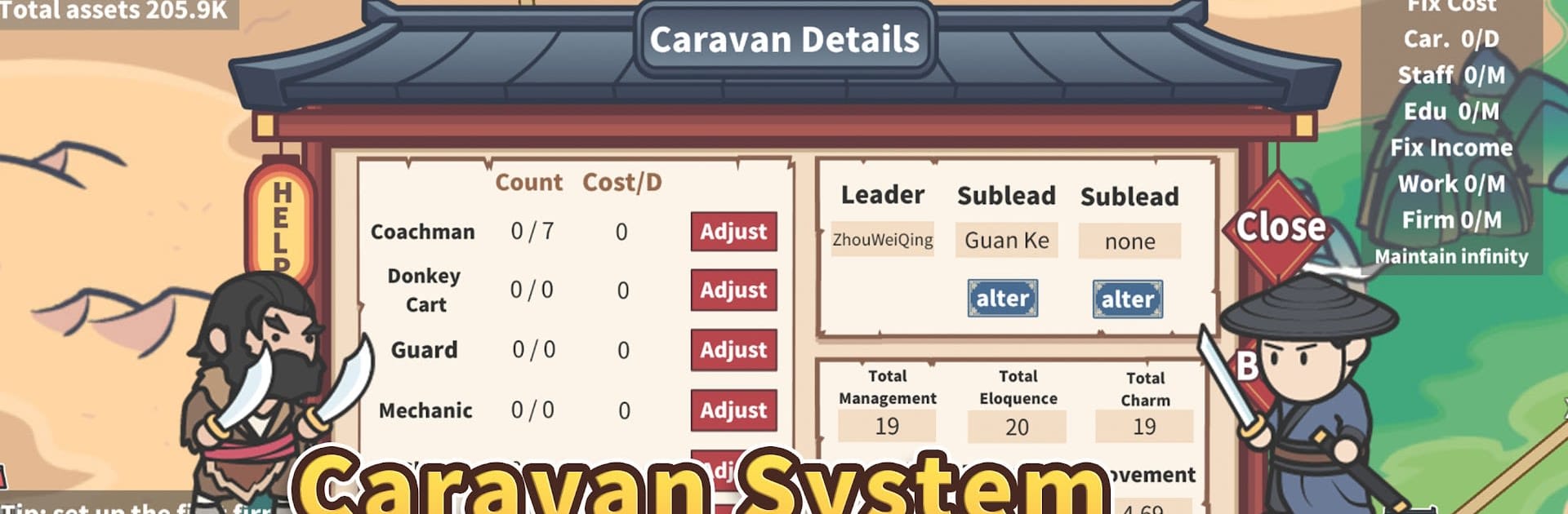
East Trade Tycoon is a chill trading sim where the fun comes from watching markets bounce around and flipping goods at the right moment. It drops the player into a map full of cities and a long list of commodities, then says go make money. Prices rise and fall, sometimes fast, sometimes slow, so there is this steady loop of checking boards, picking routes, and deciding what to load into the caravan. Upgrades matter a lot. Bigger caravans mean bigger hauls, and that makes each run feel more meaningful. There are also skills to train like eloquence, management, and charm that nudge trade deals a little further in your favor, which is oddly satisfying when a risky buy finally pays off.

What stands out is the life sim tucked inside the trading grind. The character can marry, raise kids, and the whole family turns into extra hands for the business. They grow up, have their own traits, sometimes get sick, and eventually someone needs to be the heir. It adds a reason to plan long term, not just chase the next quick profit. Businesses can be opened in each city for passive income, while special items sweeten deals or boost cargo, so there is always another little edge to chase. Tasks give direction without feeling bossy, and the game keeps a neat record of trades, which makes looking back at growth weirdly fun. On PC with BlueStacks, the point and click rhythm works well, flipping between cities and upgrade screens feels quick, and the higher frames make the busy maps easier on the eyes. It is a numbers-first game with a surprisingly human side, and the goal is simple enough. Become the richest around and keep the family name rolling.

Make your gaming sessions memorable with precise controls that give you an edge in close combats and visuals that pop up, bringing every character to life.


Game Features

Enhancements

  • Macros
  • Multi Instance
  • Multi Instance Sync
  • Script
  • Enhancements
Macros

Macros

Automate the predictable in East Trade Tycoon and transform your gameplay with Macros. Get access to inventive Macros in the BlueStacks Macro Community
Multi Instance

Multi Instance

Play East Trade Tycoon on one window. And chat with your friend on the other. Press CTRL + Shift + 8 to open the Multi-Instance Manager. And start creating fresh instances or clone an existing one.
Multi Instance Sync

Multi Instance Sync

Play East Trade Tycoon with the power of Multi-Instance Sync. Replicate what you are doing on the main instance on all other instances. Level up faster, play more.
Script

Script

Script your way to gaming glory in East Trade Tycoon with BlueStacks Script. Write and run a set of commands to automate repeated tasks. Trigger the command by assigning it to any key.
Read More

How to Download and Play East Trade Tycoon on PC or Mac

  • Download and install BlueStacks on your PC or Mac

  • Complete Google sign-in to access the Play Store, or do it later

  • Look for East Trade Tycoon in the search bar at the top right corner

  • Click to install East Trade Tycoon from the search results

  • Complete Google sign-in (if you skipped step 2) to install East Trade Tycoon

  • Click the East Trade Tycoon icon on the home screen to start playing

video
Watch Video

Minimum System Requirements

With BlueStacks 5, you can get started on a PC that fulfills the following requirements.

  • Operating System

    Microsoft Windows 7 or above, macOS 11 (Big Sur) or above

  • Processor

    Intel, AMD or Apple Silicon Processor

  • RAM

    at least 4GB

  • HDD

    10GB Free Disk Space

Note:

* You must be an Administrator on your PC. Up to date graphics drivers from Microsoft or the chipset vendor.

East Trade Tycoon - FAQs

  • How to play East Trade Tycoon on Windows PC & Mac?

    Play East Trade Tycoon on your PC or Mac by following these simple steps.

    • Click on 'Play East Trade Tycoon on PC’ to download BlueStacks
    • Install it and log-in to Google Play Store
    • Launch and play the game.
  • Why is BlueStacks the fastest and safest platform to play games on PC?

    BlueStacks respects your privacy and is always safe and secure to use. It does not carry any malware, spyware, or any sort of additional software that could harm your PC.

    It is engineered to optimize speed and performance for a seamless gaming experience.

  • What are East Trade Tycoon PC requirements?

    Minimum requirement to run East Trade Tycoon on your PC

    • OS: Microsoft Windows 7 or above MacOS 11 (Big Sur) or above
    • Processor: Intel, AMD or Apple Silicon Processor
    • RAM: Your PC must have at least 4GB of RAM. (Note that having 4GB or more disk space is not a substitute for RAM)
    • HDD: 10GB Free Disk Space.
    • You must be an Administrator on your PC.