
Eco city
Eco city

Eco city

Simulation

| nosok

Play on PC with BlueStacks or from our cloud

  • Overview
  • Game Features
  • How to Play

Page Modified On: November 10, 2025

Play Eco city on PC or Mac

Explore a whole new adventure with Eco city, a Simulation game created by nosok. Experience great gameplay with BlueStacks, the most popular gaming platform to play Android games on your PC or Mac.

About the Game

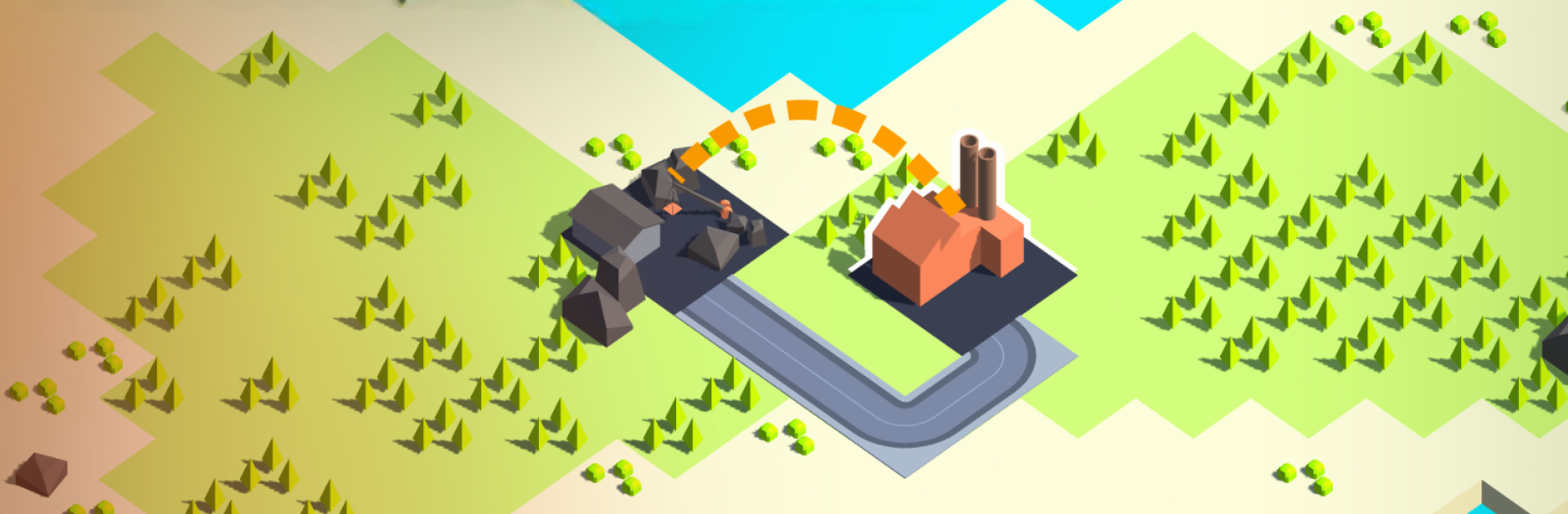
Eco city from nosok is a thoughtful Simulation where you’re the planner, engineer, and cleanup crew all at once. Build an industrial web that actually respects the environment while keeping power, logistics, and city growth humming along. It’s all about smart trade-offs: push production higher, keep pollution in check, and make sure the lights don’t go out.

Game Features

  • Resource Roots: Start with the basics—mines and sawmills churn out stone, coal, ore, oil, and wood. They’re the building blocks for everything that comes next.
  • Factories That Matter: Turn raw materials into advanced goods, but keep an eye on energy use and emissions. A sloppy layout can choke your supply chain.
  • Power Planning: Coal turbines, wind turbines—choose your mix. If demand outpaces supply, you’ll face rolling blackouts that stall your entire network.
  • Clean Energy, Cleaner Air: Wastewater treatment plants pull pollution out of the system. Some even convert it into useful byproducts, though they’ll sip power too.
  • City Growth With Purpose: Each city offers unique trade deals for coins. Upgrade them to unlock new buildings, resources, and crafting recipes—bigger rewards, tougher requirements.
  • Warehouses That Smooth the Flow: Use storage hubs to buffer deliveries, shorten routes, and prevent bottlenecks between production steps.
  • Roads With a Role: Lay down dirt roads, city streets, and highways. Smart routing keeps trucks moving and factories stocked.
  • Maps That Keep You Guessing: Every new save generates a fresh layout with resource clusters, obstacles, and opportunities to exploit—or avoid.
  • Strategy That Feels Earned: Balance emissions, energy, and logistics while scaling up. Small tweaks matter, and good planning pays off.
  • Nice on a Bigger Screen: Prefer precision with a mouse? Playing on PC with BlueStacks makes long-term planning and layout tweaks feel extra comfortable.

Make your gaming sessions memorable with precise controls that give you an edge in close combats and visuals that pop up, bringing every character to life.


Game Features

Enhancements

  • Macros
  • Multi Instance
  • Multi Instance Sync
  • Script
  • Enhancements
Macros

Macros

Automate the predictable in Eco city and transform your gameplay with Macros. Get access to inventive Macros in the BlueStacks Macro Community
Multi Instance

Multi Instance

Play Eco city on one window. And chat with your friend on the other. Press CTRL + Shift + 8 to open the Multi-Instance Manager. And start creating fresh instances or clone an existing one.
Multi Instance Sync

Multi Instance Sync

Play Eco city with the power of Multi-Instance Sync. Replicate what you are doing on the main instance on all other instances. Level up faster, play more.
Script

Script

Script your way to gaming glory in Eco city with BlueStacks Script. Write and run a set of commands to automate repeated tasks. Trigger the command by assigning it to any key.
Read More

How to Download and Play Eco city on PC or Mac

  • Download and install BlueStacks on your PC or Mac

  • Complete Google sign-in to access the Play Store, or do it later

  • Look for Eco city in the search bar at the top right corner

  • Click to install Eco city from the search results

  • Complete Google sign-in (if you skipped step 2) to install Eco city

  • Click the Eco city icon on the home screen to start playing

video
Watch Video

Minimum System Requirements

With BlueStacks 5, you can get started on a PC that fulfills the following requirements.

  • Operating System

    Microsoft Windows 7 or above, macOS 11 (Big Sur) or above

  • Processor

    Intel, AMD or Apple Silicon Processor

  • RAM

    at least 4GB

  • HDD

    10GB Free Disk Space

Note:

* You must be an Administrator on your PC. Up to date graphics drivers from Microsoft or the chipset vendor.

Eco city - FAQs

  • How to play Eco city on Windows PC & Mac?

    Play Eco city on your PC or Mac by following these simple steps.

    • Click on 'Play Eco city on PC’ to download BlueStacks
    • Install it and log-in to Google Play Store
    • Launch and play the game.
  • Why is BlueStacks the fastest and safest platform to play games on PC?

    BlueStacks respects your privacy and is always safe and secure to use. It does not carry any malware, spyware, or any sort of additional software that could harm your PC.

    It is engineered to optimize speed and performance for a seamless gaming experience.

  • What are Eco city PC requirements?

    Minimum requirement to run Eco city on your PC

    • OS: Microsoft Windows 7 or above MacOS 11 (Big Sur) or above
    • Processor: Intel, AMD or Apple Silicon Processor
    • RAM: Your PC must have at least 4GB of RAM. (Note that having 4GB or more disk space is not a substitute for RAM)
    • HDD: 10GB Free Disk Space.
    • You must be an Administrator on your PC.







