Emergency Firefighters 3D

Emergency Firefighters 3D

Simulation

| Dreamforest Games

Play on PC with BlueStacks or from our cloud

  • Overview
  • Game Features
  • How to Play

Page Modified On: October 03, 2025

Play Emergency Firefighters 3D on PC or Mac

From the innovators and creators at Dreamforest Games, Emergency Firefighters 3D is another fun addition to the World of Simulation games. Go beyond your mobile screen and play it bigger and better on your PC or Mac. An immersive experience awaits you.

About the Game

Emergency Firefighters 3D puts you in the boots of a first responder racing to contain blazes and clear a path to safety. This Simulation from Dreamforest Games mixes careful truck handling with tense, on-foot firefighting as you search for hot spots and cut through obstacles. Expect missions that ramp up quickly, tight spaces to navigate, and fires that don’t wait around.

Game Features

  • Open-world calls: Roll through a 3D city and respond to emergencies scattered across different districts, choosing smart routes under pressure.
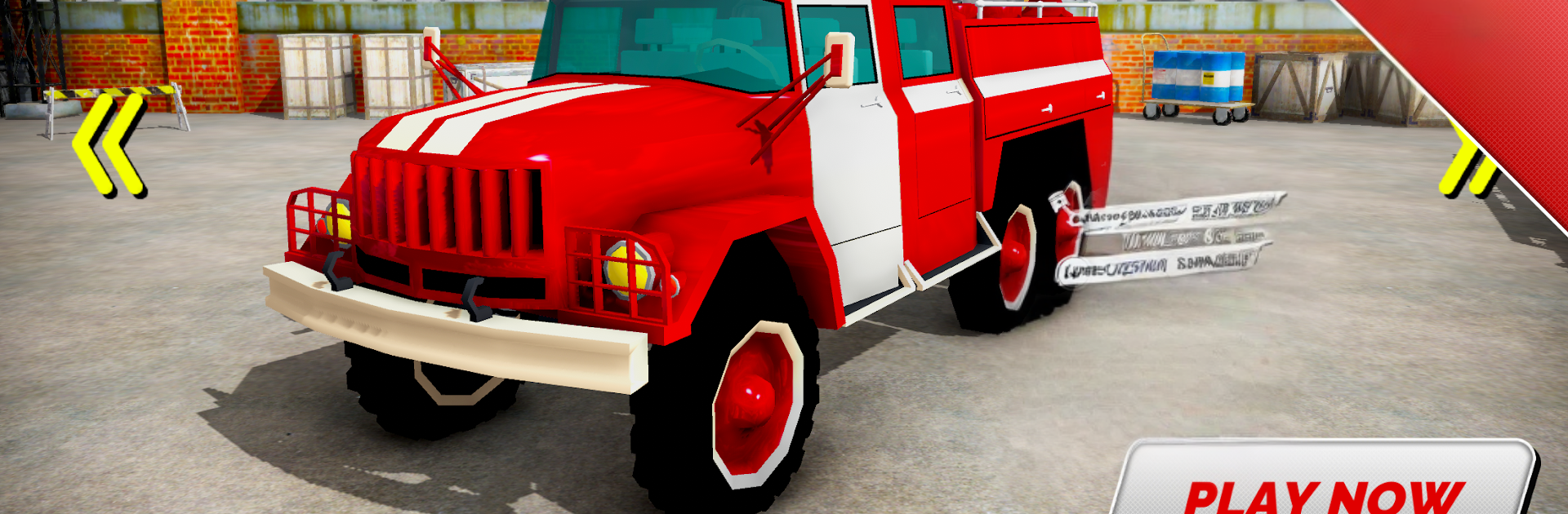
  • Truck and hose action: Drive a full-size fire engine to the scene, then jump out, grab the fire-hose, and battle flames inside smoke-filled buildings.
  • Tools that matter: Swing an ax to break through blocked doors or debris so you can reach hidden hot spots and stop the spread.
  • Five fire engines: Handle five distinct rigs, each with its own feel, size, and quirks that change how you approach a scene.
  • Challenging driving: Heavy vehicles don’t forgive sloppy turns—watch your speed, thread tight streets, and keep control with sirens blaring.
  • Varied missions: Put out street-side infernos, navigate apartment corridors, and manage tricky industrial areas with multiple objectives.
  • Realistic atmosphere: Believable visuals, thick smoke, and a twangy country soundtrack create a grounded firefighting vibe.
  • Play on PC with BlueStacks: Prefer a wider view and steady controls? Run Emergency Firefighters 3D on your computer with BlueStacks for a smooth setup.

Make your gaming sessions memorable with precise controls that give you an edge in close combats and visuals that pop up, bringing every character to life.


Game Features

Enhancements

  • Macros
  • Multi Instance
  • Multi Instance Sync
  • Script
  • Enhancements
Macros

Macros

Automate the predictable in Emergency Firefighters 3D and transform your gameplay with Macros. Get access to inventive Macros in the BlueStacks Macro Community
Multi Instance

Multi Instance

Play Emergency Firefighters 3D on one window. And chat with your friend on the other. Press CTRL + Shift + 8 to open the Multi-Instance Manager. And start creating fresh instances or clone an existing one.
Multi Instance Sync

Multi Instance Sync

Play Emergency Firefighters 3D with the power of Multi-Instance Sync. Replicate what you are doing on the main instance on all other instances. Level up faster, play more.
Script

Script

Script your way to gaming glory in Emergency Firefighters 3D with BlueStacks Script. Write and run a set of commands to automate repeated tasks. Trigger the command by assigning it to any key.
Read More

How to Download and Play Emergency Firefighters 3D on PC or Mac

  • Download and install BlueStacks on your PC or Mac

  • Complete Google sign-in to access the Play Store, or do it later

  • Look for Emergency Firefighters 3D in the search bar at the top right corner

  • Click to install Emergency Firefighters 3D from the search results

  • Complete Google sign-in (if you skipped step 2) to install Emergency Firefighters 3D

  • Click the Emergency Firefighters 3D icon on the home screen to start playing

video
Watch Video

Minimum System Requirements

With BlueStacks 5, you can get started on a PC that fulfills the following requirements.

  • Operating System

    Microsoft Windows 7 or above, macOS 11 (Big Sur) or above

  • Processor

    Intel, AMD or Apple Silicon Processor

  • RAM

    at least 4GB

  • HDD

    10GB Free Disk Space

Note:

* You must be an Administrator on your PC. Up to date graphics drivers from Microsoft or the chipset vendor.

Emergency Firefighters 3D - FAQs

  • How to play Emergency Firefighters 3D on Windows PC & Mac?

    Play Emergency Firefighters 3D on your PC or Mac by following these simple steps.

    • Click on 'Play Emergency Firefighters 3D on PC’ to download BlueStacks
    • Install it and log-in to Google Play Store
    • Launch and play the game.
  • Why is BlueStacks the fastest and safest platform to play games on PC?

    BlueStacks respects your privacy and is always safe and secure to use. It does not carry any malware, spyware, or any sort of additional software that could harm your PC.

    It is engineered to optimize speed and performance for a seamless gaming experience.

  • What are Emergency Firefighters 3D PC requirements?

    Minimum requirement to run Emergency Firefighters 3D on your PC

    • OS: Microsoft Windows 7 or above MacOS 11 (Big Sur) or above
    • Processor: Intel, AMD or Apple Silicon Processor
    • RAM: Your PC must have at least 4GB of RAM. (Note that having 4GB or more disk space is not a substitute for RAM)
    • HDD: 10GB Free Disk Space.
    • You must be an Administrator on your PC.