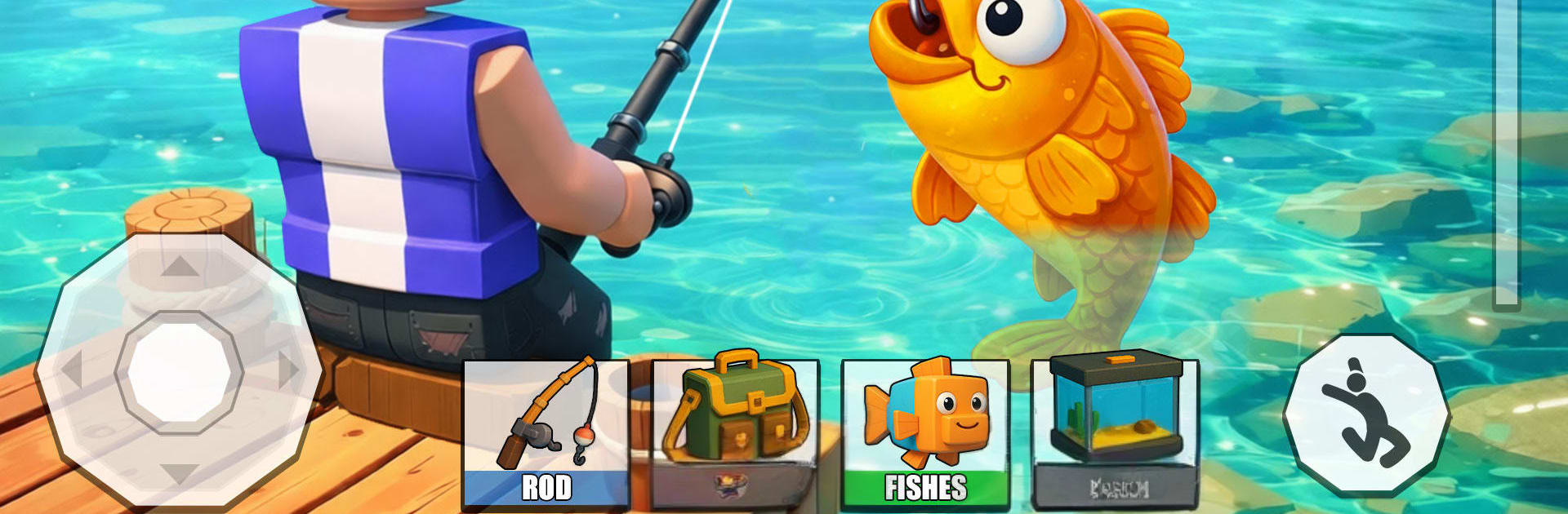
Epic Ocean Clash Fish Quest

Epic Ocean Clash Fish Quest

Simulation

| Impel Games

Play on PC with BlueStacks or from our cloud

  • Overview
  • Game Features
  • How to Play

Page Modified On: September 25, 2026

Play Epic Ocean Clash Fish Quest on PC or Mac

Epic Ocean Clash Fish Quest brings the Simulation genre to life, and throws up exciting challenges for gamers. Developed by Impel Games, this Android game is best experienced on BlueStacks, the World’s #1 app player for PC and Mac users.

About the Game

Epic Ocean Clash Fish Quest is a laid-back, skill-centered Simulation game where every cast can surprise you. It blends calm, scenic waters with just the right amount of tug-of-war tension when a big catch bites, letting you ease into the moment or chase tougher challenges at your own pace. Prefer a bigger screen and comfy controls? You can also play on PC with BlueStacks.

Game Features

  • Intuitive casting and reeling: One press sends your line out, then it’s all about reading the bite, managing tension, and timing your pulls just right.
  • Lifelike water and fish behavior: Smooth 3D water, splashes, and fish that dart, tug, and tire make every fight feel believable.
  • Oceans, lakes, and rivers: Explore varied spots—from breezy coves to deep blue channels—each home to distinct species and quirks.
  • Gear that grows with you: Upgrade rods and reels, beef up your line, and unlock specialty tackle to handle heavier hitters.
  • Rare catches to chase: Hunt uncommon species and build a trophy-worthy collection that shows where you’ve been and what you’ve mastered.
  • Missions and optional challenges: Tackle objective-based tasks to earn resources, open new locations, and expand your setup.
  • Smooth progression and achievements: Consistent goals and milestones keep your fishing journey moving without grindy detours.
  • Offline play when you want it: Cast a line without a connection—perfect for quick sessions or longer, relaxed runs.
  • Clean controls and steady performance: Snappy input and fluid animations make landing each catch feel crisp and satisfying.

Start your journey now. Download the game on BlueStacks, invite your friends, and march on a new adventure.


Game Features

Enhancements

  • Macros
  • Multi Instance
  • Multi Instance Sync
  • Script
  • Enhancements
Macros

Macros

Automate the predictable in Epic Ocean Clash Fish Quest and transform your gameplay with Macros. Get access to inventive Macros in the BlueStacks Macro Community
Multi Instance

Multi Instance

Play Epic Ocean Clash Fish Quest on one window. And chat with your friend on the other. Press CTRL + Shift + 8 to open the Multi-Instance Manager. And start creating fresh instances or clone an existing one.
Multi Instance Sync

Multi Instance Sync

Play Epic Ocean Clash Fish Quest with the power of Multi-Instance Sync. Replicate what you are doing on the main instance on all other instances. Level up faster, play more.
Script

Script

Script your way to gaming glory in Epic Ocean Clash Fish Quest with BlueStacks Script. Write and run a set of commands to automate repeated tasks. Trigger the command by assigning it to any key.
Read More

How to Download and Play Epic Ocean Clash Fish Quest on PC or Mac

  • Download and install BlueStacks on your PC or Mac

  • Complete Google sign-in to access the Play Store, or do it later

  • Look for Epic Ocean Clash Fish Quest in the search bar at the top right corner

  • Click to install Epic Ocean Clash Fish Quest from the search results

  • Complete Google sign-in (if you skipped step 2) to install Epic Ocean Clash Fish Quest

  • Click the Epic Ocean Clash Fish Quest icon on the home screen to start playing

video
Watch Video

Minimum System Requirements

With BlueStacks 5, you can get started on a PC that fulfills the following requirements.

  • Operating System

    Microsoft Windows 7 or above, macOS 11 (Big Sur) or above

  • Processor

    Intel, AMD or Apple Silicon Processor

  • RAM

    at least 4GB

  • HDD

    10GB Free Disk Space

Note:

* You must be an Administrator on your PC. Up to date graphics drivers from Microsoft or the chipset vendor.

Epic Ocean Clash Fish Quest - FAQs

  • How to play Epic Ocean Clash Fish Quest on Windows PC & Mac?

    Play Epic Ocean Clash Fish Quest on your PC or Mac by following these simple steps.

    • Click on 'Play Epic Ocean Clash Fish Quest on PC’ to download BlueStacks
    • Install it and log-in to Google Play Store
    • Launch and play the game.
  • Why is BlueStacks the fastest and safest platform to play games on PC?

    BlueStacks respects your privacy and is always safe and secure to use. It does not carry any malware, spyware, or any sort of additional software that could harm your PC.

    It is engineered to optimize speed and performance for a seamless gaming experience.

  • What are Epic Ocean Clash Fish Quest PC requirements?

    Minimum requirement to run Epic Ocean Clash Fish Quest on your PC

    • OS: Microsoft Windows 7 or above MacOS 11 (Big Sur) or above
    • Processor: Intel, AMD or Apple Silicon Processor
    • RAM: Your PC must have at least 4GB of RAM. (Note that having 4GB or more disk space is not a substitute for RAM)
    • HDD: 10GB Free Disk Space.
    • You must be an Administrator on your PC.