Escape Challenge: Survival Run

Escape Challenge: Survival Run

Simulation

| Reed Been

Play on PC with BlueStacks or from our cloud

  • Overview
  • Game Features
  • How to Play

Page Modified On: September 25, 2026

Play Escape Challenge: Survival Run on PC or Mac

Escape Challenge: Survival Run by Reed Been has plenty to keep you busy. BlueStacks lets you play it on PC or Mac with more screen space, better control, and fewer mobile limits.

About the Game

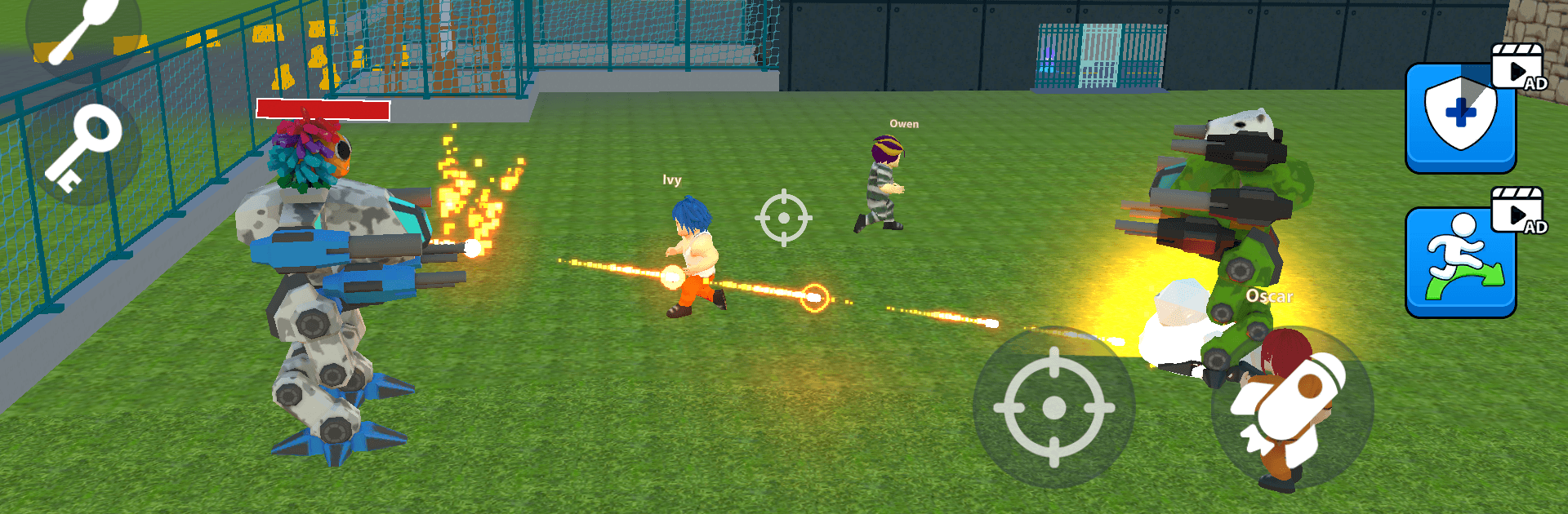
Escape Challenge: Survival Run throws you into a high-security lockup where every move counts and hesitation hurts. This tense Simulation puts your reflexes and quick thinking to the test as you sprint past contraptions, outwit patrols, and hunt for that one opening that gets you out alive. It’s all about tight timing, smart improvisation, and the thrill of knowing the next room could be your last.

Game Features

  • High-stakes prison break: Navigate claustrophobic corridors, patrol routes, and airtight surveillance while plotting split-second escapes.
  • 50+ handcrafted stages: Tackle a steadily rising challenge curve with fresh layouts, surprising twists, and routes that reward curiosity.
  • Nasty traps, real consequences: Dodge fire jets, spike pits, crumbling tiles, and other sneaky mechanisms designed to punish sloppy runs.
  • Stealth meets sprinting: Slip past guards and security systems, create distractions, and turn the environment into your getaway toolset.
  • Boss showdowns: Face four ruthless wardens, each with distinct patterns and tricks that demand patience, study, and nerve.
  • Keys, coins, and smart choices: Snag keys to open new paths, gather coins, and pick gear that genuinely helps in the next room, not just on paper.
  • Movement you can grow: Upgrade your double jump and sharpen precision platforming for those “no way I’m making that” gaps.
  • Play with style: Unlock three distinct character skins, each bringing helpful perks that subtly reshape how you approach a run.
  • Sharp look, pounding sound: Bold visuals and a tense, driving soundtrack amplify the chase and make every close call feel earned.
  • Compete for the top: Climb global leaderboards, compare times with friends, and perfect routes to shave off those last milliseconds.
  • Smooth on BlueStacks: The action feels especially crisp on BlueStacks, with clean visuals and timing-friendly inputs that make tricky sequences click.

Get ready for a buttery smooth, high-performance gaming action only on BlueStacks.

Game Features

Enhancements

  • Macros
  • Multi Instance
  • Multi Instance Sync
  • Script
  • Enhancements
Macros

Macros

Automate the predictable in Escape Challenge: Survival Run and transform your gameplay with Macros. Get access to inventive Macros in the BlueStacks Macro Community
Multi Instance

Multi Instance

Play Escape Challenge: Survival Run on one window. And chat with your friend on the other. Press CTRL + Shift + 8 to open the Multi-Instance Manager. And start creating fresh instances or clone an existing one.
Multi Instance Sync

Multi Instance Sync

Play Escape Challenge: Survival Run with the power of Multi-Instance Sync. Replicate what you are doing on the main instance on all other instances. Level up faster, play more.
Script

Script

Script your way to gaming glory in Escape Challenge: Survival Run with BlueStacks Script. Write and run a set of commands to automate repeated tasks. Trigger the command by assigning it to any key.
Read More

How to Download and Play Escape Challenge: Survival Run on PC or Mac

  • Download and install BlueStacks on your PC or Mac

  • Complete Google sign-in to access the Play Store, or do it later

  • Look for Escape Challenge: Survival Run in the search bar at the top right corner

  • Click to install Escape Challenge: Survival Run from the search results

  • Complete Google sign-in (if you skipped step 2) to install Escape Challenge: Survival Run

  • Click the Escape Challenge: Survival Run icon on the home screen to start playing

video
Watch Video

Minimum System Requirements

With BlueStacks 5, you can get started on a PC that fulfills the following requirements.

  • Operating System

    Microsoft Windows 7 or above, macOS 11 (Big Sur) or above

  • Processor

    Intel, AMD or Apple Silicon Processor

  • RAM

    at least 4GB

  • HDD

    10GB Free Disk Space

Note:

* You must be an Administrator on your PC. Up to date graphics drivers from Microsoft or the chipset vendor.

Escape Challenge: Survival Run - FAQs

  • How to play Escape Challenge: Survival Run on Windows PC & Mac?

    Play Escape Challenge: Survival Run on your PC or Mac by following these simple steps.

    • Click on 'Play Escape Challenge: Survival Run on PC’ to download BlueStacks
    • Install it and log-in to Google Play Store
    • Launch and play the game.
  • Why is BlueStacks the fastest and safest platform to play games on PC?

    BlueStacks respects your privacy and is always safe and secure to use. It does not carry any malware, spyware, or any sort of additional software that could harm your PC.

    It is engineered to optimize speed and performance for a seamless gaming experience.

  • What are Escape Challenge: Survival Run PC requirements?

    Minimum requirement to run Escape Challenge: Survival Run on your PC

    • OS: Microsoft Windows 7 or above MacOS 11 (Big Sur) or above
    • Processor: Intel, AMD or Apple Silicon Processor
    • RAM: Your PC must have at least 4GB of RAM. (Note that having 4GB or more disk space is not a substitute for RAM)
    • HDD: 10GB Free Disk Space.
    • You must be an Administrator on your PC.