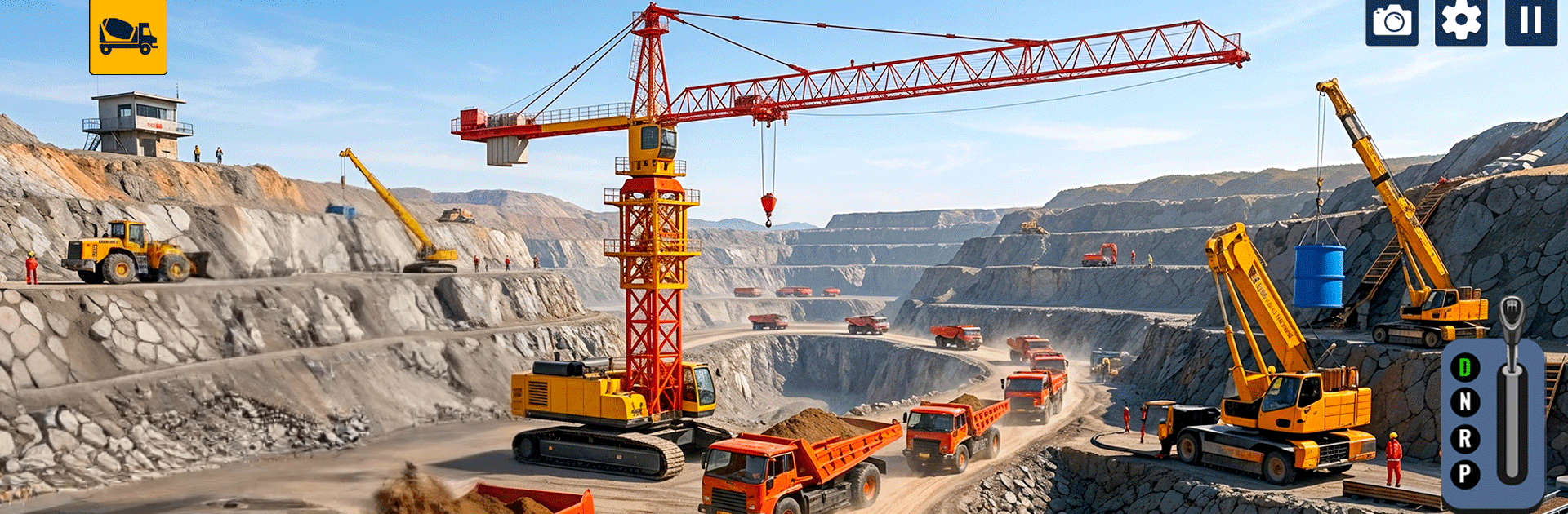
Excavator: City Construction

Excavator: City Construction

Simulation

| MobilMinds Apps

Play on PC with BlueStacks or from our cloud

  • Overview
  • Game Features
  • How to Play

Page Modified On: October 21, 2026

Play Excavator: City Construction on PC or Mac

Step into the World of Excavator: City Construction, a thrilling Simulation game from the house of MobilMinds Apps. Play this Android game on BlueStacks App Player and experience immersive gaming on PC or Mac.

About the Game

Think you can steer a giant digger through tight city streets without clipping a curb? Excavator: City Construction hands you the keys to serious heavy machinery and lets you build out an urban jobsite step by step. It’s a Simulation that’s all about precision—digging trenches, loading dump trucks, swinging cranes into place, and finishing each contract cleanly. Jobs get tougher as you go, pushing you to plan the route, manage space, and master those controls. Prefer keyboard-and-mouse control? It runs smoothly on BlueStacks, too.

Game Features

  • Authentic controls: Feel the weight of the boom and bucket as you scoop, swing, and place materials with smooth, responsive handling.
  • Job-based progression: Start with simple digs, then take on multi-stage contracts that stack tasks like excavation, hauling, grading, and lifting.
  • Full worksite workflow: Go from breaking ground to loading dump trucks and coordinating lifts with crane systems for a complete build cycle.
  • Fleet of heavy vehicles: Operate excavators, dump trucks, loaders, and cranes—each with its own turning radius, power, and quirks.
  • Realistic urban worksites: Maneuver around tight alleys, traffic barriers, and limited staging space that demand smart positioning.
  • Real-time tasks and physics: Manage bucket angles, material weight, and spill risk while hitting timers and accuracy targets.
  • Multiple camera views: Swap between cab and external perspectives to improve depth perception and keep your swing radius in check.
  • Helpful guidance: Optional markers and on-screen prompts nudge you in the right direction without dulling the challenge.

BlueStacks gives you more room to focus on the game and less time adjusting around mobile limitations.


Game Features

Enhancements

  • Macros
  • Multi Instance
  • Multi Instance Sync
  • Script
  • Enhancements
Macros

Macros

Automate the predictable in Excavator: City Construction and transform your gameplay with Macros. Get access to inventive Macros in the BlueStacks Macro Community
Multi Instance

Multi Instance

Play Excavator: City Construction on one window. And chat with your friend on the other. Press CTRL + Shift + 8 to open the Multi-Instance Manager. And start creating fresh instances or clone an existing one.
Multi Instance Sync

Multi Instance Sync

Play Excavator: City Construction with the power of Multi-Instance Sync. Replicate what you are doing on the main instance on all other instances. Level up faster, play more.
Script

Script

Script your way to gaming glory in Excavator: City Construction with BlueStacks Script. Write and run a set of commands to automate repeated tasks. Trigger the command by assigning it to any key.
Read More

How to Download and Play Excavator: City Construction on PC or Mac

  • Download and install BlueStacks on your PC or Mac

  • Complete Google sign-in to access the Play Store, or do it later

  • Look for Excavator: City Construction in the search bar at the top right corner

  • Click to install Excavator: City Construction from the search results

  • Complete Google sign-in (if you skipped step 2) to install Excavator: City Construction

  • Click the Excavator: City Construction icon on the home screen to start playing

video
Watch Video

Minimum System Requirements

With BlueStacks 5, you can get started on a PC that fulfills the following requirements.

  • Operating System

    Microsoft Windows 7 or above, macOS 11 (Big Sur) or above

  • Processor

    Intel, AMD or Apple Silicon Processor

  • RAM

    at least 4GB

  • HDD

    10GB Free Disk Space

Note:

* You must be an Administrator on your PC. Up to date graphics drivers from Microsoft or the chipset vendor.

Excavator: City Construction - FAQs

  • How to play Excavator: City Construction on Windows PC & Mac?

    Play Excavator: City Construction on your PC or Mac by following these simple steps.

    • Click on 'Play Excavator: City Construction on PC’ to download BlueStacks
    • Install it and log-in to Google Play Store
    • Launch and play the game.
  • Why is BlueStacks the fastest and safest platform to play games on PC?

    BlueStacks respects your privacy and is always safe and secure to use. It does not carry any malware, spyware, or any sort of additional software that could harm your PC.

    It is engineered to optimize speed and performance for a seamless gaming experience.

  • What are Excavator: City Construction PC requirements?

    Minimum requirement to run Excavator: City Construction on your PC

    • OS: Microsoft Windows 7 or above MacOS 11 (Big Sur) or above
    • Processor: Intel, AMD or Apple Silicon Processor
    • RAM: Your PC must have at least 4GB of RAM. (Note that having 4GB or more disk space is not a substitute for RAM)
    • HDD: 10GB Free Disk Space.
    • You must be an Administrator on your PC.