Excavator Simulator 3D Construction Simulator

Excavator Simulator 3D Construction Simulator

Simulation

| gamestarstudio

Play on PC with BlueStacks or from our cloud

  • Overview
  • Game Features
  • How to Play

Page Modified On: June 29, 2026

Play Excavator Simulator 3D Construction Simulator on PC or Mac

Explore a whole new adventure with Excavator Simulator 3D Construction Simulator, a Simulation game created by gamestarstudio. Experience great gameplay with BlueStacks, the most popular gaming platform to play Android games on your PC or Mac.

About the Game

Ever wanted to run heavy machines without the noise and dust? Excavator Simulator 3D Construction Simulator puts you in the operator’s seat, balancing careful digging with confident trucking across rugged worksites. It’s a grounded Simulation experience with satisfying controls, tricky routes, and plenty of dirt to move.

Game Features

  • Hands-on excavation: Control the boom, stick, bucket, and swing to carve trenches, scoop gravel, and fill a waiting dump truck with a convincing sense of weight and momentum.
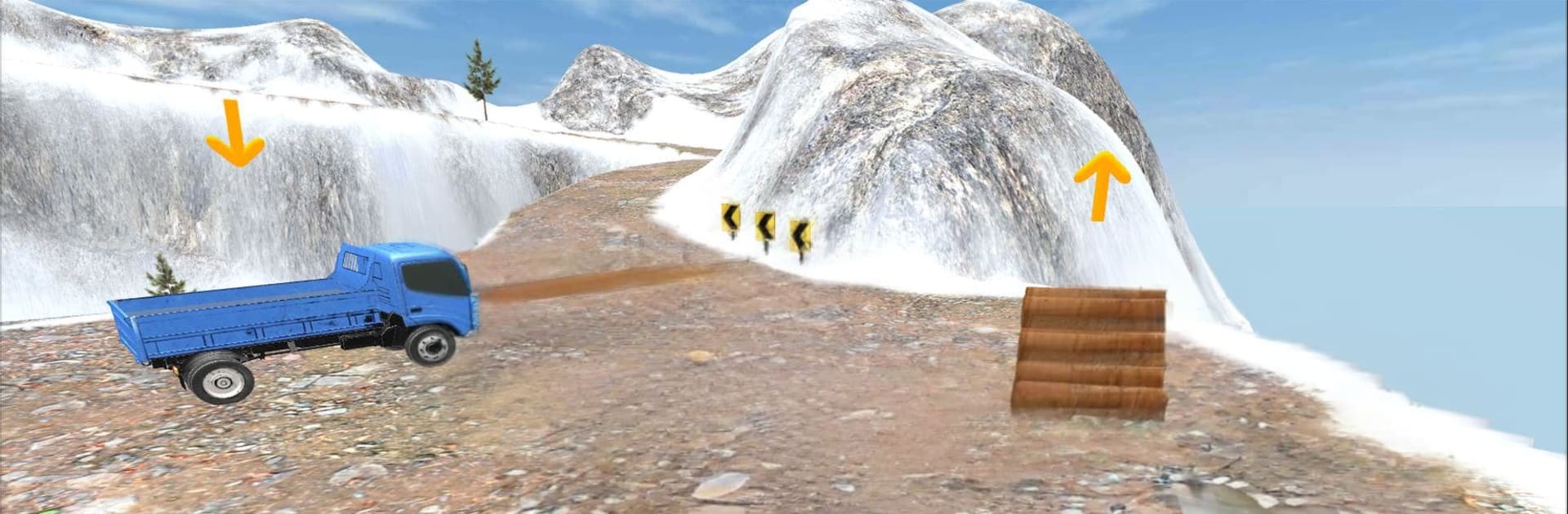
  • Haul the load: Drive loaded trucks across narrow mountain roads, rickety bridges, and uneven offroad paths, keeping your cargo steady through tight turns and steep climbs.
  • Varied jobs and levels: Work through structured missions that ramp up from simple digs to multi-step construction tasks like clearing debris, grading lots, and delivering materials to remote sites.
  • Smooth, flexible controls: Tweak sensitivity and choose the control style that fits you, perfect for precise bucket placement or careful reversing with a full bed.
  • Realistic physics and views: Feel suspension flex on rough terrain, manage traction on slopes, and switch camera angles to line up the perfect scoop or tight maneuver.
  • Truck and excavator synergy: Load efficiently, plan your route, and coordinate machine movements to save time, fuel, and headaches.
  • Offroad challenge: Expect mud, rocks, and sharp switchbacks that test braking, throttle control, and patience.
  • Play on PC with BlueStacks: Prefer a desk setup? BlueStacks lets you handle detailed digging and careful hauling with keyboard and mouse control.

Ready to top the leaderboard? We bet you do. Let precise controls and sharp visuals optimized on BlueStacks lead you to victory.


Game Features

Enhancements

  • Macros
  • Multi Instance
  • Multi Instance Sync
  • Script
  • Enhancements
Macros

Macros

Automate the predictable in Excavator Simulator 3D Construction Simulator and transform your gameplay with Macros. Get access to inventive Macros in the BlueStacks Macro Community
Multi Instance

Multi Instance

Play Excavator Simulator 3D Construction Simulator on one window. And chat with your friend on the other. Press CTRL + Shift + 8 to open the Multi-Instance Manager. And start creating fresh instances or clone an existing one.
Multi Instance Sync

Multi Instance Sync

Play Excavator Simulator 3D Construction Simulator with the power of Multi-Instance Sync. Replicate what you are doing on the main instance on all other instances. Level up faster, play more.
Script

Script

Script your way to gaming glory in Excavator Simulator 3D Construction Simulator with BlueStacks Script. Write and run a set of commands to automate repeated tasks. Trigger the command by assigning it to any key.
Read More

How to Download and Play Excavator Simulator 3D Construction Simulator on PC or Mac

  • Download and install BlueStacks on your PC or Mac

  • Complete Google sign-in to access the Play Store, or do it later

  • Look for Excavator Simulator 3D Construction Simulator in the search bar at the top right corner

  • Click to install Excavator Simulator 3D Construction Simulator from the search results

  • Complete Google sign-in (if you skipped step 2) to install Excavator Simulator 3D Construction Simulator

  • Click the Excavator Simulator 3D Construction Simulator icon on the home screen to start playing

video
Watch Video

Minimum System Requirements

With BlueStacks 5, you can get started on a PC that fulfills the following requirements.

  • Operating System

    Microsoft Windows 7 or above, macOS 11 (Big Sur) or above

  • Processor

    Intel, AMD or Apple Silicon Processor

  • RAM

    at least 4GB

  • HDD

    10GB Free Disk Space

Note:

* You must be an Administrator on your PC. Up to date graphics drivers from Microsoft or the chipset vendor.

Excavator Simulator 3D Construction Simulator - FAQs

  • How to play Excavator Simulator 3D Construction Simulator on Windows PC & Mac?

    Play Excavator Simulator 3D Construction Simulator on your PC or Mac by following these simple steps.

    • Click on 'Play Excavator Simulator 3D Construction Simulator on PC’ to download BlueStacks
    • Install it and log-in to Google Play Store
    • Launch and play the game.
  • Why is BlueStacks the fastest and safest platform to play games on PC?

    BlueStacks respects your privacy and is always safe and secure to use. It does not carry any malware, spyware, or any sort of additional software that could harm your PC.

    It is engineered to optimize speed and performance for a seamless gaming experience.

  • What are Excavator Simulator 3D Construction Simulator PC requirements?

    Minimum requirement to run Excavator Simulator 3D Construction Simulator on your PC

    • OS: Microsoft Windows 7 or above MacOS 11 (Big Sur) or above
    • Processor: Intel, AMD or Apple Silicon Processor
    • RAM: Your PC must have at least 4GB of RAM. (Note that having 4GB or more disk space is not a substitute for RAM)
    • HDD: 10GB Free Disk Space.
    • You must be an Administrator on your PC.