Extreme Bike Driving 3D

Extreme Bike Driving 3D

Simulation

| Game Pickle

Play on PC with BlueStacks or from our cloud

  • Overview
  • Game Features
  • How to Play

Page Modified On: April 24, 2026

Play Extreme Bike Driving 3D on PC or Mac

Bring your A-game to Extreme Bike Driving 3D, the Simulation game sensation from Game Pickle. Give your gameplay the much-needed boost with precise game controls, high FPS graphics, and top-tier features on your PC or Mac with BlueStacks.

About the Game

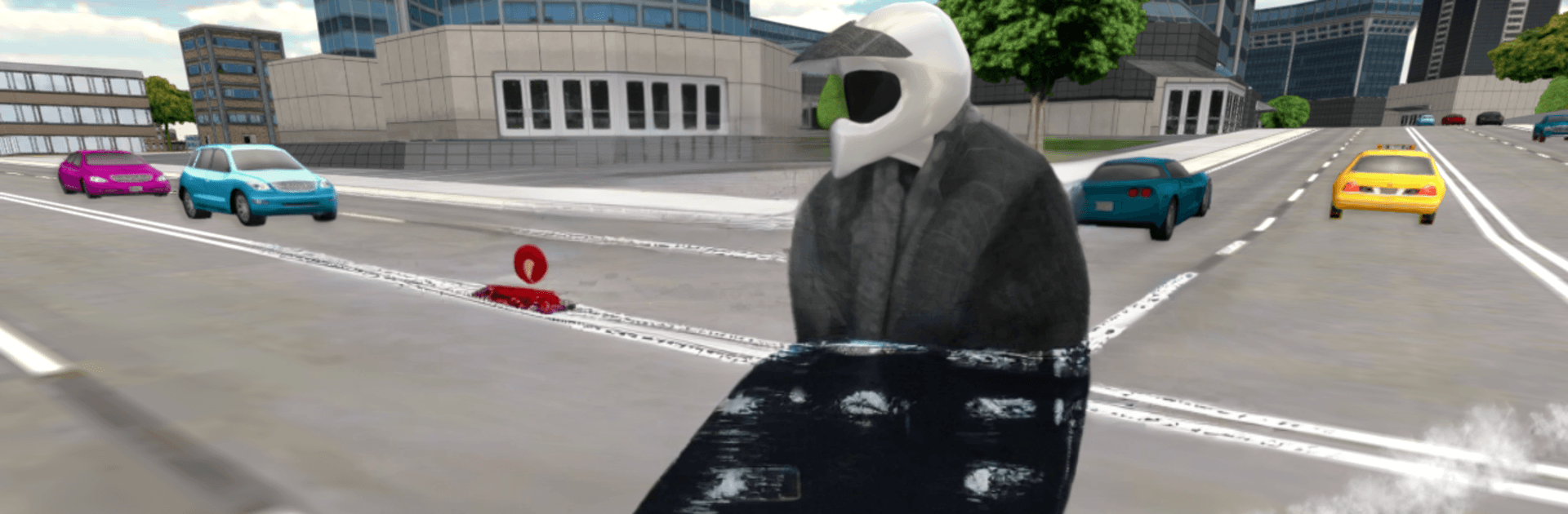
Extreme Bike Driving 3D is a high-energy Simulation from Game Pickle that lets you rip through a wide-open city on powerful motorcycles. It’s all about freedom—race, explore, pull wild stunts, and see how far you can push your bike without wiping out. Want to weave through rush-hour traffic one minute and launch off a ramp the next? Go for it.

Game Features

  • Open-city playground: Cruise sprawling streets, highways, and backroads with no set route—roam, race, or just cause some good old-fashioned chaos.
  • Bikes to unlock: Earn and collect faster rides with distinct styles and performance, then pick the one that fits your mood.
  • Stunts, crashes, and chaos: Pop wheelies, nail flips, clear rooftop jumps, and brace for those spectacular wipeouts when you overcook it.
  • Lively traffic everywhere: Navigate a busy city packed with varied vehicles, from police cruisers to quirky vans, keeping every run unpredictable.
  • Satisfying physics: Handling feels punchy and responsive, giving you that sweet spot between realistic weight and arcade fun.
  • Easy, responsive controls: Jump in and ride—clean layout and smooth inputs make it simple to learn and fun to master.
  • Multiple camera views: Switch perspectives on the fly to line up jumps, thread traffic, or just admire your ride.
  • Big-screen ready: Play on Android TV or fire it up on BlueStacks if you want more space to see the city fly by.
  • Pure sandbox freedom: No timers, no rails—blast through the streets, chase high speeds, or chill and explore at your own pace.

Get ready for a buttery smooth, high-performance gaming action only on BlueStacks.

Game Features

Enhancements

  • Macros
  • Multi Instance
  • Multi Instance Sync
  • Script
  • Enhancements
Macros

Macros

Automate the predictable in Extreme Bike Driving 3D and transform your gameplay with Macros. Get access to inventive Macros in the BlueStacks Macro Community
Multi Instance

Multi Instance

Play Extreme Bike Driving 3D on one window. And chat with your friend on the other. Press CTRL + Shift + 8 to open the Multi-Instance Manager. And start creating fresh instances or clone an existing one.
Multi Instance Sync

Multi Instance Sync

Play Extreme Bike Driving 3D with the power of Multi-Instance Sync. Replicate what you are doing on the main instance on all other instances. Level up faster, play more.
Script

Script

Script your way to gaming glory in Extreme Bike Driving 3D with BlueStacks Script. Write and run a set of commands to automate repeated tasks. Trigger the command by assigning it to any key.
Read More

How to Download and Play Extreme Bike Driving 3D on PC or Mac

  • Download and install BlueStacks on your PC or Mac

  • Complete Google sign-in to access the Play Store, or do it later

  • Look for Extreme Bike Driving 3D in the search bar at the top right corner

  • Click to install Extreme Bike Driving 3D from the search results

  • Complete Google sign-in (if you skipped step 2) to install Extreme Bike Driving 3D

  • Click the Extreme Bike Driving 3D icon on the home screen to start playing

video
Watch Video

Minimum System Requirements

With BlueStacks 5, you can get started on a PC that fulfills the following requirements.

  • Operating System

    Microsoft Windows 7 or above, macOS 11 (Big Sur) or above

  • Processor

    Intel, AMD or Apple Silicon Processor

  • RAM

    at least 4GB

  • HDD

    10GB Free Disk Space

Note:

* You must be an Administrator on your PC. Up to date graphics drivers from Microsoft or the chipset vendor.

Extreme Bike Driving 3D - FAQs

  • How to play Extreme Bike Driving 3D on Windows PC & Mac?

    Play Extreme Bike Driving 3D on your PC or Mac by following these simple steps.

    • Click on 'Play Extreme Bike Driving 3D on PC’ to download BlueStacks
    • Install it and log-in to Google Play Store
    • Launch and play the game.
  • Why is BlueStacks the fastest and safest platform to play games on PC?

    BlueStacks respects your privacy and is always safe and secure to use. It does not carry any malware, spyware, or any sort of additional software that could harm your PC.

    It is engineered to optimize speed and performance for a seamless gaming experience.

  • What are Extreme Bike Driving 3D PC requirements?

    Minimum requirement to run Extreme Bike Driving 3D on your PC

    • OS: Microsoft Windows 7 or above MacOS 11 (Big Sur) or above
    • Processor: Intel, AMD or Apple Silicon Processor
    • RAM: Your PC must have at least 4GB of RAM. (Note that having 4GB or more disk space is not a substitute for RAM)
    • HDD: 10GB Free Disk Space.
    • You must be an Administrator on your PC.