Extreme Car Driving Max Drift

Extreme Car Driving Max Drift

Simulation

| Inspector Studios

Play on PC with BlueStacks or from our cloud

  • Overview
  • Game Features
  • How to Play

Page Modified On: August 15, 2026

Play Extreme Car Driving Max Drift on PC or Mac

Play Extreme Car Driving Max Drift by Inspector Studios on PC or Mac with BlueStacks. Use a bigger screen, mouse and keyboard controls, and smoother performance while you play.

About the Game

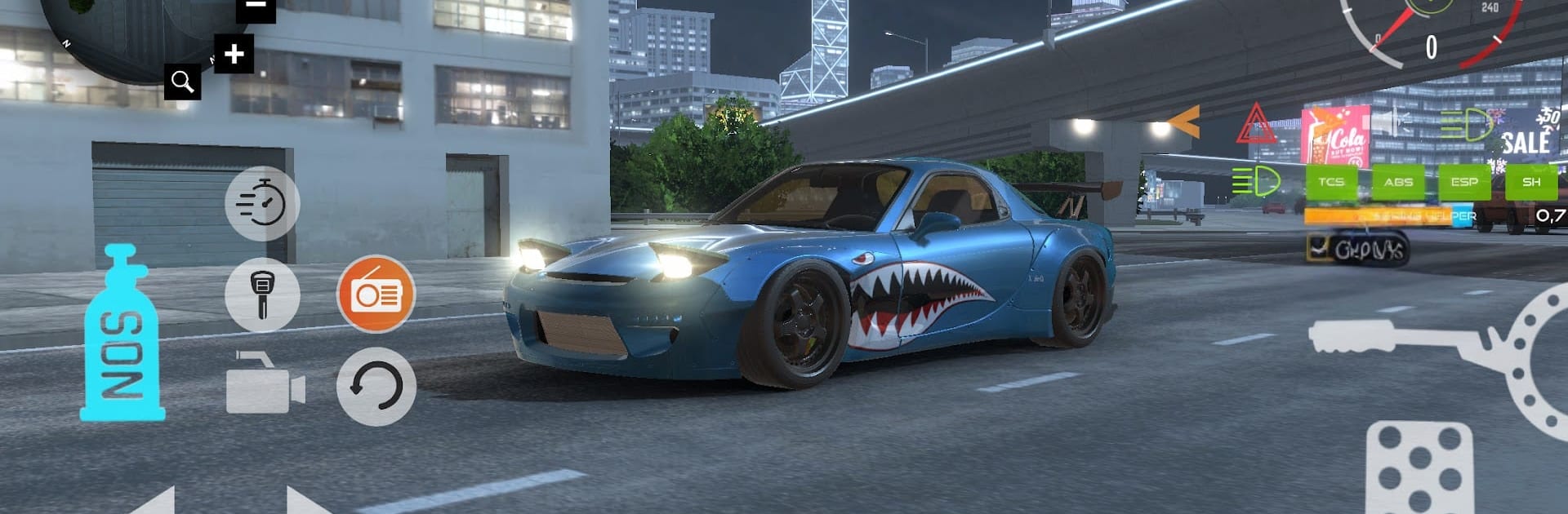
Extreme Car Driving Max Drift is a Simulation built around the pure thrill of sideways driving. It’s all about controlling the slide, linking corners, and chasing bigger scores across city zones and dedicated drift tracks. Prefer a bigger screen and crisp controls? It plays smoothly on PC with BlueStacks without getting in the way of the action.

Game Features

  • Real drift physics: Feel weight transfer, tire grip, and momentum as you balance throttle, brake, and steering to hold clean, smoky slides.
  • Score-chasing with risk and reward: Stack points for long, controlled drifts and tight lines; scrape a wall or clip an obstacle and you’ll feel it on your score.
  • City routes and custom tracks: Thread through narrow streets, sweep along wide boulevards, and tackle drift-focused courses designed to test precision.
  • Easy, responsive controls: Get sideways fast with accessible handling that still leaves room to master advanced techniques.
  • Deep car customization: Change paint, window tint, and suspension setup to make your ride look sharp and feel exactly how you want.
  • Fuel and repairs matter: Run a sensible gas system—when the tank’s low, hit marked spots around the city to refuel, and fix up damage to keep your car in top form.
  • Earn coins, unlock options: Rack up coins from stylish runs and spend them on upgrades and visual tweaks that fine-tune performance and flair.
  • Obstacles that teach control: Barriers and tight sections push you to refine your entry speeds, drift angles, and transitions.
  • Built for satisfying flow: Whether you’re practicing single corners or linking an entire track, the game rewards smooth rhythm and gutsy commitment.

Start your journey now. Download the game on BlueStacks, invite your friends, and march on a new adventure.


Game Features

Enhancements

  • Macros
  • Multi Instance
  • Multi Instance Sync
  • Script
  • Enhancements
Macros

Macros

Automate the predictable in Extreme Car Driving Max Drift and transform your gameplay with Macros. Get access to inventive Macros in the BlueStacks Macro Community
Multi Instance

Multi Instance

Play Extreme Car Driving Max Drift on one window. And chat with your friend on the other. Press CTRL + Shift + 8 to open the Multi-Instance Manager. And start creating fresh instances or clone an existing one.
Multi Instance Sync

Multi Instance Sync

Play Extreme Car Driving Max Drift with the power of Multi-Instance Sync. Replicate what you are doing on the main instance on all other instances. Level up faster, play more.
Script

Script

Script your way to gaming glory in Extreme Car Driving Max Drift with BlueStacks Script. Write and run a set of commands to automate repeated tasks. Trigger the command by assigning it to any key.
Read More

How to Download and Play Extreme Car Driving Max Drift on PC or Mac

  • Download and install BlueStacks on your PC or Mac

  • Complete Google sign-in to access the Play Store, or do it later

  • Look for Extreme Car Driving Max Drift in the search bar at the top right corner

  • Click to install Extreme Car Driving Max Drift from the search results

  • Complete Google sign-in (if you skipped step 2) to install Extreme Car Driving Max Drift

  • Click the Extreme Car Driving Max Drift icon on the home screen to start playing

video
Watch Video

Minimum System Requirements

With BlueStacks 5, you can get started on a PC that fulfills the following requirements.

  • Operating System

    Microsoft Windows 7 or above, macOS 11 (Big Sur) or above

  • Processor

    Intel, AMD or Apple Silicon Processor

  • RAM

    at least 4GB

  • HDD

    10GB Free Disk Space

Note:

* You must be an Administrator on your PC. Up to date graphics drivers from Microsoft or the chipset vendor.

Extreme Car Driving Max Drift - FAQs

  • How to play Extreme Car Driving Max Drift on Windows PC & Mac?

    Play Extreme Car Driving Max Drift on your PC or Mac by following these simple steps.

    • Click on 'Play Extreme Car Driving Max Drift on PC’ to download BlueStacks
    • Install it and log-in to Google Play Store
    • Launch and play the game.
  • Why is BlueStacks the fastest and safest platform to play games on PC?

    BlueStacks respects your privacy and is always safe and secure to use. It does not carry any malware, spyware, or any sort of additional software that could harm your PC.

    It is engineered to optimize speed and performance for a seamless gaming experience.

  • What are Extreme Car Driving Max Drift PC requirements?

    Minimum requirement to run Extreme Car Driving Max Drift on your PC

    • OS: Microsoft Windows 7 or above MacOS 11 (Big Sur) or above
    • Processor: Intel, AMD or Apple Silicon Processor
    • RAM: Your PC must have at least 4GB of RAM. (Note that having 4GB or more disk space is not a substitute for RAM)
    • HDD: 10GB Free Disk Space.
    • You must be an Administrator on your PC.