
Fantasy Town: The New Town

Fantasy Town: The New Town

Simulation

| ZTQ Games Taiwan Co., Ltd.

Play on PC with BlueStacks or from our cloud

  • Overview
  • Game Features
  • How to Play

Page Modified On: September 05, 2025

Play Fantasy Town: The New Town on PC or Mac

Bring your A-game to Fantasy Town: The New Town, the Simulation game sensation from ZTQ Games Taiwan Co., Ltd.. Give your gameplay the much-needed boost with precise game controls, high FPS graphics, and top-tier features on your PC or Mac with BlueStacks.

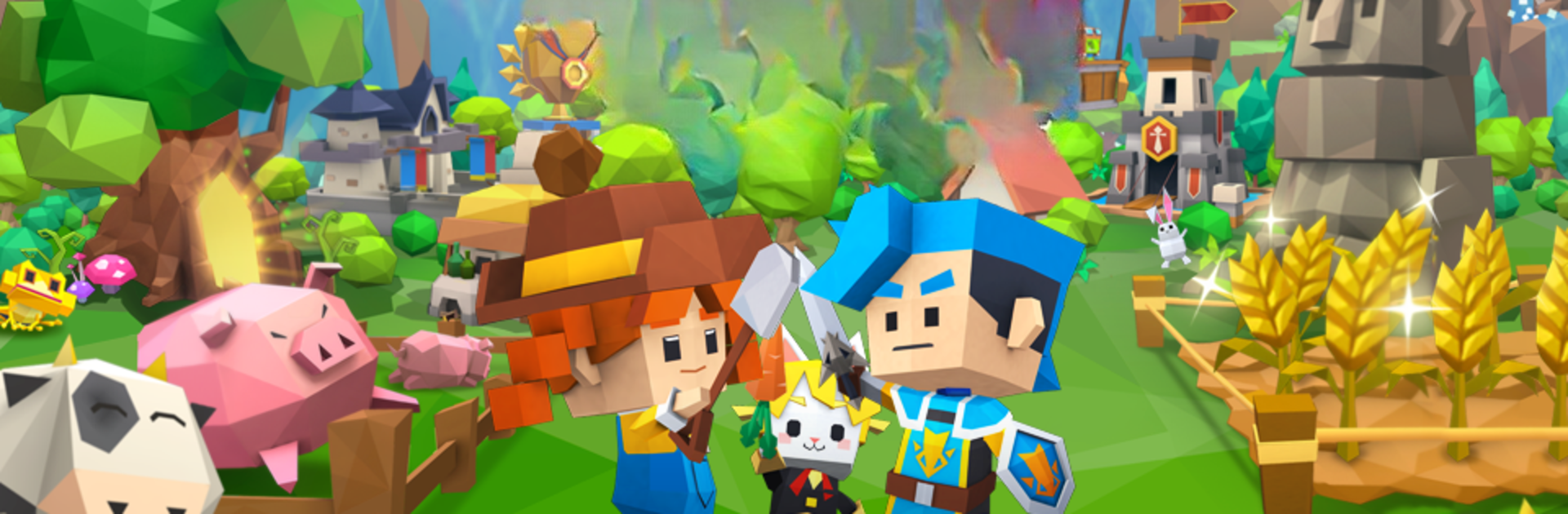
Fantasy Town: The New Town feels like a relaxed town builder with a sprinkle of adventure and idle RPG on top. The player sets up a little settlement, draws roads, places farms and workshops, and nudges things around until production flows in a way that makes sense. The layout freedom is the fun part. One town can look like a ranch with fences and barns, the next a fairy tale spot with cute bridges and pastel roofs. There are loads of decorations and backgrounds, so the place actually starts to feel personal rather than another grid city.

What keeps it from getting sleepy is the resident system and the outings. Each character has a small story and skills that matter, so pairing them for expeditions is not just cosmetic. Positioning and traits affect how runs go through mines and strange forests, and there is a nice mix of planning and luck when chasing rare drops. Animals show up to rescue and hang around like pets, which adds some warmth. On the social side, players visit each other, trade, chat, join guilds, and team for boss fights. Seasonal events, decoration contests, and little mini-games break up the routine. The idle gains mean progress ticks along even when the app is closed, so it suits short sessions. On PC with BlueStacks, dragging roads and lining up buildings with a mouse feels tidy, and the bigger screen helps when fussing over layouts or reading character cards.

Get ready for a buttery smooth, high-performance gaming action only on BlueStacks.

Game Features

Enhancements

  • Macros
  • Multi Instance
  • Multi Instance Sync
  • Script
  • Enhancements
Macros

Macros

Automate the predictable in Fantasy Town: The New Town and transform your gameplay with Macros. Get access to inventive Macros in the BlueStacks Macro Community
Multi Instance

Multi Instance

Play Fantasy Town: The New Town on one window. And chat with your friend on the other. Press CTRL + Shift + 8 to open the Multi-Instance Manager. And start creating fresh instances or clone an existing one.
Multi Instance Sync

Multi Instance Sync

Play Fantasy Town: The New Town with the power of Multi-Instance Sync. Replicate what you are doing on the main instance on all other instances. Level up faster, play more.
Script

Script

Script your way to gaming glory in Fantasy Town: The New Town with BlueStacks Script. Write and run a set of commands to automate repeated tasks. Trigger the command by assigning it to any key.
Read More

How to Download and Play Fantasy Town: The New Town on PC or Mac

  • Download and install BlueStacks on your PC or Mac

  • Complete Google sign-in to access the Play Store, or do it later

  • Look for Fantasy Town: The New Town in the search bar at the top right corner

  • Click to install Fantasy Town: The New Town from the search results

  • Complete Google sign-in (if you skipped step 2) to install Fantasy Town: The New Town

  • Click the Fantasy Town: The New Town icon on the home screen to start playing

video
Watch Video

Minimum System Requirements

With BlueStacks 5, you can get started on a PC that fulfills the following requirements.

  • Operating System

    Microsoft Windows 7 or above, macOS 11 (Big Sur) or above

  • Processor

    Intel, AMD or Apple Silicon Processor

  • RAM

    at least 4GB

  • HDD

    10GB Free Disk Space

Note:

* You must be an Administrator on your PC. Up to date graphics drivers from Microsoft or the chipset vendor.

Fantasy Town: The New Town - FAQs

  • How to play Fantasy Town: The New Town on Windows PC & Mac?

    Play Fantasy Town: The New Town on your PC or Mac by following these simple steps.

    • Click on 'Play Fantasy Town: The New Town on PC’ to download BlueStacks
    • Install it and log-in to Google Play Store
    • Launch and play the game.
  • Why is BlueStacks the fastest and safest platform to play games on PC?

    BlueStacks respects your privacy and is always safe and secure to use. It does not carry any malware, spyware, or any sort of additional software that could harm your PC.

    It is engineered to optimize speed and performance for a seamless gaming experience.

  • What are Fantasy Town: The New Town PC requirements?

    Minimum requirement to run Fantasy Town: The New Town on your PC

    • OS: Microsoft Windows 7 or above MacOS 11 (Big Sur) or above
    • Processor: Intel, AMD or Apple Silicon Processor
    • RAM: Your PC must have at least 4GB of RAM. (Note that having 4GB or more disk space is not a substitute for RAM)
    • HDD: 10GB Free Disk Space.
    • You must be an Administrator on your PC.








