Farm Share
Farm Share

Farm Share

Simulation

| Mathew Patrick Martin

Play on PC with BlueStacks or from our cloud

  • Overview
  • Game Features
  • How to Play

Page Modified On: November 28, 2025

Play Farm Share on PC or Mac

Join millions to experience Farm Share, an exciting Simulation game from Mathew Patrick Martin. With BlueStacks App Player, you are always a step ahead of your opponent, ready to outplay them with faster gameplay and better control with the mouse and keyboard on your PC or Mac.

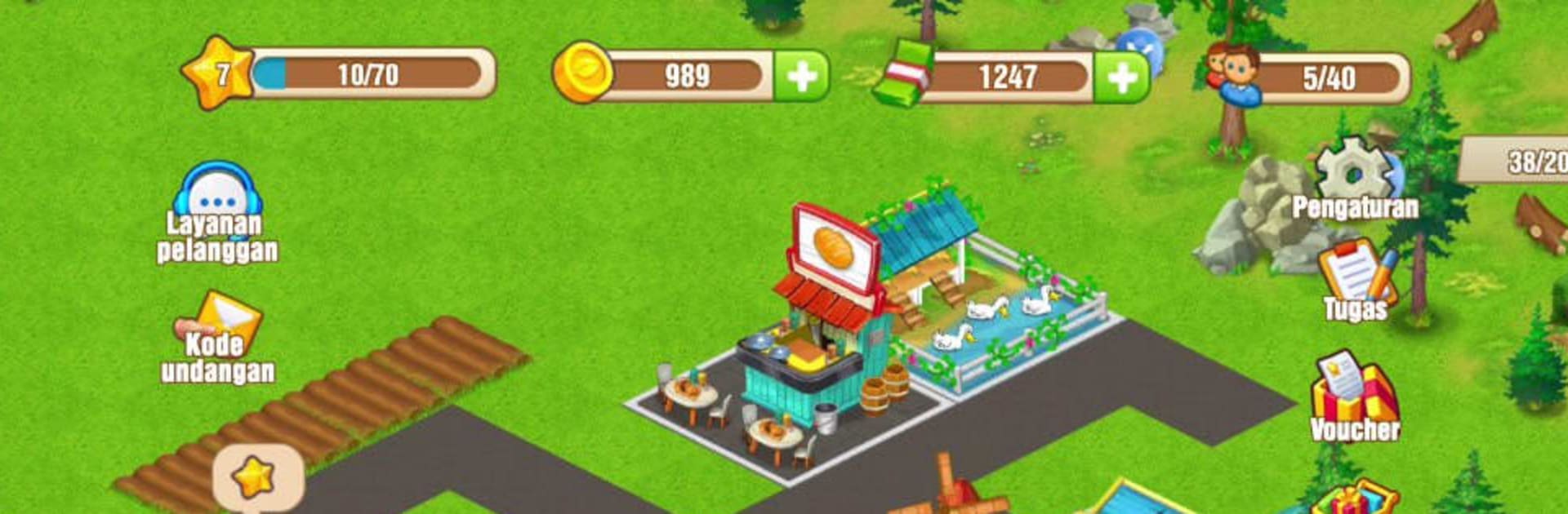
Farm Share is a chill farm builder with a bit more strategy than the usual crop-and-collect loop. It starts the player on a plain patch of land, then it slowly turns into a busy operation where crops feed animals, animals feed workshops, and the whole thing becomes a little production web that actually makes sense. Harvests pop on a timer, buildings ask for materials, and there is that nice rhythm where moving one piece affects three others. On PC with BlueStacks, clicking through fields and dragging buildings around feels clean, and the bigger screen helps plan paths and layouts without squinting.

What stands out is the trading. There is a resource exchange where players swap goods instead of just waiting for crates to fill, and a token economy that nudges tougher choices about upgrades versus quick deals. Prices move, so paying attention to what is hot today actually pays off, and trading lets players patch a weak spot in their chain. Alliances are there for folks who enjoy teaming up, but solo builders are not forced into it. Decoration is flexible, so a farm can look tidy or crowded, whatever suits. It leans more into management than story, calm most of the time, busy when several timers finish at once, and it scratches that itch for people who like tuning a supply chain and watching numbers climb without stress.

Start your journey now. Download the game on BlueStacks, invite your friends, and march on a new adventure.


Game Features

Enhancements

  • Macros
  • Multi Instance
  • Multi Instance Sync
  • Script
  • Enhancements
Macros

Macros

Automate the predictable in Farm Share and transform your gameplay with Macros. Get access to inventive Macros in the BlueStacks Macro Community
Multi Instance

Multi Instance

Play Farm Share on one window. And chat with your friend on the other. Press CTRL + Shift + 8 to open the Multi-Instance Manager. And start creating fresh instances or clone an existing one.
Multi Instance Sync

Multi Instance Sync

Play Farm Share with the power of Multi-Instance Sync. Replicate what you are doing on the main instance on all other instances. Level up faster, play more.
Script

Script

Script your way to gaming glory in Farm Share with BlueStacks Script. Write and run a set of commands to automate repeated tasks. Trigger the command by assigning it to any key.
Read More

How to Download and Play Farm Share on PC or Mac

  • Download and install BlueStacks on your PC or Mac

  • Complete Google sign-in to access the Play Store, or do it later

  • Look for Farm Share in the search bar at the top right corner

  • Click to install Farm Share from the search results

  • Complete Google sign-in (if you skipped step 2) to install Farm Share

  • Click the Farm Share icon on the home screen to start playing

video
Watch Video

Minimum System Requirements

With BlueStacks 5, you can get started on a PC that fulfills the following requirements.

  • Operating System

    Microsoft Windows 7 or above, macOS 11 (Big Sur) or above

  • Processor

    Intel, AMD or Apple Silicon Processor

  • RAM

    at least 4GB

  • HDD

    10GB Free Disk Space

Note:

* You must be an Administrator on your PC. Up to date graphics drivers from Microsoft or the chipset vendor.

Farm Share - FAQs

  • How to play Farm Share on Windows PC & Mac?

    Play Farm Share on your PC or Mac by following these simple steps.

    • Click on 'Play Farm Share on PCโ€™ to download BlueStacks
    • Install it and log-in to Google Play Store
    • Launch and play the game.
  • Why is BlueStacks the fastest and safest platform to play games on PC?

    BlueStacks respects your privacy and is always safe and secure to use. It does not carry any malware, spyware, or any sort of additional software that could harm your PC.

    It is engineered to optimize speed and performance for a seamless gaming experience.

  • What are Farm Share PC requirements?

    Minimum requirement to run Farm Share on your PC

    • OS: Microsoft Windows 7 or above MacOS 11 (Big Sur) or above
    • Processor: Intel, AMD or Apple Silicon Processor
    • RAM: Your PC must have at least 4GB of RAM. (Note that having 4GB or more disk space is not a substitute for RAM)
    • HDD: 10GB Free Disk Space.
    • You must be an Administrator on your PC.