
Fashion Frenzy: Dress Up Games

Fashion Frenzy: Dress Up Games

Simulation

| AlphaGamesStudio

Play on PC with BlueStacks or from our cloud

  • Overview
  • Game Features
  • How to Play

Page Modified On: August 20, 2026

Play Fashion Frenzy: Dress Up Games on PC or Mac

Play Fashion Frenzy: Dress Up Games by AlphaGamesStudio on PC or Mac with BlueStacks. Use a bigger screen, mouse and keyboard controls, and smoother performance while you play.

About the Game

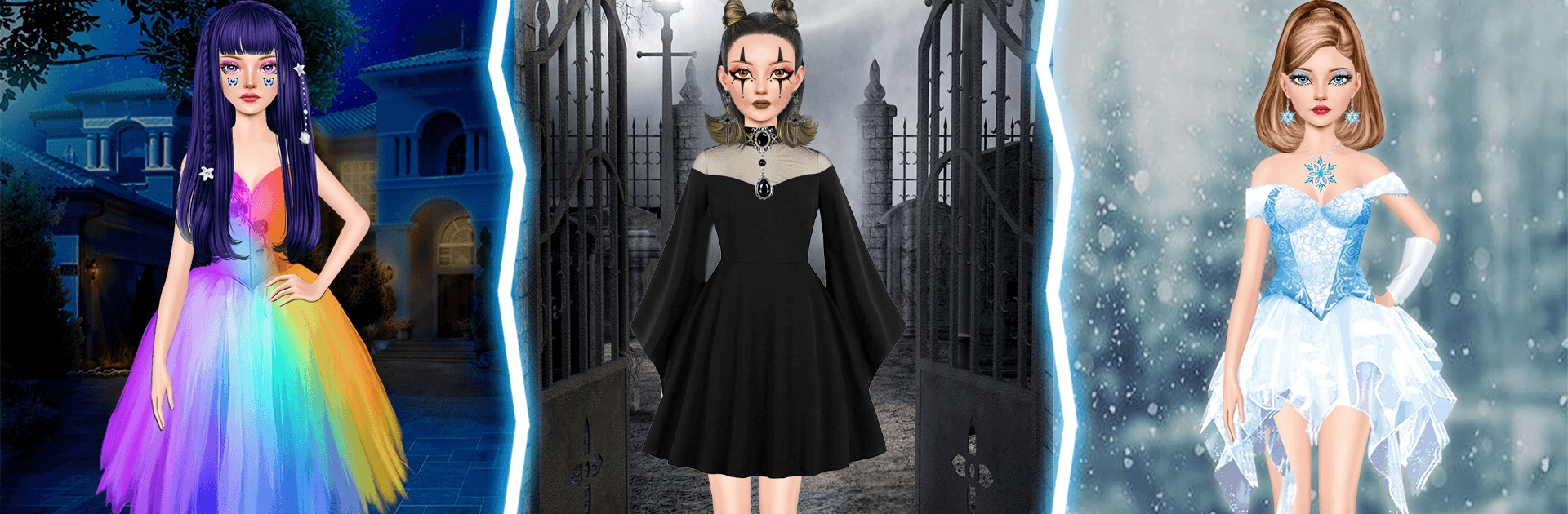
Fashion Frenzy: Dress Up Games is a playful Simulation experience where you build show-stopping looks, from street-casual to red-carpet glam, and put them to the test on the runway. Style a model head-to-toe, perfect the makeup, then compete in themed shows to see how your taste stacks up. Prefer a bigger screen and easy clicking? It runs smoothly on BlueStacks too.

Game Features

  • Huge Closet, Zero Rules: Mix outfits, dresses, accessories, and heels to create looks that feel totally you—bold, minimal, or somewhere in between.
  • Makeup That Pops: Try lip shades, eyeshadows, and blush combos to nail everything from soft glam to full-on dramatic.
  • Runway Shows & Judging: Enter events, walk the virtual catwalk, and score points based on creativity and how well your outfit fits the theme.
  • Compete Worldwide: Face off against fashionable players across the globe and prove your taste belongs on the big stage.
  • Unlockables That Matter: Win shows to open up fresh pieces and special items, expanding your styling toolbox with every success.
  • Polished Visuals, Smooth Flow: Enjoy clean menus, fluid animations, and looks that photograph beautifully in-game.
  • Seasonal Drops & New Challenges: Keep your style current with frequent content updates inspired by real-world trends and occasions.
  • Share Your Best Fits: Snap your favorite ensembles and post them to show friends exactly why your closet reigns supreme.
  • Play Anytime: Style and experiment even when you’re offline, then jump back into competitions when you’re connected.
  • BlueStacks-Friendly: If you like curating outfits with precise mouse control and roomy visuals, it feels great to play on BlueStacks.

BlueStacks gives you more room to focus on the game and less time adjusting around mobile limitations.


Game Features

Enhancements

  • Macros
  • Multi Instance
  • Multi Instance Sync
  • Script
  • Enhancements
Macros

Macros

Automate the predictable in Fashion Frenzy: Dress Up Games and transform your gameplay with Macros. Get access to inventive Macros in the BlueStacks Macro Community
Multi Instance

Multi Instance

Play Fashion Frenzy: Dress Up Games on one window. And chat with your friend on the other. Press CTRL + Shift + 8 to open the Multi-Instance Manager. And start creating fresh instances or clone an existing one.
Multi Instance Sync

Multi Instance Sync

Play Fashion Frenzy: Dress Up Games with the power of Multi-Instance Sync. Replicate what you are doing on the main instance on all other instances. Level up faster, play more.
Script

Script

Script your way to gaming glory in Fashion Frenzy: Dress Up Games with BlueStacks Script. Write and run a set of commands to automate repeated tasks. Trigger the command by assigning it to any key.
Read More

How to Download and Play Fashion Frenzy: Dress Up Games on PC or Mac

  • Download and install BlueStacks on your PC or Mac

  • Complete Google sign-in to access the Play Store, or do it later

  • Look for Fashion Frenzy: Dress Up Games in the search bar at the top right corner

  • Click to install Fashion Frenzy: Dress Up Games from the search results

  • Complete Google sign-in (if you skipped step 2) to install Fashion Frenzy: Dress Up Games

  • Click the Fashion Frenzy: Dress Up Games icon on the home screen to start playing

video
Watch Video

Minimum System Requirements

With BlueStacks 5, you can get started on a PC that fulfills the following requirements.

  • Operating System

    Microsoft Windows 7 or above, macOS 11 (Big Sur) or above

  • Processor

    Intel, AMD or Apple Silicon Processor

  • RAM

    at least 4GB

  • HDD

    10GB Free Disk Space

Note:

* You must be an Administrator on your PC. Up to date graphics drivers from Microsoft or the chipset vendor.

Fashion Frenzy: Dress Up Games - FAQs

  • How to play Fashion Frenzy: Dress Up Games on Windows PC & Mac?

    Play Fashion Frenzy: Dress Up Games on your PC or Mac by following these simple steps.

    • Click on 'Play Fashion Frenzy: Dress Up Games on PC’ to download BlueStacks
    • Install it and log-in to Google Play Store
    • Launch and play the game.
  • Why is BlueStacks the fastest and safest platform to play games on PC?

    BlueStacks respects your privacy and is always safe and secure to use. It does not carry any malware, spyware, or any sort of additional software that could harm your PC.

    It is engineered to optimize speed and performance for a seamless gaming experience.

  • What are Fashion Frenzy: Dress Up Games PC requirements?

    Minimum requirement to run Fashion Frenzy: Dress Up Games on your PC

    • OS: Microsoft Windows 7 or above MacOS 11 (Big Sur) or above
    • Processor: Intel, AMD or Apple Silicon Processor
    • RAM: Your PC must have at least 4GB of RAM. (Note that having 4GB or more disk space is not a substitute for RAM)
    • HDD: 10GB Free Disk Space.
    • You must be an Administrator on your PC.







