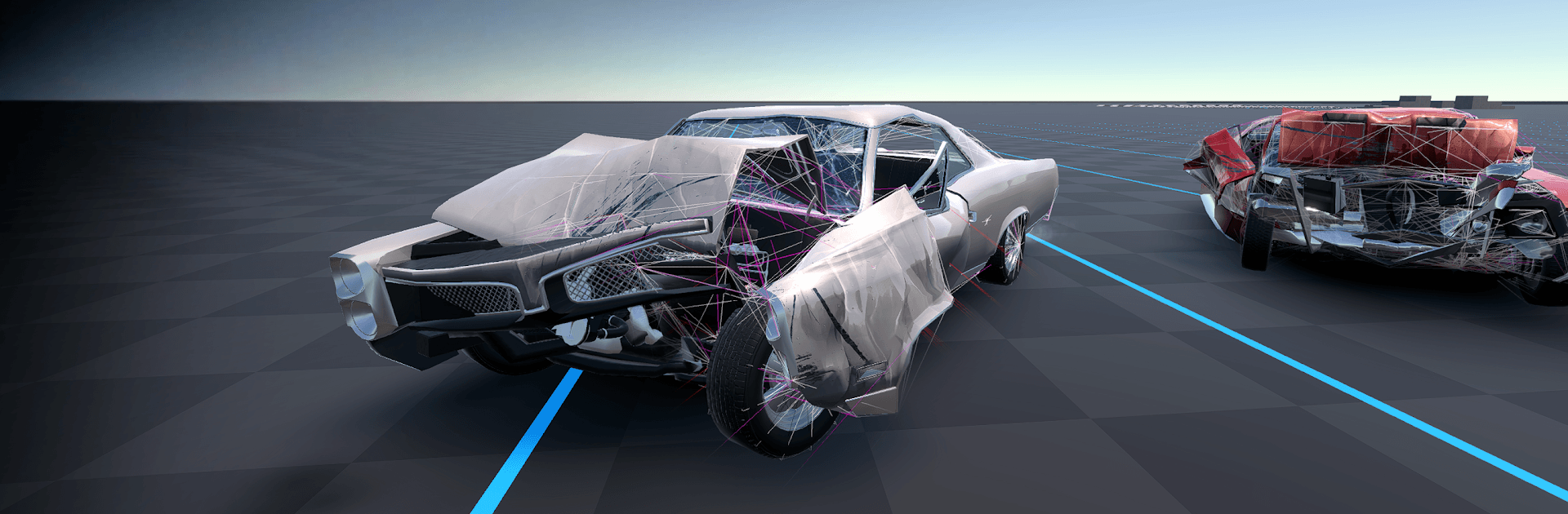
Flexbody Car Crash: Soft Body

Flexbody Car Crash: Soft Body

Simulation

| GameTOV

Play on PC with BlueStacks or from our cloud

  • Overview
  • Game Features
  • How to Play

Page Modified On: August 10, 2026

Play Flexbody Car Crash: Soft Body on PC or Mac

Flexbody Car Crash: Soft Body by GameTOV has plenty to keep you busy. BlueStacks lets you play it on PC or Mac with more screen space, better control, and fewer mobile limits.

About the Game

Flexbody Car Crash: Soft Body turns smashing cars into a physics playground. This crash-obsessed Simulation focuses on believable damage, where every tap, scrape, and full-speed slam reshapes your ride in real time. Expect messy, satisfying wrecks, lots of “what if I try this?” moments, and a sandbox vibe that invites constant experimentation.

Game Features

  • Real-time soft-body physics: Bodies flex, frames twist, and panels buckle based on actual forces—no canned damage or preset animations.
  • Every collision is different: Angle, speed, and weight all matter, so no two hits leave the same scars. You’ll quickly learn how a tiny nudge can snowball into a total write-off.
  • Part-by-part deformation: From bumpers to axles, components react independently, making pileups look and feel convincing when things go sideways.
  • Built for crash testing: Drive through hand-made test spaces designed to push cars to their limits, from controlled nudges to catastrophic failures.
  • Growing content: It’s an actively evolving build, so cars, maps, physics behavior, and tuning can shift over time as the simulation gets refined.
  • Physics-first performance: The tech is heavy by nature, so more capable hardware helps keep frames steady while the metal folds. Prefer a bigger screen or extra horsepower? You can also run it on PC with BlueStacks for a smoother ride.

Get ready for a buttery smooth, high-performance gaming action only on BlueStacks.

Game Features

Enhancements

  • Macros
  • Multi Instance
  • Multi Instance Sync
  • Script
  • Enhancements
Macros

Macros

Automate the predictable in Flexbody Car Crash: Soft Body and transform your gameplay with Macros. Get access to inventive Macros in the BlueStacks Macro Community
Multi Instance

Multi Instance

Play Flexbody Car Crash: Soft Body on one window. And chat with your friend on the other. Press CTRL + Shift + 8 to open the Multi-Instance Manager. And start creating fresh instances or clone an existing one.
Multi Instance Sync

Multi Instance Sync

Play Flexbody Car Crash: Soft Body with the power of Multi-Instance Sync. Replicate what you are doing on the main instance on all other instances. Level up faster, play more.
Script

Script

Script your way to gaming glory in Flexbody Car Crash: Soft Body with BlueStacks Script. Write and run a set of commands to automate repeated tasks. Trigger the command by assigning it to any key.
Read More

How to Download and Play Flexbody Car Crash: Soft Body on PC or Mac

  • Download and install BlueStacks on your PC or Mac

  • Complete Google sign-in to access the Play Store, or do it later

  • Look for Flexbody Car Crash: Soft Body in the search bar at the top right corner

  • Click to install Flexbody Car Crash: Soft Body from the search results

  • Complete Google sign-in (if you skipped step 2) to install Flexbody Car Crash: Soft Body

  • Click the Flexbody Car Crash: Soft Body icon on the home screen to start playing

video
Watch Video

Minimum System Requirements

With BlueStacks 5, you can get started on a PC that fulfills the following requirements.

  • Operating System

    Microsoft Windows 7 or above, macOS 11 (Big Sur) or above

  • Processor

    Intel, AMD or Apple Silicon Processor

  • RAM

    at least 4GB

  • HDD

    10GB Free Disk Space

Note:

* You must be an Administrator on your PC. Up to date graphics drivers from Microsoft or the chipset vendor.

Flexbody Car Crash: Soft Body - FAQs

  • How to play Flexbody Car Crash: Soft Body on Windows PC & Mac?

    Play Flexbody Car Crash: Soft Body on your PC or Mac by following these simple steps.

    • Click on 'Play Flexbody Car Crash: Soft Body on PC’ to download BlueStacks
    • Install it and log-in to Google Play Store
    • Launch and play the game.
  • Why is BlueStacks the fastest and safest platform to play games on PC?

    BlueStacks respects your privacy and is always safe and secure to use. It does not carry any malware, spyware, or any sort of additional software that could harm your PC.

    It is engineered to optimize speed and performance for a seamless gaming experience.

  • What are Flexbody Car Crash: Soft Body PC requirements?

    Minimum requirement to run Flexbody Car Crash: Soft Body on your PC

    • OS: Microsoft Windows 7 or above MacOS 11 (Big Sur) or above
    • Processor: Intel, AMD or Apple Silicon Processor
    • RAM: Your PC must have at least 4GB of RAM. (Note that having 4GB or more disk space is not a substitute for RAM)
    • HDD: 10GB Free Disk Space.
    • You must be an Administrator on your PC.