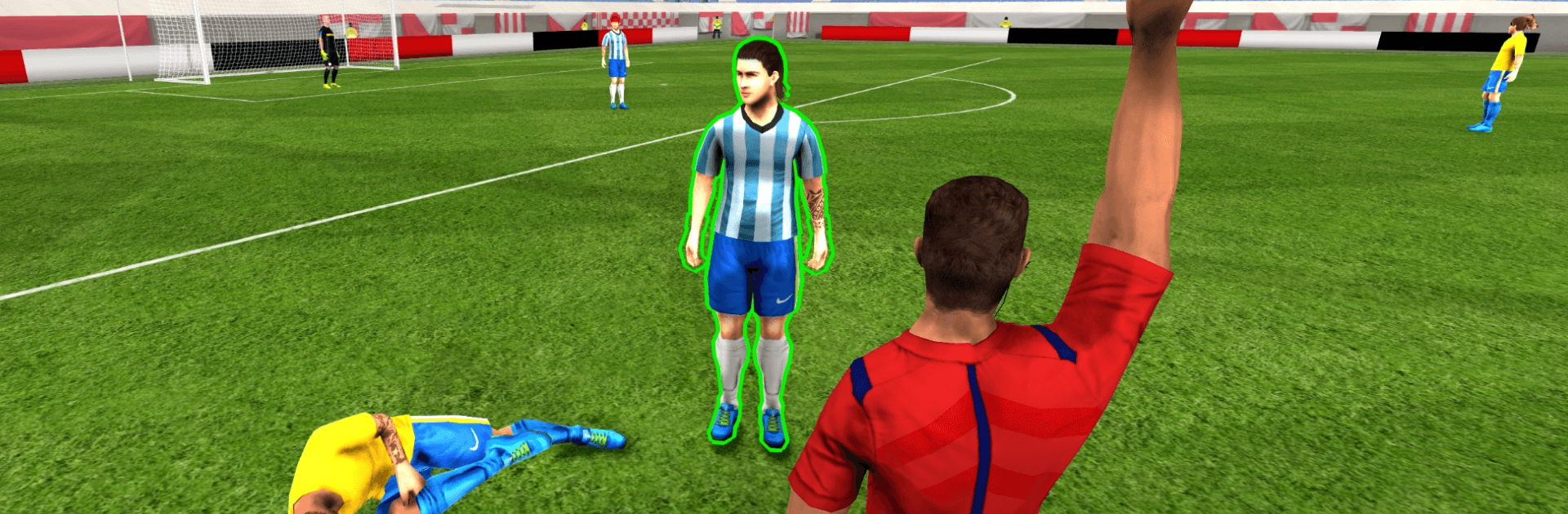
Football Referee Simulator 26

Football Referee Simulator 26

Simulation

| MiniCo Games

Play on PC with BlueStacks or from our cloud

  • Overview
  • Game Features
  • How to Play

Page Modified On: May 11, 2026

Play Football Referee Simulator 26 on PC or Mac

Step into the World of Football Referee Simulator 26, a thrilling Simulation game from the house of MiniCo Games. Play this Android game on BlueStacks App Player and experience immersive gaming on PC or Mac.

About the Game

You’re not chasing the ball—you’re running the show. Football Referee Simulator 26 puts the whistle in your hand and asks you to keep 22 players, a roaring crowd, and the scoreline under control. From MiniCo Games, this Simulation experience captures the tension of real match officiating, where one call can swing a season and shape your career.

Game Features

  • Career on the Whistle – Start with small assignments and work your way into major leagues and finals as you build trust, confidence, and consistency with every match.
  • VAR, When It Counts – Revisit tight offsides and crunching tackles with in-game VAR replays before confirming your decision.
  • Real Match Drama – Manage fouls, offsides, injuries, and heated rivalries while keeping tempers in check and the game flowing.
  • Your Reputation Matters – Every whistle, warning, and card affects how players, fans, and officials see you—and what matches you get next.
  • Stadium Atmosphere – Hear the commentary and the crowd react to your calls, whether you’re spot-on or slightly late to the play.
  • Tools of the Trade – Flash yellow or red, blow the whistle, and mark free-kick lines with spray in a control scheme that feels quick and deliberate.
  • Global Assignments – Take charge of fixtures across multiple leagues and tournaments, each with its own pace and personality.
  • Play Your Way – Prefer a bigger screen and steady controls? Football Referee Simulator 26 runs smoothly on BlueStacks.

Slay your opponents with your epic moves. Play it your way on BlueStacks and dominate the battlefield.


Game Features

Enhancements

  • Macros
  • Multi Instance
  • Multi Instance Sync
  • Script
  • Enhancements
Macros

Macros

Automate the predictable in Football Referee Simulator 26 and transform your gameplay with Macros. Get access to inventive Macros in the BlueStacks Macro Community
Multi Instance

Multi Instance

Play Football Referee Simulator 26 on one window. And chat with your friend on the other. Press CTRL + Shift + 8 to open the Multi-Instance Manager. And start creating fresh instances or clone an existing one.
Multi Instance Sync

Multi Instance Sync

Play Football Referee Simulator 26 with the power of Multi-Instance Sync. Replicate what you are doing on the main instance on all other instances. Level up faster, play more.
Script

Script

Script your way to gaming glory in Football Referee Simulator 26 with BlueStacks Script. Write and run a set of commands to automate repeated tasks. Trigger the command by assigning it to any key.
Read More

How to Download and Play Football Referee Simulator 26 on PC or Mac

  • Download and install BlueStacks on your PC or Mac

  • Complete Google sign-in to access the Play Store, or do it later

  • Look for Football Referee Simulator 26 in the search bar at the top right corner

  • Click to install Football Referee Simulator 26 from the search results

  • Complete Google sign-in (if you skipped step 2) to install Football Referee Simulator 26

  • Click the Football Referee Simulator 26 icon on the home screen to start playing

video
Watch Video

Minimum System Requirements

With BlueStacks 5, you can get started on a PC that fulfills the following requirements.

  • Operating System

    Microsoft Windows 7 or above, macOS 11 (Big Sur) or above

  • Processor

    Intel, AMD or Apple Silicon Processor

  • RAM

    at least 4GB

  • HDD

    10GB Free Disk Space

Note:

* You must be an Administrator on your PC. Up to date graphics drivers from Microsoft or the chipset vendor.

Football Referee Simulator 26 - FAQs

  • How to play Football Referee Simulator 26 on Windows PC & Mac?

    Play Football Referee Simulator 26 on your PC or Mac by following these simple steps.

    • Click on 'Play Football Referee Simulator 26 on PC’ to download BlueStacks
    • Install it and log-in to Google Play Store
    • Launch and play the game.
  • Why is BlueStacks the fastest and safest platform to play games on PC?

    BlueStacks respects your privacy and is always safe and secure to use. It does not carry any malware, spyware, or any sort of additional software that could harm your PC.

    It is engineered to optimize speed and performance for a seamless gaming experience.

  • What are Football Referee Simulator 26 PC requirements?

    Minimum requirement to run Football Referee Simulator 26 on your PC

    • OS: Microsoft Windows 7 or above MacOS 11 (Big Sur) or above
    • Processor: Intel, AMD or Apple Silicon Processor
    • RAM: Your PC must have at least 4GB of RAM. (Note that having 4GB or more disk space is not a substitute for RAM)
    • HDD: 10GB Free Disk Space.
    • You must be an Administrator on your PC.