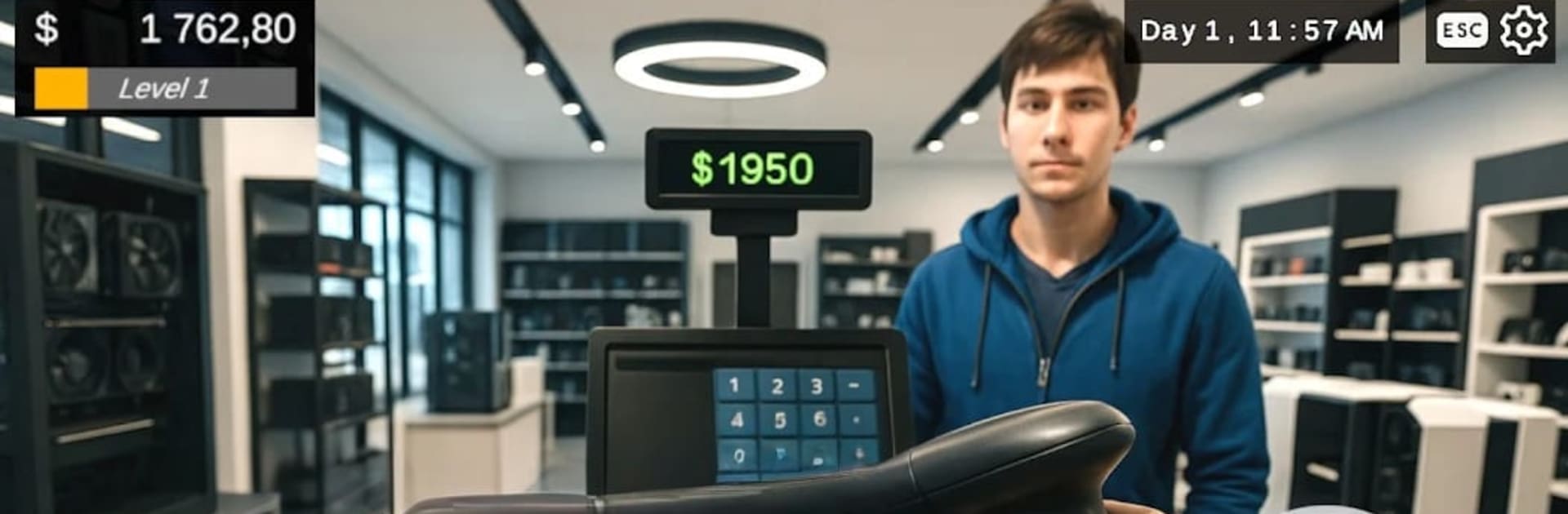
Game Store Simulator PC Build

Game Store Simulator PC Build

Simulation

| Marcin Tuzel

Play on PC with BlueStacks or from our cloud

  • Overview
  • Game Features
  • How to Play

Page Modified On: May 18, 2026

Play Game Store Simulator PC Build on PC or Mac

Game Store Simulator PC Build brings the Simulation genre to life, and throws up exciting challenges for gamers. Developed by Marcin Tuzel, this Android game is best experienced on BlueStacks, the World’s #1 app player for PC and Mac users.

About the Game

Game Store Simulator PC Build is a Simulation game from Marcin Tuzel where you run the kind of shop gamers wish they had on their block. You’re juggling a busy storefront, a humming PC workbench in the back, and customers with opinions, budgets, and deadlines. Prefer playing on a computer? BlueStacks lets you handle your growing to-do list with smooth mouse-and-keyboard control.

Game Features

  • Custom PC Builds: Pick parts that make sense—CPUs, GPUs, RAM, cooling, the works—then tune each rig to match performance goals and budget.
  • Console Corner: Stock hot sellers like XStation and GameBox, bundle them with accessories, and show off limited-edition gear that flies off the shelf.
  • Real Customer Behavior: Expect picky requests, price haggling, and feedback that actually affects your reputation and foot traffic.
  • Full Shop Control: Design your layout, set up displays, expand into new zones, and upgrade counters, shelving, and workbenches as your shop grows.
  • Smart Business Moves: Track profits, manage inventory, set prices, and plan marketing. Hire staff when the rush hits and schedule shifts to keep lines moving.
  • PC Workshop Meets Retail: Switch between hands-on building in the back and quick sales at the front without missing a beat.
  • Rare Finds and Next-Gen Gear: Restock everyday necessities, secure high-demand GPUs, and surprise regulars with collector’s editions and seasonal drops.
  • Story Missions and VIP Orders: Take special contracts, handle high-stakes builds, and earn big payouts—if you deliver on time.
  • Compete and Climb: Face rival shops, chase better rankings, and unlock new product lines like retro consoles and VR setups as your rep improves.
  • Reviews That Matter: Satisfy requests fast, bundle smart, and watch positive ratings bring in more hardcore buyers and curious newcomers alike.

Ready to top the leaderboard? We bet you do. Let precise controls and sharp visuals optimized on BlueStacks lead you to victory.


Game Features

Enhancements

  • Macros
  • Multi Instance
  • Multi Instance Sync
  • Script
  • Enhancements
Macros

Macros

Automate the predictable in Game Store Simulator PC Build and transform your gameplay with Macros. Get access to inventive Macros in the BlueStacks Macro Community
Multi Instance

Multi Instance

Play Game Store Simulator PC Build on one window. And chat with your friend on the other. Press CTRL + Shift + 8 to open the Multi-Instance Manager. And start creating fresh instances or clone an existing one.
Multi Instance Sync

Multi Instance Sync

Play Game Store Simulator PC Build with the power of Multi-Instance Sync. Replicate what you are doing on the main instance on all other instances. Level up faster, play more.
Script

Script

Script your way to gaming glory in Game Store Simulator PC Build with BlueStacks Script. Write and run a set of commands to automate repeated tasks. Trigger the command by assigning it to any key.
Read More

How to Download and Play Game Store Simulator PC Build on PC or Mac

  • Download and install BlueStacks on your PC or Mac

  • Complete Google sign-in to access the Play Store, or do it later

  • Look for Game Store Simulator PC Build in the search bar at the top right corner

  • Click to install Game Store Simulator PC Build from the search results

  • Complete Google sign-in (if you skipped step 2) to install Game Store Simulator PC Build

  • Click the Game Store Simulator PC Build icon on the home screen to start playing

video
Watch Video

Minimum System Requirements

With BlueStacks 5, you can get started on a PC that fulfills the following requirements.

  • Operating System

    Microsoft Windows 7 or above, macOS 11 (Big Sur) or above

  • Processor

    Intel, AMD or Apple Silicon Processor

  • RAM

    at least 4GB

  • HDD

    10GB Free Disk Space

Note:

* You must be an Administrator on your PC. Up to date graphics drivers from Microsoft or the chipset vendor.

Game Store Simulator PC Build - FAQs

  • How to play Game Store Simulator PC Build on Windows PC & Mac?

    Play Game Store Simulator PC Build on your PC or Mac by following these simple steps.

    • Click on 'Play Game Store Simulator PC Build on PC’ to download BlueStacks
    • Install it and log-in to Google Play Store
    • Launch and play the game.
  • Why is BlueStacks the fastest and safest platform to play games on PC?

    BlueStacks respects your privacy and is always safe and secure to use. It does not carry any malware, spyware, or any sort of additional software that could harm your PC.

    It is engineered to optimize speed and performance for a seamless gaming experience.

  • What are Game Store Simulator PC Build PC requirements?

    Minimum requirement to run Game Store Simulator PC Build on your PC

    • OS: Microsoft Windows 7 or above MacOS 11 (Big Sur) or above
    • Processor: Intel, AMD or Apple Silicon Processor
    • RAM: Your PC must have at least 4GB of RAM. (Note that having 4GB or more disk space is not a substitute for RAM)
    • HDD: 10GB Free Disk Space.
    • You must be an Administrator on your PC.