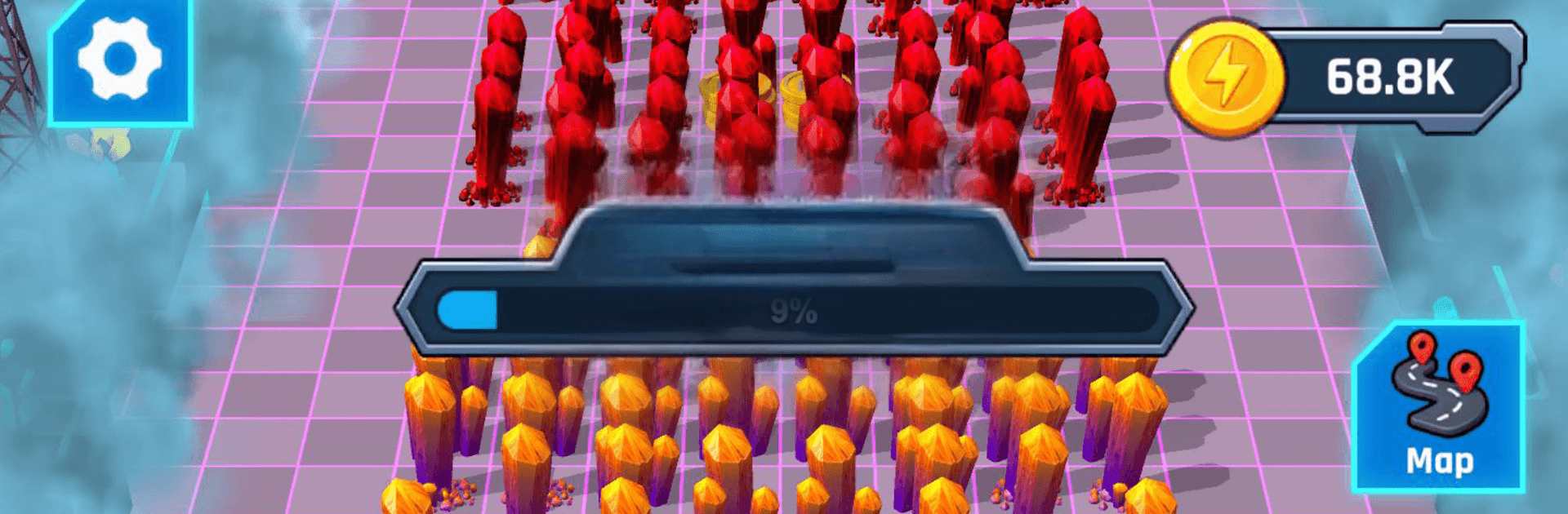
Gold Craft Tycoon
Gold Craft Tycoon

Gold Craft Tycoon

Simulation

| MOBILE ESPORTS Sp. z o.o.

Play on PC with BlueStacks or from our cloud

  • Overview
  • Game Features
  • How to Play

Page Modified On: September 01, 2026

Play Gold Craft Tycoon on PC or Mac

Explore a whole new adventure with Gold Craft Tycoon, a Simulation game created by MOBILE ESPORTS Sp. z o.o.. Experience great gameplay with BlueStacks, the most popular gaming platform to play Android games on your PC or Mac.

About the Game
Gold Craft Tycoon is a Simulation about building a sci‑fi mining operation that runs like clockwork—once you design it. You’ll mine, craft, and automate, growing a small crew into a humming production line that turns raw ore into profit. Prefer a wider view and clicky precision? It plays smoothly on PC with BlueStacks.

Game Features
– Hands-on Mining: Send your team to rich veins, queue up tasks, and keep the drills going as you uncover new resources.
– Smart Automation: Lay out conveyor belts and processing stations so ore moves itself while you plan the next upgrade.
– Build a Crew: Hire hardworking miners and haulers, then train them to carry more and work faster.
– Merge Workers: Combine matching workers to create stronger specialists who blast through jobs with real efficiency.
– Crafting Chain: Turn raw materials into refined components and high-value products through a growing production line.
– Map Exploration: Unlock fresh zones with new biomes, resources, and layouts that make you rethink your factory design.
– Satisfying Progress: Hit clear goals, expand capacity, and watch your numbers climb as your setup gets sharper.
– Chill but Strategic: Easy-to-grasp controls with plenty of depth for optimizing routes, timings, and throughput.
– Futuristic Vibe: Clean sci‑fi visuals, smooth animations, and that oddly soothing hum of machines doing their thing.
– Play at Your Pace: Queue upgrades, tweak layouts, and scale output when you’re ready—steady growth beats rushing.

Start playing Gold Craft Tycoon on BlueStacks and get a smoother, more comfortable PC or Mac setup.


Game Features

Enhancements

  • Macros
  • Multi Instance
  • Multi Instance Sync
  • Script
  • Enhancements
Macros

Macros

Automate the predictable in Gold Craft Tycoon and transform your gameplay with Macros. Get access to inventive Macros in the BlueStacks Macro Community
Multi Instance

Multi Instance

Play Gold Craft Tycoon on one window. And chat with your friend on the other. Press CTRL + Shift + 8 to open the Multi-Instance Manager. And start creating fresh instances or clone an existing one.
Multi Instance Sync

Multi Instance Sync

Play Gold Craft Tycoon with the power of Multi-Instance Sync. Replicate what you are doing on the main instance on all other instances. Level up faster, play more.
Script

Script

Script your way to gaming glory in Gold Craft Tycoon with BlueStacks Script. Write and run a set of commands to automate repeated tasks. Trigger the command by assigning it to any key.
Read More

How to Download and Play Gold Craft Tycoon on PC or Mac

  • Download and install BlueStacks on your PC or Mac

  • Complete Google sign-in to access the Play Store, or do it later

  • Look for Gold Craft Tycoon in the search bar at the top right corner

  • Click to install Gold Craft Tycoon from the search results

  • Complete Google sign-in (if you skipped step 2) to install Gold Craft Tycoon

  • Click the Gold Craft Tycoon icon on the home screen to start playing

video
Watch Video

Minimum System Requirements

With BlueStacks 5, you can get started on a PC that fulfills the following requirements.

  • Operating System

    Microsoft Windows 7 or above, macOS 11 (Big Sur) or above

  • Processor

    Intel, AMD or Apple Silicon Processor

  • RAM

    at least 4GB

  • HDD

    10GB Free Disk Space

Note:

* You must be an Administrator on your PC. Up to date graphics drivers from Microsoft or the chipset vendor.

Gold Craft Tycoon - FAQs

  • How to play Gold Craft Tycoon on Windows PC & Mac?

    Play Gold Craft Tycoon on your PC or Mac by following these simple steps.

    • Click on 'Play Gold Craft Tycoon on PC’ to download BlueStacks
    • Install it and log-in to Google Play Store
    • Launch and play the game.
  • Why is BlueStacks the fastest and safest platform to play games on PC?

    BlueStacks respects your privacy and is always safe and secure to use. It does not carry any malware, spyware, or any sort of additional software that could harm your PC.

    It is engineered to optimize speed and performance for a seamless gaming experience.

  • What are Gold Craft Tycoon PC requirements?

    Minimum requirement to run Gold Craft Tycoon on your PC

    • OS: Microsoft Windows 7 or above MacOS 11 (Big Sur) or above
    • Processor: Intel, AMD or Apple Silicon Processor
    • RAM: Your PC must have at least 4GB of RAM. (Note that having 4GB or more disk space is not a substitute for RAM)
    • HDD: 10GB Free Disk Space.
    • You must be an Administrator on your PC.