Gym Simulator Online: Escape

Gym Simulator Online: Escape

Simulation

| Go Dreams

Play on PC with BlueStacks or from our cloud

  • Overview
  • Game Features
  • How to Play

Page Modified On: August 10, 2026

Play Gym Simulator Online: Escape on PC or Mac

Play Gym Simulator Online: Escape by Go Dreams on PC or Mac with BlueStacks. Use a bigger screen, mouse and keyboard controls, and smoother performance while you play.

About the Game

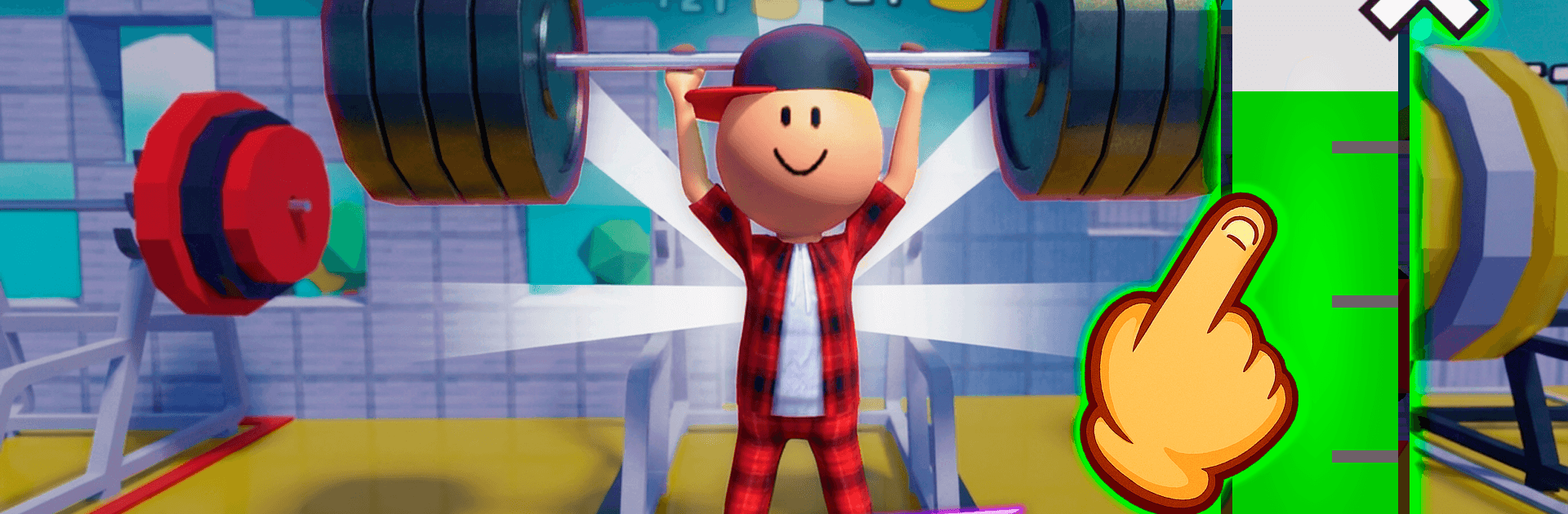
Gym Simulator Online: Escape is a wild, over-the-top Simulation where getting swole isn’t just a stat—it’s how you break out. You’re stuck in a hulking fortress built like a gym-from-hell, and the only way forward is to train so hard your character visibly bulks up and literally smashes through the next wall. Expect fast, punchy workouts, scrappy online clashes, and boss fights that demand real muscle. Prefer a bigger view and keyboard taps? It runs nicely on BlueStacks too.

Game Features

  • Real-time growth: Pump iron and watch your body change instantly—bigger arms, wider frame, heavier lifts. Progress looks and feels immediate.
  • Breakout campaign: Get powerful enough to crack stone gates, take down towering wardens, and open fresh arenas tucked deeper in the castle.
  • Competitive online play: Square up in live showdowns, flex on friends, and prove you’re the one setting the pace.
  • Ranks that matter: Climb from rookie to full-on colossus with tiers that actually reflect your grind and skill.
  • Style your build: Mix skins, hairstyles, and even wings to look as loud (or as mean) as you play.
  • Hatchable pets: Pop open eggs to collect companions that boost gains and speed up training sessions.
  • Satisfying lifts: Bench presses, kettlebells, dumbbells—the classic moves, amped up with quick controls and crunchy feedback.
  • Power fantasy, not a spreadsheet: Numbers go up, sure, but the real payoff is seeing your character swell after every set.

BlueStacks gives you more room to focus on the game and less time adjusting around mobile limitations.


Game Features

Enhancements

  • Macros
  • Multi Instance
  • Multi Instance Sync
  • Script
  • Enhancements
Macros

Macros

Automate the predictable in Gym Simulator Online: Escape and transform your gameplay with Macros. Get access to inventive Macros in the BlueStacks Macro Community
Multi Instance

Multi Instance

Play Gym Simulator Online: Escape on one window. And chat with your friend on the other. Press CTRL + Shift + 8 to open the Multi-Instance Manager. And start creating fresh instances or clone an existing one.
Multi Instance Sync

Multi Instance Sync

Play Gym Simulator Online: Escape with the power of Multi-Instance Sync. Replicate what you are doing on the main instance on all other instances. Level up faster, play more.
Script

Script

Script your way to gaming glory in Gym Simulator Online: Escape with BlueStacks Script. Write and run a set of commands to automate repeated tasks. Trigger the command by assigning it to any key.
Read More

How to Download and Play Gym Simulator Online: Escape on PC or Mac

  • Download and install BlueStacks on your PC or Mac

  • Complete Google sign-in to access the Play Store, or do it later

  • Look for Gym Simulator Online: Escape in the search bar at the top right corner

  • Click to install Gym Simulator Online: Escape from the search results

  • Complete Google sign-in (if you skipped step 2) to install Gym Simulator Online: Escape

  • Click the Gym Simulator Online: Escape icon on the home screen to start playing

video
Watch Video

Minimum System Requirements

With BlueStacks 5, you can get started on a PC that fulfills the following requirements.

  • Operating System

    Microsoft Windows 7 or above, macOS 11 (Big Sur) or above

  • Processor

    Intel, AMD or Apple Silicon Processor

  • RAM

    at least 4GB

  • HDD

    10GB Free Disk Space

Note:

* You must be an Administrator on your PC. Up to date graphics drivers from Microsoft or the chipset vendor.

Gym Simulator Online: Escape - FAQs

  • How to play Gym Simulator Online: Escape on Windows PC & Mac?

    Play Gym Simulator Online: Escape on your PC or Mac by following these simple steps.

    • Click on 'Play Gym Simulator Online: Escape on PC’ to download BlueStacks
    • Install it and log-in to Google Play Store
    • Launch and play the game.
  • Why is BlueStacks the fastest and safest platform to play games on PC?

    BlueStacks respects your privacy and is always safe and secure to use. It does not carry any malware, spyware, or any sort of additional software that could harm your PC.

    It is engineered to optimize speed and performance for a seamless gaming experience.

  • What are Gym Simulator Online: Escape PC requirements?

    Minimum requirement to run Gym Simulator Online: Escape on your PC

    • OS: Microsoft Windows 7 or above MacOS 11 (Big Sur) or above
    • Processor: Intel, AMD or Apple Silicon Processor
    • RAM: Your PC must have at least 4GB of RAM. (Note that having 4GB or more disk space is not a substitute for RAM)
    • HDD: 10GB Free Disk Space.
    • You must be an Administrator on your PC.