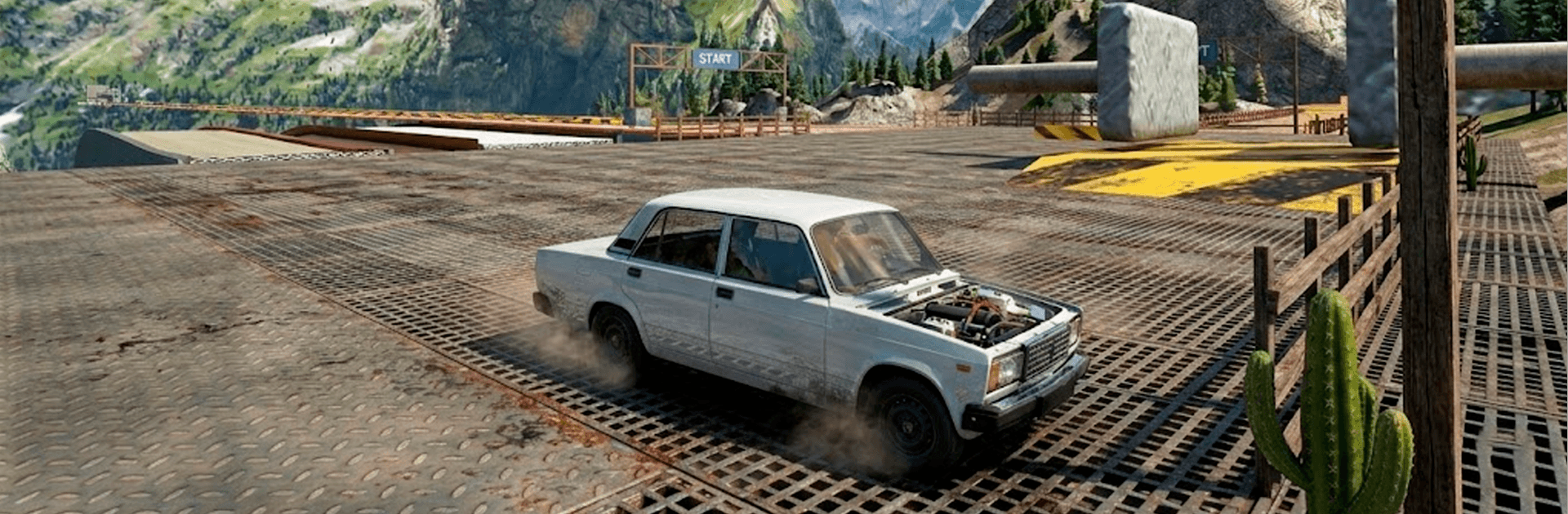
Beamb Car Crash Simulator

Beamb Car Crash Simulator

Racing

| Go Dreams

Play on PC with BlueStacks or from our cloud

  • Overview
  • Game Features
  • How to Play

Page Modified On: July 27, 2026

Play Beamb Car Crash Simulator on PC or Mac

Step into the World of Beamb Car Crash Simulator, a thrilling Racing game from the house of Go Dreams. Play this Android game on BlueStacks App Player and experience immersive gaming on PC or Mac.

About the Game

Beamb Car Crash Simulator is all about glorious, over-the-top wrecks with real-world car physics holding it all together. Launch off giant ramps, speed down wild mountain drops, and watch body panels crumple exactly how you expect when metal meets… well, everything. It’s part playground, part stress test, and fully a Racing sandbox where you get to experiment, crash, and try again. Prefer a bigger screen and smooth performance? It also runs great on BlueStacks.

Game Features

  • Massive ramps and drops: Tackle steep descents, towering jumps, and stunt-ready ranges built for chaos.
  • Realistic crash physics: See bumpers tear off, frames bend, and parts scatter with weighty, believable deformation.
  • Lots of vehicles: Swap between compact cars, muscle rides, trucks, and even heavy buses to see how each one breaks (or survives).
  • Multiple camera views: Switch angles on the fly—go cockpit for immersion or chase cam to watch every crunch in detail.
  • Smooth, responsive driving: Easy-to-learn controls make wild experiments feel natural from the first run.
  • Endless mode: No finish line, no pressure—just open-ended room to try risky lines and bigger impacts.
  • Varied locations: Different arenas and environments keep your crash tests fresh and a little unpredictable.
  • Collide with traffic: Load several vehicles into the same scene and stage multi-car pileups your way.
  • Advanced car setup: Tweak and tune until each vehicle handles just how you like for your next “scientific” crash test.
  • Modern 3D visuals: Clean, punchy graphics highlight every dent, scrape, and flying fender.

Get ready for a buttery smooth, high-performance gaming action only on BlueStacks.

Game Features

Enhancements

  • Macros
  • Multi Instance
  • Multi Instance Sync
  • Script
  • Enhancements
Macros

Macros

Automate the predictable in Beamb Car Crash Simulator and transform your gameplay with Macros. Get access to inventive Macros in the BlueStacks Macro Community
Multi Instance

Multi Instance

Play Beamb Car Crash Simulator on one window. And chat with your friend on the other. Press CTRL + Shift + 8 to open the Multi-Instance Manager. And start creating fresh instances or clone an existing one.
Multi Instance Sync

Multi Instance Sync

Play Beamb Car Crash Simulator with the power of Multi-Instance Sync. Replicate what you are doing on the main instance on all other instances. Level up faster, play more.
Script

Script

Script your way to gaming glory in Beamb Car Crash Simulator with BlueStacks Script. Write and run a set of commands to automate repeated tasks. Trigger the command by assigning it to any key.
Read More

How to Download and Play Beamb Car Crash Simulator on PC or Mac

  • Download and install BlueStacks on your PC or Mac

  • Complete Google sign-in to access the Play Store, or do it later

  • Look for Beamb Car Crash Simulator in the search bar at the top right corner

  • Click to install Beamb Car Crash Simulator from the search results

  • Complete Google sign-in (if you skipped step 2) to install Beamb Car Crash Simulator

  • Click the Beamb Car Crash Simulator icon on the home screen to start playing

video
Watch Video

Minimum System Requirements

With BlueStacks 5, you can get started on a PC that fulfills the following requirements.

  • Operating System

    Microsoft Windows 7 or above, macOS 11 (Big Sur) or above

  • Processor

    Intel, AMD or Apple Silicon Processor

  • RAM

    at least 4GB

  • HDD

    10GB Free Disk Space

Note:

* You must be an Administrator on your PC. Up to date graphics drivers from Microsoft or the chipset vendor.

Beamb Car Crash Simulator - FAQs

  • How to play Beamb Car Crash Simulator on Windows PC & Mac?

    Play Beamb Car Crash Simulator on your PC or Mac by following these simple steps.

    • Click on 'Play Beamb Car Crash Simulator on PC’ to download BlueStacks
    • Install it and log-in to Google Play Store
    • Launch and play the game.
  • Why is BlueStacks the fastest and safest platform to play games on PC?

    BlueStacks respects your privacy and is always safe and secure to use. It does not carry any malware, spyware, or any sort of additional software that could harm your PC.

    It is engineered to optimize speed and performance for a seamless gaming experience.

  • What are Beamb Car Crash Simulator PC requirements?

    Minimum requirement to run Beamb Car Crash Simulator on your PC

    • OS: Microsoft Windows 7 or above MacOS 11 (Big Sur) or above
    • Processor: Intel, AMD or Apple Silicon Processor
    • RAM: Your PC must have at least 4GB of RAM. (Note that having 4GB or more disk space is not a substitute for RAM)
    • HDD: 10GB Free Disk Space.
    • You must be an Administrator on your PC.