Happy Pet: Animal Care Game

Happy Pet: Animal Care Game

Simulation

| WEFUN: Casual,Cooking,Spa & Hospital Games

Play on PC with BlueStacks or from our cloud

  • Overview
  • Game Features
  • How to Play

Page Modified On: October 12, 2026

Play Happy Pet: Animal Care Game on PC or Mac

Happy Pet: Animal Care Game by WEFUN: Casual,Cooking,Spa & Hospital Games has plenty to keep you busy. BlueStacks lets you play it on PC or Mac with more screen space, better control, and fewer mobile limits.

About the Game

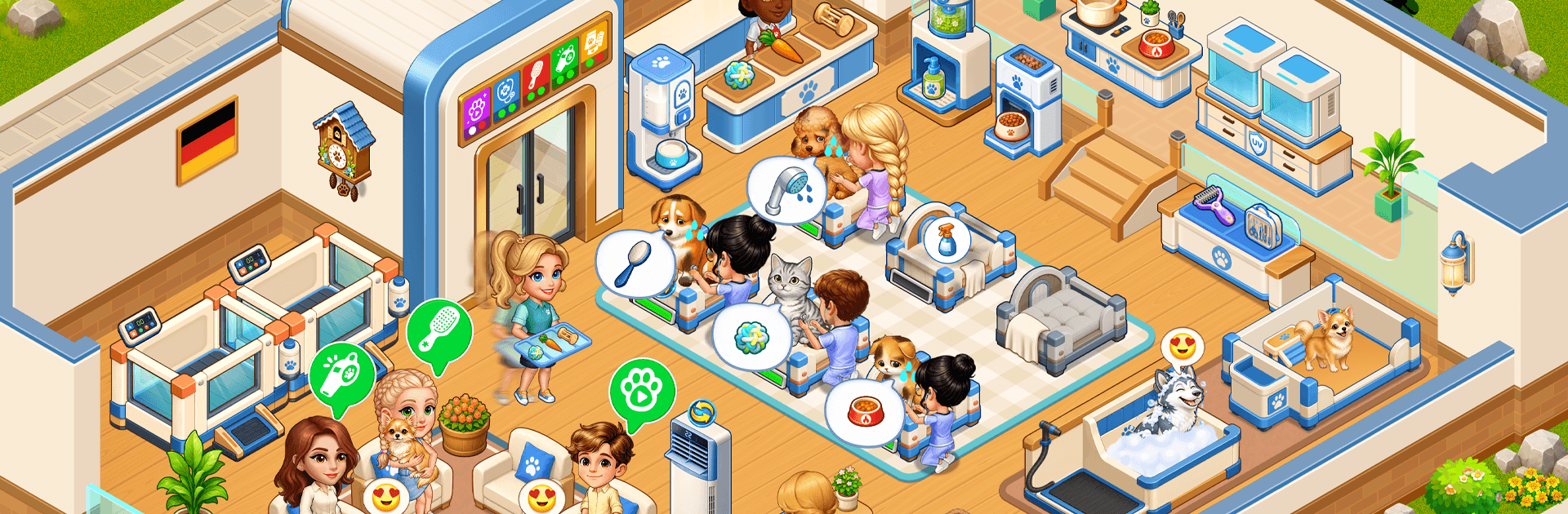
Happy Pet: Animal Care Game makes you the boss of a cozy pet spa where muddy paws and tangled fur turn into squeaky-clean smiles. This light, hands-on Simulation blends chill grooming routines with simple management and upgrades, so you can unwind while keeping a lively salon humming. Prefer a bigger screen and comfy controls? It plays great on PC with BlueStacks, too.

Game Features

  • Hands-on grooming: Lather, rinse, brush, and blow-dry each furry guest with smooth, snappy steps that feel pleasantly tactile.
  • Juggle cute clients: Serve several pets at once, keep the line moving, and make sure every wagging tail leaves happy.
  • Smart upgrades: Unlock better tubs, dryers, and tools, then freshen up each room to speed service and boost your earnings.
  • Satisfying glow-ups: Watch scruffy pups and dusty kitties go from grimy to photo-ready with charming before-and-after moments.
  • Idle growth: Hire helpers and collect income even when you’re away, so your little salon steadily grows between sessions.
  • Build your dream layout: Add new care stations and arrange an efficient workflow that fits your style of play.
  • Cozy pacing: No pressure or fuss—enjoy relaxed sessions perfect for quick breaks or longer chill-out time.
  • A pack of personalities: Care for cats, dogs, and other adorable critters, each with their own grooming quirks and needs.

BlueStacks gives you more room to focus on the game and less time adjusting around mobile limitations.


Game Features

Enhancements

  • Macros
  • Multi Instance
  • Multi Instance Sync
  • Script
  • Enhancements
Macros

Macros

Automate the predictable in Happy Pet: Animal Care Game and transform your gameplay with Macros. Get access to inventive Macros in the BlueStacks Macro Community
Multi Instance

Multi Instance

Play Happy Pet: Animal Care Game on one window. And chat with your friend on the other. Press CTRL + Shift + 8 to open the Multi-Instance Manager. And start creating fresh instances or clone an existing one.
Multi Instance Sync

Multi Instance Sync

Play Happy Pet: Animal Care Game with the power of Multi-Instance Sync. Replicate what you are doing on the main instance on all other instances. Level up faster, play more.
Script

Script

Script your way to gaming glory in Happy Pet: Animal Care Game with BlueStacks Script. Write and run a set of commands to automate repeated tasks. Trigger the command by assigning it to any key.
Read More

How to Download and Play Happy Pet: Animal Care Game on PC or Mac

  • Download and install BlueStacks on your PC or Mac

  • Complete Google sign-in to access the Play Store, or do it later

  • Look for Happy Pet: Animal Care Game in the search bar at the top right corner

  • Click to install Happy Pet: Animal Care Game from the search results

  • Complete Google sign-in (if you skipped step 2) to install Happy Pet: Animal Care Game

  • Click the Happy Pet: Animal Care Game icon on the home screen to start playing

video
Watch Video

Minimum System Requirements

With BlueStacks 5, you can get started on a PC that fulfills the following requirements.

  • Operating System

    Microsoft Windows 7 or above, macOS 11 (Big Sur) or above

  • Processor

    Intel, AMD or Apple Silicon Processor

  • RAM

    at least 4GB

  • HDD

    10GB Free Disk Space

Note:

* You must be an Administrator on your PC. Up to date graphics drivers from Microsoft or the chipset vendor.

Happy Pet: Animal Care Game - FAQs

  • How to play Happy Pet: Animal Care Game on Windows PC & Mac?

    Play Happy Pet: Animal Care Game on your PC or Mac by following these simple steps.

    • Click on 'Play Happy Pet: Animal Care Game on PC’ to download BlueStacks
    • Install it and log-in to Google Play Store
    • Launch and play the game.
  • Why is BlueStacks the fastest and safest platform to play games on PC?

    BlueStacks respects your privacy and is always safe and secure to use. It does not carry any malware, spyware, or any sort of additional software that could harm your PC.

    It is engineered to optimize speed and performance for a seamless gaming experience.

  • What are Happy Pet: Animal Care Game PC requirements?

    Minimum requirement to run Happy Pet: Animal Care Game on your PC

    • OS: Microsoft Windows 7 or above MacOS 11 (Big Sur) or above
    • Processor: Intel, AMD or Apple Silicon Processor
    • RAM: Your PC must have at least 4GB of RAM. (Note that having 4GB or more disk space is not a substitute for RAM)
    • HDD: 10GB Free Disk Space.
    • You must be an Administrator on your PC.