Harbor Life Idle
Harbor Life Idle

Harbor Life Idle

Simulation

| Supercraft

Play on PC with BlueStacks or from our cloud

  • Overview
  • Game Features
  • How to Play

Page Modified On: July 27, 2026

Play Harbor Life Idle on PC or Mac

Play Harbor Life Idle by Supercraft on PC or Mac with BlueStacks. Use a bigger screen, mouse and keyboard controls, and smoother performance while you play.

About the Game

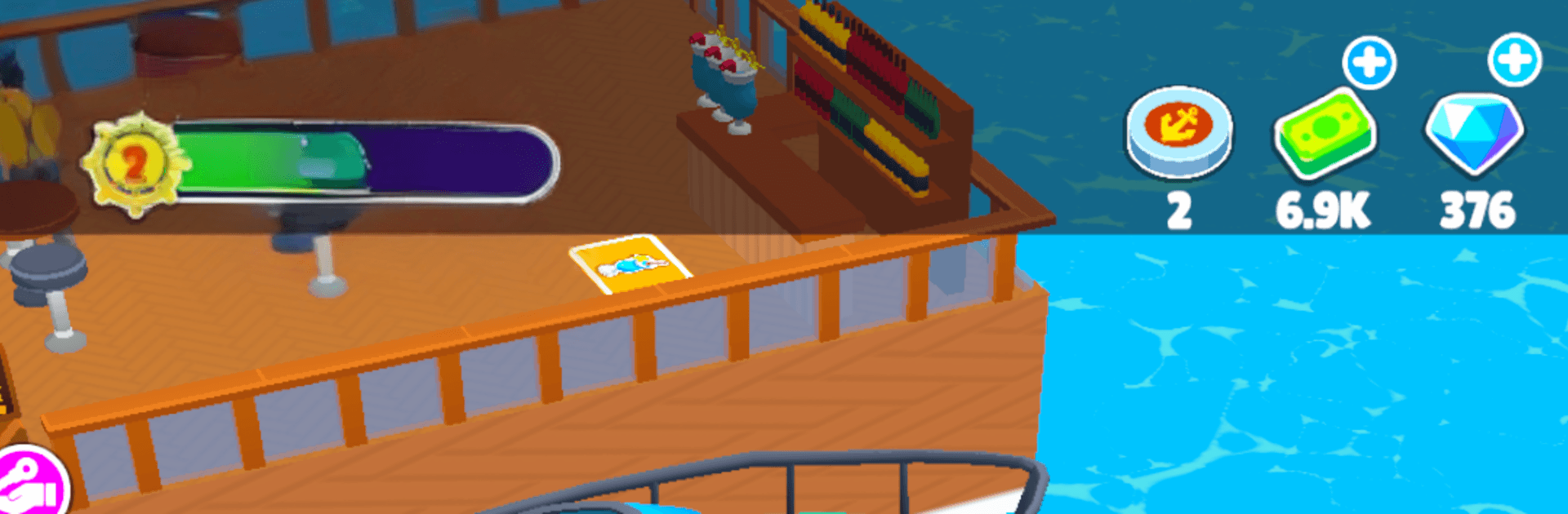
Harbor Life Idle is a laid-back Simulation about growing a sleepy pier into a bustling waterfront. You’ll start modestly, send out small boats, and watch your port snowball into a busy hub full of fishing runs, eateries, and big ships rolling in. It keeps making progress while you’re away, and it feels great on BlueStacks if you like playing on a larger screen.

Game Features

  • Start Small, Go Big: Begin with a single dock and a few humble boats, then expand into a lively harbor filled with activity.
  • Always Earning: Your port keeps working in the background, so you’ll come back to fresh cash and new upgrades to grab.
  • From Boats to Cruise Ships: Collect a growing fleet—speedboats, yachts, and eventually massive cruise liners that bring crowds and revenue.
  • Catch, Cook, Profit: Turn fresh catches into meals by opening restaurants and cafés, then roll those earnings back into your harbor.
  • Hire and Automate: Bring on helpers and workers to handle busywork, keeping ships moving and businesses stocked without micromanaging.
  • Open New Zones: Unlock fresh areas of the map, add new facilities, and watch the waterfront get livelier with every expansion.
  • Welcome Passengers: Cruise visitors disembark, explore, snap photos, and spend money across your harbor.
  • New Lines of Business: Set up vehicle-loading areas and other services to keep the income streams varied and steady.
  • Prestige for Momentum: Hit top-tier milestones to reset with permanent boosts, helping you grow much faster next time around.
  • Relaxed, Satisfying Flow: Smooth pacing, clean visuals, and steady progress that feels rewarding session after session.

Start your journey now. Download the game on BlueStacks, invite your friends, and march on a new adventure.


Game Features

Enhancements

  • Macros
  • Multi Instance
  • Multi Instance Sync
  • Script
  • Enhancements
Macros

Macros

Automate the predictable in Harbor Life Idle and transform your gameplay with Macros. Get access to inventive Macros in the BlueStacks Macro Community
Multi Instance

Multi Instance

Play Harbor Life Idle on one window. And chat with your friend on the other. Press CTRL + Shift + 8 to open the Multi-Instance Manager. And start creating fresh instances or clone an existing one.
Multi Instance Sync

Multi Instance Sync

Play Harbor Life Idle with the power of Multi-Instance Sync. Replicate what you are doing on the main instance on all other instances. Level up faster, play more.
Script

Script

Script your way to gaming glory in Harbor Life Idle with BlueStacks Script. Write and run a set of commands to automate repeated tasks. Trigger the command by assigning it to any key.
Read More

How to Download and Play Harbor Life Idle on PC or Mac

  • Download and install BlueStacks on your PC or Mac

  • Complete Google sign-in to access the Play Store, or do it later

  • Look for Harbor Life Idle in the search bar at the top right corner

  • Click to install Harbor Life Idle from the search results

  • Complete Google sign-in (if you skipped step 2) to install Harbor Life Idle

  • Click the Harbor Life Idle icon on the home screen to start playing

video
Watch Video

Minimum System Requirements

With BlueStacks 5, you can get started on a PC that fulfills the following requirements.

  • Operating System

    Microsoft Windows 7 or above, macOS 11 (Big Sur) or above

  • Processor

    Intel, AMD or Apple Silicon Processor

  • RAM

    at least 4GB

  • HDD

    10GB Free Disk Space

Note:

* You must be an Administrator on your PC. Up to date graphics drivers from Microsoft or the chipset vendor.

Harbor Life Idle - FAQs

  • How to play Harbor Life Idle on Windows PC & Mac?

    Play Harbor Life Idle on your PC or Mac by following these simple steps.

    • Click on 'Play Harbor Life Idle on PC’ to download BlueStacks
    • Install it and log-in to Google Play Store
    • Launch and play the game.
  • Why is BlueStacks the fastest and safest platform to play games on PC?

    BlueStacks respects your privacy and is always safe and secure to use. It does not carry any malware, spyware, or any sort of additional software that could harm your PC.

    It is engineered to optimize speed and performance for a seamless gaming experience.

  • What are Harbor Life Idle PC requirements?

    Minimum requirement to run Harbor Life Idle on your PC

    • OS: Microsoft Windows 7 or above MacOS 11 (Big Sur) or above
    • Processor: Intel, AMD or Apple Silicon Processor
    • RAM: Your PC must have at least 4GB of RAM. (Note that having 4GB or more disk space is not a substitute for RAM)
    • HDD: 10GB Free Disk Space.
    • You must be an Administrator on your PC.