Haunted Board
Haunted Board

Haunted Board

Simulation

| Marcus Ferron

Play on PC with BlueStacks or from our cloud

  • Overview
  • Game Features
  • How to Play

Page Modified On: June 19, 2025

Play Haunted Board on PC or Mac

Bring your A-game to Haunted Board, the Simulation game sensation from Marcus Ferron. Give your gameplay the much-needed boost with precise game controls, high FPS graphics, and top-tier features on your PC or Mac with BlueStacks.

About the Game

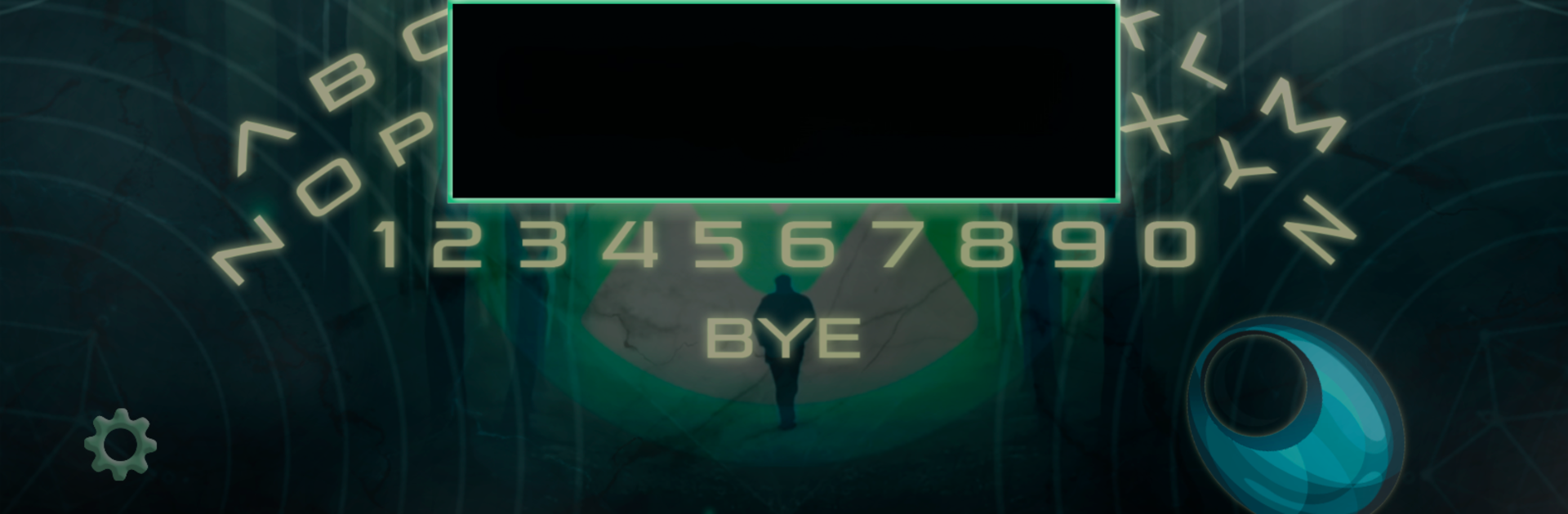
Ever been curious about what might be lurking on the other side? Haunted Board lets you tap into a world of spirits—friendly or otherwise—straight from your device. Whether you’re a skeptic or a believer, you’ll get a taste of the supernatural as you ask questions and see what answers come back. With its simple interface and creepy surprises, this Simulation game from Marcus Ferron serves up suspenseful, sometimes chilling moments every time you play.

Game Features

  • Interactive Spirit Communication
    Ask any question that pops into your head by selecting letters on the haunted board. Hit a wrong letter? There’s a quick fix for that, so you don’t have to sweat little mistakes.

  • Real-time Spirit Movement
    Once your question’s in, watch for the arrow to start moving. If a spirit’s in the mood to chat, it’ll practically guide your finger or mouse, spelling out its answers letter by letter.

  • Keyboard & Mouse Support
    Prefer using your keyboard or playing on a bigger screen? Haunted Board works smoothly with keyboard inputs, adding a whole new twist to your sessions—especially if you’re running it on BlueStacks.

  • Random Encounters
    Not every spirit is eager to respond—sometimes, nothing happens; other times, things get a little intense. You might cross paths with a friendly ghost, or… maybe not.

  • Supernatural Etiquette
    Leaving a spirit hanging isn’t recommended. You’ll want to officially say goodbye before shutting the game, or those spooky consequences might become part of your story.

  • Custom Questions
    You can ask practically anything—just type it out. Curious about a spirit’s name, their backstory, or what they want? Go for it. The answers can get as weird or fascinating as your imagination.

  • Easy-to-Access Settings
    Tweak your session with just a tap by opening the options menu. Everything you need is right there in the lower corner, making it easy to adjust as you go.

Get ready for a buttery smooth, high-performance gaming action only on BlueStacks.

Game Features

Enhancements

  • Macros
  • Multi Instance
  • Multi Instance Sync
  • Script
  • Enhancements
Macros

Macros

Automate the predictable in Haunted Board and transform your gameplay with Macros. Get access to inventive Macros in the BlueStacks Macro Community
Multi Instance

Multi Instance

Play Haunted Board on one window. And chat with your friend on the other. Press CTRL + Shift + 8 to open the Multi-Instance Manager. And start creating fresh instances or clone an existing one.
Multi Instance Sync

Multi Instance Sync

Play Haunted Board with the power of Multi-Instance Sync. Replicate what you are doing on the main instance on all other instances. Level up faster, play more.
Script

Script

Script your way to gaming glory in Haunted Board with BlueStacks Script. Write and run a set of commands to automate repeated tasks. Trigger the command by assigning it to any key.
Read More

How to Download and Play Haunted Board on PC or Mac

  • Download and install BlueStacks on your PC or Mac

  • Complete Google sign-in to access the Play Store, or do it later

  • Look for Haunted Board in the search bar at the top right corner

  • Click to install Haunted Board from the search results

  • Complete Google sign-in (if you skipped step 2) to install Haunted Board

  • Click the Haunted Board icon on the home screen to start playing

video
Watch Video

Minimum System Requirements

With BlueStacks 5, you can get started on a PC that fulfills the following requirements.

  • Operating System

    Microsoft Windows 7 or above, macOS 11 (Big Sur) or above

  • Processor

    Intel, AMD or Apple Silicon Processor

  • RAM

    at least 4GB

  • HDD

    10GB Free Disk Space

Note:

* You must be an Administrator on your PC. Up to date graphics drivers from Microsoft or the chipset vendor.

Haunted Board - FAQs

  • How to play Haunted Board on Windows PC & Mac?

    Play Haunted Board on your PC or Mac by following these simple steps.

    • Click on 'Play Haunted Board on PC’ to download BlueStacks
    • Install it and log-in to Google Play Store
    • Launch and play the game.
  • Why is BlueStacks the fastest and safest platform to play games on PC?

    BlueStacks respects your privacy and is always safe and secure to use. It does not carry any malware, spyware, or any sort of additional software that could harm your PC.

    It is engineered to optimize speed and performance for a seamless gaming experience.

  • What are Haunted Board PC requirements?

    Minimum requirement to run Haunted Board on your PC

    • OS: Microsoft Windows 7 or above MacOS 11 (Big Sur) or above
    • Processor: Intel, AMD or Apple Silicon Processor
    • RAM: Your PC must have at least 4GB of RAM. (Note that having 4GB or more disk space is not a substitute for RAM)
    • HDD: 10GB Free Disk Space.
    • You must be an Administrator on your PC.