Heavy Construction JCB Sim 3D

Heavy Construction JCB Sim 3D

Strategy

| Ecno Byte

Play on PC with BlueStacks or from our cloud

  • Overview
  • Game Features
  • How to Play

Page Modified On: May 18, 2026

Play Heavy Construction JCB Sim 3D on PC or Mac

Join millions to experience Heavy Construction JCB Sim 3D, an exciting Strategy game from Ecno Byte. With BlueStacks App Player, you are always a step ahead of your opponent, ready to outplay them with faster gameplay and better control with the mouse and keyboard on your PC or Mac.

About the Game

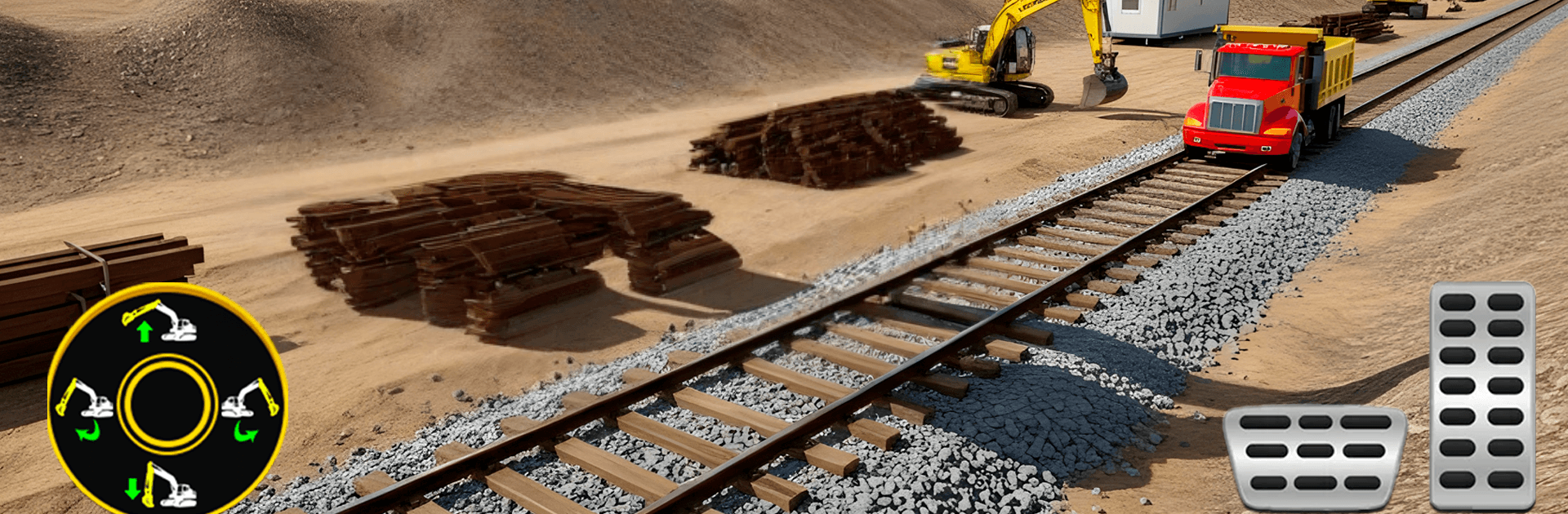
Heavy Construction JCB Sim 3D puts you in charge of building a working rail network from the ground up. It’s a Strategy build-and-drive experience where planning matters just as much as your skills behind the controls. One minute you’re clearing rocky terrain; the next, you’re laying track, lifting beams, or shaping out a new station area.

Game Features

  • Big Machines, Real Control: Operate excavators, bulldozers, JCBs, and dump trucks with weighty, responsive handling. You’ll dig, haul, and grade like you mean it, not just tap-and-go.

  • Build the Rail Line: Lay down railway tracks to connect neighborhoods, worksites, and outposts. Pick smart routes, prep the ground, and keep materials moving so the line comes together smoothly.

  • Bridges That Hold Up: Tackle bridge construction with careful placement and steady driving. Clear spans, set supports, and make sure the route stays safe over rough gaps and water.

  • Station Work, Done Right: Develop station zones by carving platforms, organizing space, and keeping access roads tidy. It’s not just looks—good station layouts keep the whole network efficient.

  • Thoughtful Strategy: Missions reward planning, timing, and sequencing tasks in the right order. Choose the right vehicle for each job and manage your workflow to hit objectives cleanly.

  • Varied Terrains: Move from tight city streets to muddy off-road stretches and rocky hills. Each environment changes how your machines handle and what problems you’ll solve.

  • Progressive Missions: Every level brings fresh goals—new sites, bigger builds, and trickier logistics—to keep the challenge growing at a comfortable pace.

  • Smooth, Immersive Feel: Clean controls and grounded physics make every bucket load and beam placement satisfying. Prefer a larger screen? BlueStacks lets you play on PC with crisp visuals and steady performance.

  • Made by Ecno Byte: Heavy Construction JCB Sim 3D is crafted for players who enjoy hands-on building with a strategic edge, right down to the final piece of track.

Slay your opponents with your epic moves. Play it your way on BlueStacks and dominate the battlefield.


Game Features

Enhancements

  • Macros
  • Multi Instance
  • Multi Instance Sync
  • Eco Mode
  • Enhancements
Macros

Macros

Skip the boring parts of a game. Play Heavy Construction JCB Sim 3D with Macros and get the edge. Simply record a sequence of commands and execute them at any moment.
Multi Instance

Multi Instance

Why limit to one game on your phone when you can play many on your PC? Open multiple instances of Heavy Construction JCB Sim 3D at once with Multi-Instance. Leverage the power of different accounts by doing more.
Multi Instance Sync

Multi Instance Sync

Get the best out of Heavy Construction JCB Sim 3D with Multi-Instance Sync. Play the game from different accounts and build your own empire. Use Multi-instance sync to repeat the action in the main BlueStacks instance on all other instances.
Eco Mode

Eco Mode

Find the rarest heroes by making multiple summons in Heavy Construction JCB Sim 3D. And while you are at it, reduce your PC’s resource consumption with the Eco Mode. Farm efficiently. Get the best results.
Read More

How to Download and Play Heavy Construction JCB Sim 3D on PC or Mac

  • Download and install BlueStacks on your PC or Mac

  • Complete Google sign-in to access the Play Store, or do it later

  • Look for Heavy Construction JCB Sim 3D in the search bar at the top right corner

  • Click to install Heavy Construction JCB Sim 3D from the search results

  • Complete Google sign-in (if you skipped step 2) to install Heavy Construction JCB Sim 3D

  • Click the Heavy Construction JCB Sim 3D icon on the home screen to start playing

video
Watch Video

Minimum System Requirements

With BlueStacks 5, you can get started on a PC that fulfills the following requirements.

  • Operating System

    Microsoft Windows 7 or above, macOS 11 (Big Sur) or above

  • Processor

    Intel, AMD or Apple Silicon Processor

  • RAM

    at least 4GB

  • HDD

    10GB Free Disk Space

Note:

* You must be an Administrator on your PC. Up to date graphics drivers from Microsoft or the chipset vendor.

Heavy Construction JCB Sim 3D - FAQs

  • How to play Heavy Construction JCB Sim 3D on Windows PC & Mac?

    Play Heavy Construction JCB Sim 3D on your PC or Mac by following these simple steps.

    • Click on 'Play Heavy Construction JCB Sim 3D on PC’ to download BlueStacks
    • Install it and log-in to Google Play Store
    • Launch and play the game.
  • Why is BlueStacks the fastest and safest platform to play games on PC?

    BlueStacks respects your privacy and is always safe and secure to use. It does not carry any malware, spyware, or any sort of additional software that could harm your PC.

    It is engineered to optimize speed and performance for a seamless gaming experience.

  • What are Heavy Construction JCB Sim 3D PC requirements?

    Minimum requirement to run Heavy Construction JCB Sim 3D on your PC

    • OS: Microsoft Windows 7 or above MacOS 11 (Big Sur) or above
    • Processor: Intel, AMD or Apple Silicon Processor
    • RAM: Your PC must have at least 4GB of RAM. (Note that having 4GB or more disk space is not a substitute for RAM)
    • HDD: 10GB Free Disk Space.
    • You must be an Administrator on your PC.