I Am City Taxi Driver

I Am City Taxi Driver

Simulation

| OZI PUB

Play on PC with BlueStacks or from our cloud

  • Overview
  • Game Features
  • How to Play

Page Modified On: June 25, 2026

Play I Am City Taxi Driver on PC or Mac

I Am City Taxi Driver brings the Simulation genre to life, and throws up exciting challenges for gamers. Developed by OZI PUB, this Android game is best experienced on BlueStacks, the World’s #1 app player for PC and Mac users.

About the Game

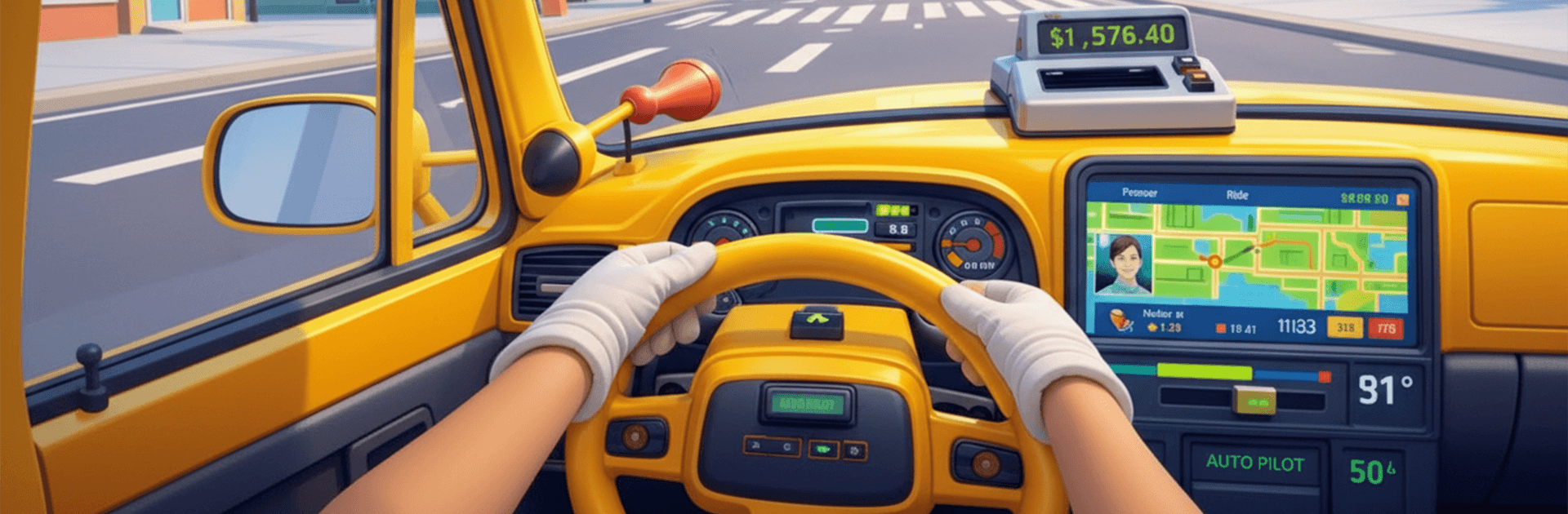
I Am City Taxi Driver is a playful Simulation that turns every fare into a little story. You’re not just steering a cab—you’re managing wild moods, odd requests, and backseat antics that can flip a calm cruise into pure comedy. Expect quick pick-ups, unexpected reactions, and plenty of “did that really just happen?” moments.

Game Features

  • Chaotic rides: No two trips feel alike. Passengers crack jokes, bicker, dance, or overreact in ways that keep you on your toes.
  • Physics-driven reactions: Sharp turns, bumps, and sudden stops lead to lively, physics-based passenger behavior that makes each ride unpredictable.
  • Earn and unlock: Complete fares to stack cash, improve your rating, and open up new items that make your taxi feel truly yours.
  • Customize your cab: Upgrade performance and add cosmetic touches—from fresh paint to fun interior flair—so your ride matches your style.
  • Quirky passenger requests: Handle unusual demands and shifting moods. Some riders want chill vibes; others bring pure chaos.
  • Open-city driving: Pick your routes through a busy urban map, thread through traffic, and improvise when things get weird.
  • Easy to hop in: Snappy controls make driving straightforward, while quick retries keep the pace brisk when a ride goes sideways.
  • PC comfort with BlueStacks: Prefer a bigger view and crisp controls? Running I Am City Taxi Driver on BlueStacks feels smooth and lets you focus on the road—and the trouble brewing in the back seat.

Start playing I Am City Taxi Driver on BlueStacks and get a smoother, more comfortable PC or Mac setup.


Game Features

Enhancements

  • Macros
  • Multi Instance
  • Multi Instance Sync
  • Script
  • Enhancements
Macros

Macros

Automate the predictable in I Am City Taxi Driver and transform your gameplay with Macros. Get access to inventive Macros in the BlueStacks Macro Community
Multi Instance

Multi Instance

Play I Am City Taxi Driver on one window. And chat with your friend on the other. Press CTRL + Shift + 8 to open the Multi-Instance Manager. And start creating fresh instances or clone an existing one.
Multi Instance Sync

Multi Instance Sync

Play I Am City Taxi Driver with the power of Multi-Instance Sync. Replicate what you are doing on the main instance on all other instances. Level up faster, play more.
Script

Script

Script your way to gaming glory in I Am City Taxi Driver with BlueStacks Script. Write and run a set of commands to automate repeated tasks. Trigger the command by assigning it to any key.
Read More

How to Download and Play I Am City Taxi Driver on PC or Mac

  • Download and install BlueStacks on your PC or Mac

  • Complete Google sign-in to access the Play Store, or do it later

  • Look for I Am City Taxi Driver in the search bar at the top right corner

  • Click to install I Am City Taxi Driver from the search results

  • Complete Google sign-in (if you skipped step 2) to install I Am City Taxi Driver

  • Click the I Am City Taxi Driver icon on the home screen to start playing

video
Watch Video

Minimum System Requirements

With BlueStacks 5, you can get started on a PC that fulfills the following requirements.

  • Operating System

    Microsoft Windows 7 or above, macOS 11 (Big Sur) or above

  • Processor

    Intel, AMD or Apple Silicon Processor

  • RAM

    at least 4GB

  • HDD

    10GB Free Disk Space

Note:

* You must be an Administrator on your PC. Up to date graphics drivers from Microsoft or the chipset vendor.

I Am City Taxi Driver - FAQs

  • How to play I Am City Taxi Driver on Windows PC & Mac?

    Play I Am City Taxi Driver on your PC or Mac by following these simple steps.

    • Click on 'Play I Am City Taxi Driver on PC’ to download BlueStacks
    • Install it and log-in to Google Play Store
    • Launch and play the game.
  • Why is BlueStacks the fastest and safest platform to play games on PC?

    BlueStacks respects your privacy and is always safe and secure to use. It does not carry any malware, spyware, or any sort of additional software that could harm your PC.

    It is engineered to optimize speed and performance for a seamless gaming experience.

  • What are I Am City Taxi Driver PC requirements?

    Minimum requirement to run I Am City Taxi Driver on your PC

    • OS: Microsoft Windows 7 or above MacOS 11 (Big Sur) or above
    • Processor: Intel, AMD or Apple Silicon Processor
    • RAM: Your PC must have at least 4GB of RAM. (Note that having 4GB or more disk space is not a substitute for RAM)
    • HDD: 10GB Free Disk Space.
    • You must be an Administrator on your PC.