Idle Bus Station - Tycoon Game

Idle Bus Station - Tycoon Game

Simulation

| 1LIFE.GAMES

Play on PC with BlueStacks or from our cloud

  • Overview
  • Game Features
  • How to Play

Page Modified On: December 15, 2025

Play Idle Bus Station - Tycoon Game on PC or Mac

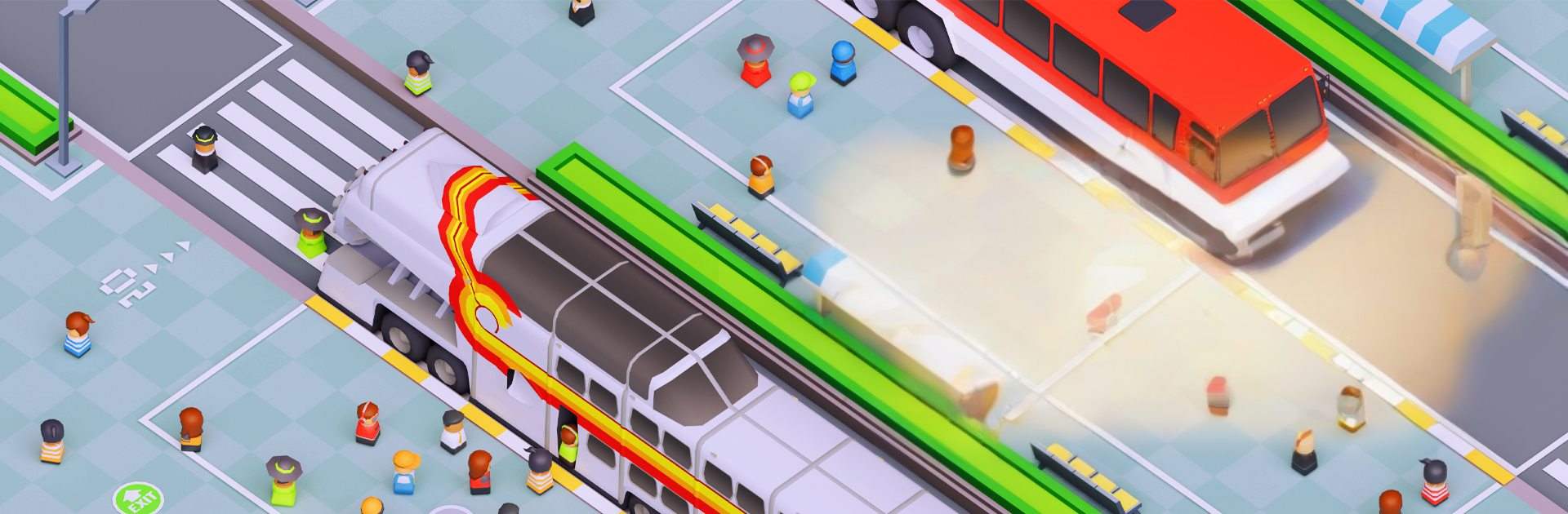
From the innovators and creators at 1LIFE.GAMES, Idle Bus Station – Tycoon Game is another fun addition to the World of Simulation games. Go beyond your mobile screen and play it bigger and better on your PC or Mac. An immersive experience awaits you.

Idle Bus Station – Tycoon Game is a chill management sim where someone runs a busy coach station and tries to keep everything moving. It starts small with a couple platforms and a slow ticket desk, then turns into juggling timetables, longer routes, and a crowd that wants clear signs, decent seats, clean restrooms, and a place to charge phones. The main tension is lines getting too long. Add more self-serve ticket machines, open extra security checkpoints, expand platforms, and the queues calm down. Let things clog up and passengers get grumpy and walk out, which hurts the wallet fast.

There is a good bit of planning too. Buses have different types and earnings, routes get longer and tickets cost more, and arranging a sensible timetable feels like a little puzzle. Build small stores and a fast food spot to keep passengers busy and to rake in side cash, then upgrade them so service speeds up. It runs as an idle game, so money stacks up even when it sits in the background. There are a lot of routes to unlock, over 92, and a collection of around two dozen coaches to grow the fleet. On PC with BlueStacks, it is easy to click through upgrades, drag timetables around, and keep the game idling in a corner while doing other stuff. It is simple to grasp but there is just enough to tweak so it stays satisfying when the station goes from a dusty stop to a polished, high-end hub.

Slay your opponents with your epic moves. Play it your way on BlueStacks and dominate the battlefield.


Game Features

Enhancements

  • Macros
  • Multi Instance
  • Multi Instance Sync
  • Script
  • Enhancements
Macros

Macros

Automate the predictable in Idle Bus Station - Tycoon Game and transform your gameplay with Macros. Get access to inventive Macros in the BlueStacks Macro Community
Multi Instance

Multi Instance

Play Idle Bus Station - Tycoon Game on one window. And chat with your friend on the other. Press CTRL + Shift + 8 to open the Multi-Instance Manager. And start creating fresh instances or clone an existing one.
Multi Instance Sync

Multi Instance Sync

Play Idle Bus Station - Tycoon Game with the power of Multi-Instance Sync. Replicate what you are doing on the main instance on all other instances. Level up faster, play more.
Script

Script

Script your way to gaming glory in Idle Bus Station - Tycoon Game with BlueStacks Script. Write and run a set of commands to automate repeated tasks. Trigger the command by assigning it to any key.
Read More

How to Download and Play Idle Bus Station - Tycoon Game on PC or Mac

  • Download and install BlueStacks on your PC or Mac

  • Complete Google sign-in to access the Play Store, or do it later

  • Look for Idle Bus Station - Tycoon Game in the search bar at the top right corner

  • Click to install Idle Bus Station - Tycoon Game from the search results

  • Complete Google sign-in (if you skipped step 2) to install Idle Bus Station - Tycoon Game

  • Click the Idle Bus Station - Tycoon Game icon on the home screen to start playing

video
Watch Video

Minimum System Requirements

With BlueStacks 5, you can get started on a PC that fulfills the following requirements.

  • Operating System

    Microsoft Windows 7 or above, macOS 11 (Big Sur) or above

  • Processor

    Intel, AMD or Apple Silicon Processor

  • RAM

    at least 4GB

  • HDD

    10GB Free Disk Space

Note:

* You must be an Administrator on your PC. Up to date graphics drivers from Microsoft or the chipset vendor.

Idle Bus Station - Tycoon Game - FAQs

  • How to play Idle Bus Station - Tycoon Game on Windows PC & Mac?

    Play Idle Bus Station - Tycoon Game on your PC or Mac by following these simple steps.

    • Click on 'Play Idle Bus Station - Tycoon Game on PC’ to download BlueStacks
    • Install it and log-in to Google Play Store
    • Launch and play the game.
  • Why is BlueStacks the fastest and safest platform to play games on PC?

    BlueStacks respects your privacy and is always safe and secure to use. It does not carry any malware, spyware, or any sort of additional software that could harm your PC.

    It is engineered to optimize speed and performance for a seamless gaming experience.

  • What are Idle Bus Station - Tycoon Game PC requirements?

    Minimum requirement to run Idle Bus Station - Tycoon Game on your PC

    • OS: Microsoft Windows 7 or above MacOS 11 (Big Sur) or above
    • Processor: Intel, AMD or Apple Silicon Processor
    • RAM: Your PC must have at least 4GB of RAM. (Note that having 4GB or more disk space is not a substitute for RAM)
    • HDD: 10GB Free Disk Space.
    • You must be an Administrator on your PC.