
Indian Bikes Driving: Rider 3D

Indian Bikes Driving: Rider 3D

Simulation

| MBilal

Play on PC with BlueStacks or from our cloud

  • Overview
  • Game Features
  • How to Play

Page Modified On: September 25, 2026

Play Indian Bikes Driving: Rider 3D on PC or Mac

Play Indian Bikes Driving: Rider 3D by MBilal on PC or Mac with BlueStacks. Use a bigger screen, mouse and keyboard controls, and smoother performance while you play.

About the Game

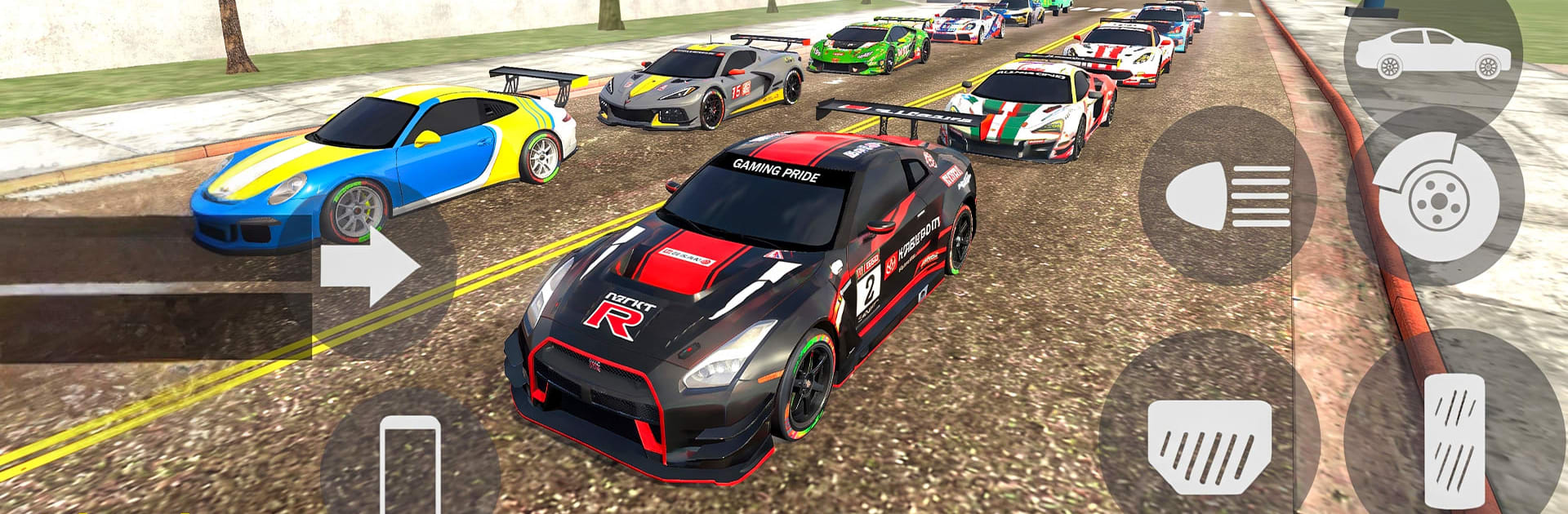
Indian Bikes Driving: Rider 3D is a free-roaming Simulation that hands you the keys to a sprawling city and lets you go wild on bikes, cars, and SUVs. One minute you’re threading traffic on a street bike; the next you’re flying off a stunt ramp or sneaking down a railway service road to a hidden spot. Expect fast rides, odd surprises (yes, dinosaurs), and a giant playground built for carefree cruising or focused challenges.

Game Features

  • Open-world playground: Roam city streets, highways, villages, off-road trails, and active railway lines with plenty of room to explore.
  • Tons of rides: Swap between Indian bikes, sporty coupes, and luxury SUVs whenever the mood changes.
  • Lively traffic and rails: Weave through traffic and time your crossings with trains to keep your momentum flowing.
  • Stunts made easy (and wild): Hit towering ramps, loops, and gap jumps designed for big airs and clean landings.
  • Missions and mini-goals: Tackle timed runs, action jobs, and score chases that reward skill and a bit of nerve.
  • Real-feel handling: Weight, grip, wheelies, and drifts all click thanks to grounded physics and smooth response.
  • Surprise modes: Step through portals to meet dinosaurs, chase dragons, or blast around in quirky space scenes.
  • Secrets to uncover: Hunt down rooftops, tunnels, and tucked-away alleys to find shortcuts, collectibles, and hidden areas.
  • Views and control tweaks: Switch cameras on the fly and dial in steering, sensitivity, and assists until it feels perfect.
  • Clean look and sound: Crisp engine audio and detailed environments make every ride look and feel satisfying.
  • Offline friendly: Explore and experiment without a connection—great for quick sessions or long cruises.
  • Play on PC with BlueStacks: Prefer a bigger display and a keyboard or gamepad? Fire it up on BlueStacks for comfy controls and steady performance.
  • Fresh content over time: New vehicles, modes, and tasks roll in periodically to keep the city feeling new.

Start your journey now. Download the game on BlueStacks, invite your friends, and march on a new adventure.


Game Features

Enhancements

  • Macros
  • Multi Instance
  • Multi Instance Sync
  • Script
  • Enhancements
Macros

Macros

Automate the predictable in Indian Bikes Driving: Rider 3D and transform your gameplay with Macros. Get access to inventive Macros in the BlueStacks Macro Community
Multi Instance

Multi Instance

Play Indian Bikes Driving: Rider 3D on one window. And chat with your friend on the other. Press CTRL + Shift + 8 to open the Multi-Instance Manager. And start creating fresh instances or clone an existing one.
Multi Instance Sync

Multi Instance Sync

Play Indian Bikes Driving: Rider 3D with the power of Multi-Instance Sync. Replicate what you are doing on the main instance on all other instances. Level up faster, play more.
Script

Script

Script your way to gaming glory in Indian Bikes Driving: Rider 3D with BlueStacks Script. Write and run a set of commands to automate repeated tasks. Trigger the command by assigning it to any key.
Read More

How to Download and Play Indian Bikes Driving: Rider 3D on PC or Mac

  • Download and install BlueStacks on your PC or Mac

  • Complete Google sign-in to access the Play Store, or do it later

  • Look for Indian Bikes Driving: Rider 3D in the search bar at the top right corner

  • Click to install Indian Bikes Driving: Rider 3D from the search results

  • Complete Google sign-in (if you skipped step 2) to install Indian Bikes Driving: Rider 3D

  • Click the Indian Bikes Driving: Rider 3D icon on the home screen to start playing

video
Watch Video

Minimum System Requirements

With BlueStacks 5, you can get started on a PC that fulfills the following requirements.

  • Operating System

    Microsoft Windows 7 or above, macOS 11 (Big Sur) or above

  • Processor

    Intel, AMD or Apple Silicon Processor

  • RAM

    at least 4GB

  • HDD

    10GB Free Disk Space

Note:

* You must be an Administrator on your PC. Up to date graphics drivers from Microsoft or the chipset vendor.

Indian Bikes Driving: Rider 3D - FAQs

  • How to play Indian Bikes Driving: Rider 3D on Windows PC & Mac?

    Play Indian Bikes Driving: Rider 3D on your PC or Mac by following these simple steps.

    • Click on 'Play Indian Bikes Driving: Rider 3D on PC’ to download BlueStacks
    • Install it and log-in to Google Play Store
    • Launch and play the game.
  • Why is BlueStacks the fastest and safest platform to play games on PC?

    BlueStacks respects your privacy and is always safe and secure to use. It does not carry any malware, spyware, or any sort of additional software that could harm your PC.

    It is engineered to optimize speed and performance for a seamless gaming experience.

  • What are Indian Bikes Driving: Rider 3D PC requirements?

    Minimum requirement to run Indian Bikes Driving: Rider 3D on your PC

    • OS: Microsoft Windows 7 or above MacOS 11 (Big Sur) or above
    • Processor: Intel, AMD or Apple Silicon Processor
    • RAM: Your PC must have at least 4GB of RAM. (Note that having 4GB or more disk space is not a substitute for RAM)
    • HDD: 10GB Free Disk Space.
    • You must be an Administrator on your PC.







