Indian Bus Simulator

Indian Bus Simulator

Simulation

| Code Craft Games

Play on PC with BlueStacks or from our cloud

  • Overview
  • Game Features
  • How to Play

Page Modified On: August 10, 2026

Play Indian Bus Simulator on PC or Mac

Bring your A-game to Indian Bus Simulator, the Simulation game sensation from Code Craft Games. Give your gameplay the much-needed boost with precise game controls, high FPS graphics, and top-tier features on your PC or Mac with BlueStacks.

About the Game

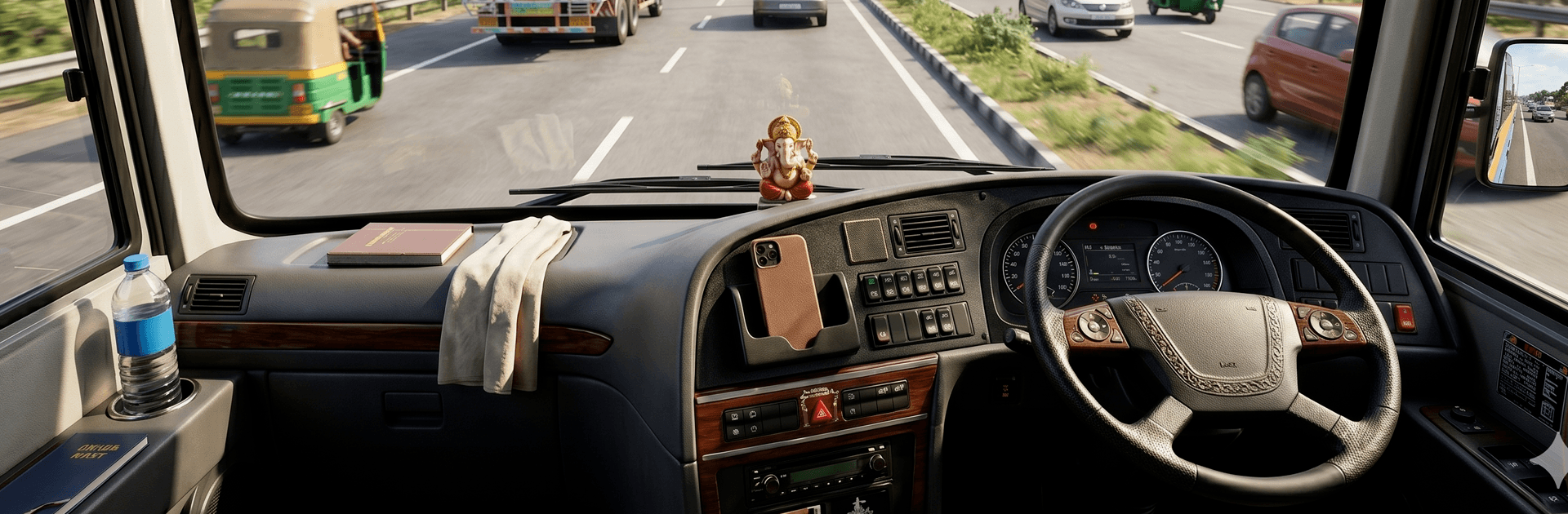
Indian Bus Simulator puts you in the driver’s seat of a big, roaring bus threading through India’s bustling cities and long stretches of open road. You’ll juggle tight turns, traffic lights, and passenger schedules while keeping your ride smooth and safe. It’s a Simulation experience built around believable routes, responsive controls, and the simple satisfaction of pulling into a stop right on time. Prefer a larger screen and precise inputs? You can also play it on PC with BlueStacks.

Game Features

  • Real Indian roads: Navigate busy markets, wide highways, and those famously narrow lanes that keep you honest behind the wheel.
  • Passenger duties: Pick up, drop off, and stick to assigned stops as you work through practical, route-based transport missions.
  • Easy-to-learn controls: Steering, braking, and acceleration feel natural, so you can focus on timing, spacing, and clean driving lines.
  • Lively city traffic: Deal with intersections, stop-and-go jams, and tricky merges that reward patience and good judgment.
  • Distinct Indian-style buses: Drive vehicles inspired by local designs, complete with characteristic looks and a solid sense of weight.
  • High-quality 3D visuals: Crisp models and clear environments help you read the road ahead and plan smarter moves.
  • City to highway variety: Swap between short urban hops and longer highway runs, plus tighter routes that test your precision.
  • Built for bus-sim fans: Whether you like calm, steady runs or threading through congestion on a deadline, there’s always another route to master.

BlueStacks gives you more room to focus on the game and less time adjusting around mobile limitations.


Game Features

Enhancements

  • Macros
  • Multi Instance
  • Multi Instance Sync
  • Script
  • Enhancements
Macros

Macros

Automate the predictable in Indian Bus Simulator and transform your gameplay with Macros. Get access to inventive Macros in the BlueStacks Macro Community
Multi Instance

Multi Instance

Play Indian Bus Simulator on one window. And chat with your friend on the other. Press CTRL + Shift + 8 to open the Multi-Instance Manager. And start creating fresh instances or clone an existing one.
Multi Instance Sync

Multi Instance Sync

Play Indian Bus Simulator with the power of Multi-Instance Sync. Replicate what you are doing on the main instance on all other instances. Level up faster, play more.
Script

Script

Script your way to gaming glory in Indian Bus Simulator with BlueStacks Script. Write and run a set of commands to automate repeated tasks. Trigger the command by assigning it to any key.
Read More

How to Download and Play Indian Bus Simulator on PC or Mac

  • Download and install BlueStacks on your PC or Mac

  • Complete Google sign-in to access the Play Store, or do it later

  • Look for Indian Bus Simulator in the search bar at the top right corner

  • Click to install Indian Bus Simulator from the search results

  • Complete Google sign-in (if you skipped step 2) to install Indian Bus Simulator

  • Click the Indian Bus Simulator icon on the home screen to start playing

video
Watch Video

Minimum System Requirements

With BlueStacks 5, you can get started on a PC that fulfills the following requirements.

  • Operating System

    Microsoft Windows 7 or above, macOS 11 (Big Sur) or above

  • Processor

    Intel, AMD or Apple Silicon Processor

  • RAM

    at least 4GB

  • HDD

    10GB Free Disk Space

Note:

* You must be an Administrator on your PC. Up to date graphics drivers from Microsoft or the chipset vendor.

Indian Bus Simulator - FAQs

  • How to play Indian Bus Simulator on Windows PC & Mac?

    Play Indian Bus Simulator on your PC or Mac by following these simple steps.

    • Click on 'Play Indian Bus Simulator on PC’ to download BlueStacks
    • Install it and log-in to Google Play Store
    • Launch and play the game.
  • Why is BlueStacks the fastest and safest platform to play games on PC?

    BlueStacks respects your privacy and is always safe and secure to use. It does not carry any malware, spyware, or any sort of additional software that could harm your PC.

    It is engineered to optimize speed and performance for a seamless gaming experience.

  • What are Indian Bus Simulator PC requirements?

    Minimum requirement to run Indian Bus Simulator on your PC

    • OS: Microsoft Windows 7 or above MacOS 11 (Big Sur) or above
    • Processor: Intel, AMD or Apple Silicon Processor
    • RAM: Your PC must have at least 4GB of RAM. (Note that having 4GB or more disk space is not a substitute for RAM)
    • HDD: 10GB Free Disk Space.
    • You must be an Administrator on your PC.