Jeep Driving 4x4: Offroad Game

Jeep Driving 4x4: Offroad Game

Simulation

| Soft Soft Games

Play on PC with BlueStacks or from our cloud

  • Overview
  • Game Features
  • How to Play

Page Modified On: January 08, 2026

Play Jeep Driving 4x4: Offroad Game on PC or Mac

Step into the World of Jeep Driving 4×4: Offroad Game, a thrilling Simulation game from the house of Soft Soft Games. Play this Android game on BlueStacks App Player and experience immersive gaming on PC or Mac.

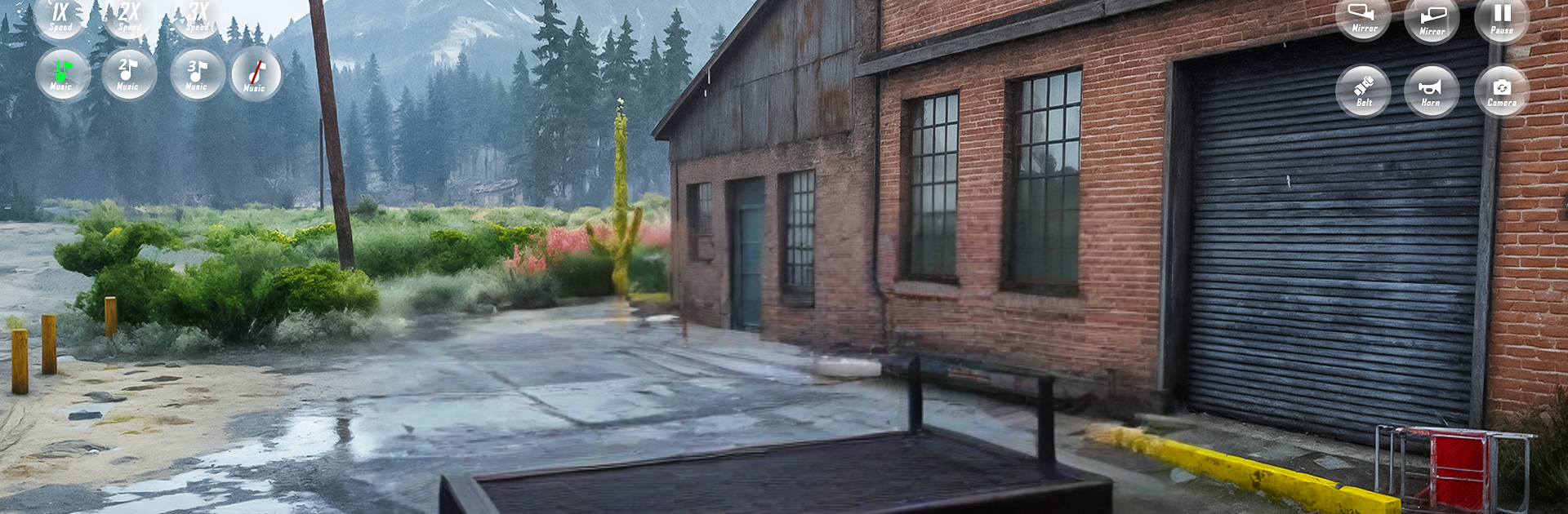
Jeep Driving 4×4: Offroad Game is a laid back offroad driver where the challenge is all about keeping a heavy jeep under control on ugly terrain. Think steep hills, muddy ruts, and those narrow cliff roads that make hands tense up a bit. The handling leans toward smooth and arcadey, so it does not punish every small mistake, but there is enough bounce and slip to make tight turns and climbs feel risky. There are two modes to mess with, and the levels are short and simple to read, then they ramp up in difficulty. Offroad mode throws a handful of distinct routes at the player, and the full set adds up to ten stages, so it is easy to run a couple, fail a corner, try again, and move on. No free roaming chaos here, it is more about precision, picking a line, and not rolling the truck.

On BlueStacks, keyboard steering and camera control feel crisp, and the game runs light, so even an older laptop should be fine. Visuals are basic but the terrain does the work, with uneven paths and little bumps that force careful throttle rather than full speed. It is friendly for beginners and still gives experienced drivers something to chew on as the roads get thinner and nastier. If someone wants deep tuning or ultra realistic physics, this is not that, but for quick offroad hits and clean controls, it lands exactly where it aims.

Slay your opponents with your epic moves. Play it your way on BlueStacks and dominate the battlefield.


Game Features

Enhancements

  • Macros
  • Multi Instance
  • Multi Instance Sync
  • Script
  • Enhancements
Macros

Macros

Automate the predictable in Jeep Driving 4x4: Offroad Game and transform your gameplay with Macros. Get access to inventive Macros in the BlueStacks Macro Community
Multi Instance

Multi Instance

Play Jeep Driving 4x4: Offroad Game on one window. And chat with your friend on the other. Press CTRL + Shift + 8 to open the Multi-Instance Manager. And start creating fresh instances or clone an existing one.
Multi Instance Sync

Multi Instance Sync

Play Jeep Driving 4x4: Offroad Game with the power of Multi-Instance Sync. Replicate what you are doing on the main instance on all other instances. Level up faster, play more.
Script

Script

Script your way to gaming glory in Jeep Driving 4x4: Offroad Game with BlueStacks Script. Write and run a set of commands to automate repeated tasks. Trigger the command by assigning it to any key.
Read More

How to Download and Play Jeep Driving 4x4: Offroad Game on PC or Mac

  • Download and install BlueStacks on your PC or Mac

  • Complete Google sign-in to access the Play Store, or do it later

  • Look for Jeep Driving 4x4: Offroad Game in the search bar at the top right corner

  • Click to install Jeep Driving 4x4: Offroad Game from the search results

  • Complete Google sign-in (if you skipped step 2) to install Jeep Driving 4x4: Offroad Game

  • Click the Jeep Driving 4x4: Offroad Game icon on the home screen to start playing

video
Watch Video

Minimum System Requirements

With BlueStacks 5, you can get started on a PC that fulfills the following requirements.

  • Operating System

    Microsoft Windows 7 or above, macOS 11 (Big Sur) or above

  • Processor

    Intel, AMD or Apple Silicon Processor

  • RAM

    at least 4GB

  • HDD

    10GB Free Disk Space

Note:

* You must be an Administrator on your PC. Up to date graphics drivers from Microsoft or the chipset vendor.

Jeep Driving 4x4: Offroad Game - FAQs

  • How to play Jeep Driving 4x4: Offroad Game on Windows PC & Mac?

    Play Jeep Driving 4x4: Offroad Game on your PC or Mac by following these simple steps.

    • Click on 'Play Jeep Driving 4x4: Offroad Game on PC’ to download BlueStacks
    • Install it and log-in to Google Play Store
    • Launch and play the game.
  • Why is BlueStacks the fastest and safest platform to play games on PC?

    BlueStacks respects your privacy and is always safe and secure to use. It does not carry any malware, spyware, or any sort of additional software that could harm your PC.

    It is engineered to optimize speed and performance for a seamless gaming experience.

  • What are Jeep Driving 4x4: Offroad Game PC requirements?

    Minimum requirement to run Jeep Driving 4x4: Offroad Game on your PC

    • OS: Microsoft Windows 7 or above MacOS 11 (Big Sur) or above
    • Processor: Intel, AMD or Apple Silicon Processor
    • RAM: Your PC must have at least 4GB of RAM. (Note that having 4GB or more disk space is not a substitute for RAM)
    • HDD: 10GB Free Disk Space.
    • You must be an Administrator on your PC.